

Creating a custom Shopify theme without coding is possible using user-friendly tools. Platforms like Shopify’s Theme Editor and third-party apps allow for extensive customization.
Shopify has revolutionized e-commerce, making it accessible for everyone. Customizing your online store enhances branding and improves user experience. Many users fear coding is necessary for a unique design. Fortunately, various tools enable you to craft a personalized theme easily.
With a little creativity, you can modify layouts, colors, and fonts without technical skills. This guide explores effective methods to help you create an eye-catching Shopify theme. Dive into user-friendly options that empower you to express your brand’s identity, attract customers, and drive sales—all while avoiding the complexities of coding. Get ready to transform your store!
Introduction To Shopify Themes
Shopify themes are essential for online stores. They define how your store looks and feels. A well-designed theme attracts customers. It enhances user experience and boosts sales.
The Role Of Themes In E-commerce Success
Themes play a crucial role in e-commerce. They influence first impressions. A visually appealing theme can:
- Increase user engagement
- Enhance brand credibility
- Boost conversion rates
Shopify offers numerous themes. Some are free, while others are paid. Choose a theme that fits your brand. This choice impacts your online presence significantly.
Advantages Of Custom Themes For Brand Identity
Custom themes help create a unique brand identity. They allow full control over design and functionality. Here are key benefits of custom themes:
| Benefit | Description |
|---|---|
| Brand Recognition | Custom themes reflect your brand’s personality. |
| Flexibility | Modify elements to meet specific needs. |
| Improved User Experience | Tailor the navigation for easier shopping. |
Investing in a custom theme builds trust. Customers feel more comfortable shopping with a unique design.

Credit: www.shopify.com
Preparation: Understanding Your Brand And Audience
Creating a custom Shopify theme starts with preparation. Understanding your brand and audience is essential. This knowledge guides design choices and enhances user experience.
Defining Your Brand Aesthetics
Brand aesthetics shape how customers perceive your business. Focus on these key elements:
- Color Palette: Choose colors that reflect your brand identity.
- Typography: Select fonts that align with your brand voice.
- Imagery: Use images that tell your brand story.
Create a mood board to visualize these elements. This tool helps align your design with your brand’s message. Consistency in aesthetics builds trust and recognition.
Analyzing Your Target Audience
Understanding your audience is crucial for effective design. Start by answering these questions:
- Who are your ideal customers?
- What are their interests and needs?
- How do they shop online?
Gather data through surveys and social media insights. Identify common traits within your audience. Use this information to tailor your theme to their preferences.
Consider the following factors:
| Factor | Description |
|---|---|
| Age Group | Understand the age range of your customers. |
| Gender | Identify the gender distribution in your audience. |
| Location | Determine where your customers are located. |
| Shopping Preferences | Know how they prefer to shop online. |
Using this data helps create a user-friendly theme. A well-designed theme attracts and retains customers.
Theme Customization Tools: A Primer
Creating a custom Shopify theme can seem challenging. Thankfully, various tools make it easier. These tools help users design their online store without any coding skills.
Shopify Theme Editor: Features And Functions
The Shopify Theme Editor is a powerful tool. It allows users to customize their store’s look and feel.
- Drag-and-Drop Interface: Arrange elements easily.
- Live Preview: See changes in real-time.
- Sections and Blocks: Add, remove, or rearrange sections.
- Color Customization: Choose colors that match your brand.
- Font Selection: Pick fonts that enhance readability.
These features make it simple to create a unique store. You can adjust layouts without needing coding knowledge.
Third-party Theme Builders
Third-party theme builders offer even more customization options. They come with additional features that enhance the Shopify experience.
| Theme Builder | Key Features | Pricing |
|---|---|---|
| PageFly | Advanced drag-and-drop editor | Starts at $19/month |
| Shogun | Landing page builder | Starts at $39/month |
| GemPages | Customizable templates | Starts at $15/month |
These builders offer flexibility. Users can create landing pages, product pages, and more. No coding is needed to use these tools.
- Integrate apps easily.
- Use pre-made templates.
- Access customer support.
With these tools, anyone can design a professional-looking Shopify store.
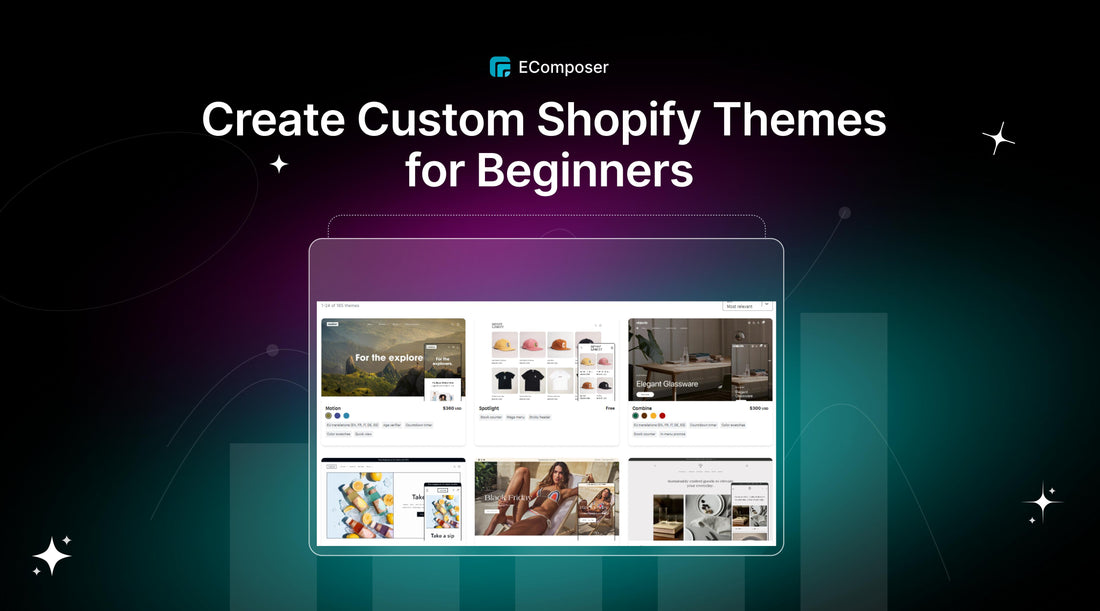
Credit: ecomposer.io
Choosing The Right Base Theme
Choosing the right base theme is crucial for your Shopify store. A good theme sets the tone for your brand. It enhances user experience and improves sales. Start by understanding your business needs. Then, find a theme that matches those needs. Consider both free and premium options. Each has its benefits and drawbacks.
Popular Free And Premium Themes
Many themes are available for Shopify. Here are some popular options:
| Theme Name | Type | Price |
|---|---|---|
| Debut | Free | Free |
| Brooklyn | Free | Free |
| Impulse | Premium | $180 |
| Warehouse | Premium | $180 |
Free themes are great for beginners. They offer basic features and easy customization. Premium themes provide advanced options. They may also include better support and updates.
Evaluating Themes For Your Business
Choosing a theme involves evaluating several factors:
- Design: Does it match your brand’s style?
- Features: Does it offer the tools you need?
- Mobile Responsiveness: Is it optimized for mobile devices?
- Loading Speed: Does it load quickly?
- Customer Support: Is help available when needed?
Consider these points while evaluating:
- Check the theme’s demo. Test its features.
- Read user reviews. Look for common praises or complaints.
- Assess compatibility with apps you plan to use.
- Determine customization options. Ensure they are user-friendly.
Taking time to evaluate themes will pay off. A good base theme can make your store stand out.
Customizing Layouts And Navigation
Creating a custom Shopify theme empowers you to tailor your store’s look and feel. Adjusting layouts and navigation is key to enhancing user experience. This section covers how to simplify layouts and create intuitive navigation.
Simplifying User Experience
A clear layout boosts user experience. Visitors should find what they need quickly. Here are some tips:
- Use white space wisely.
- Group related items together.
- Limit choices on each page.
Consider a grid layout for product displays. This layout helps users browse easily.
| Layout Type | Benefits |
|---|---|
| Grid Layout | Easy browsing, clear visuals |
| List Layout | More detail, simple viewing |
Creating Intuitive Navigation
Simple navigation helps customers find products fast. Use these strategies:
- Limit menu items to essential categories.
- Use descriptive labels for each menu item.
- Include a search bar for quick access.
Sticky navigation bars keep menus visible. This feature helps users navigate easily.
Use breadcrumb trails to show users their path. This makes returning to previous pages simple.
Remember, testing navigation improves usability. Gather feedback and make necessary changes.
Visual Branding Without Coding
Creating a stunning Shopify store is easy. You can achieve this without coding. Visual branding is key to attracting customers. It helps your store stand out. Use colors, fonts, and images wisely.
Selecting Color Schemes And Fonts
Colors and fonts create the first impression. Choose a color scheme that reflects your brand. Use tools like Adobe Color or Coolors. They help you find the perfect palette.
- Primary Color: Main color for your brand.
- Secondary Color: Complements the primary color.
- Accent Color: Adds contrast and highlights.
Select fonts that fit your brand style. Consider readability and aesthetics. Use Google Fonts for free options. Pair a bold header font with a simple body font.
| Font Type | Best For |
|---|---|
| Sans Serif | Modern, Clean Look |
| Serif | Classic, Elegant Feel |
| Display | Creative, Unique Designs |
Incorporating Logos And Images
Your logo is your brand’s face. Use high-quality images for your logo. Make sure it is clear and recognizable. Place it prominently on your store.
Images tell a story. Use images that connect with your audience. Avoid stock photos that feel generic. Consider using real photos of your products.
- Image Types:
- Product Images
- Lifestyle Images
- Brand Story Images
- Image Quality:
- High Resolution
- Fast Loading
Use image editing tools like Canva or Pixlr. They offer easy options for customization. Adjust brightness, contrast, and cropping. Make your images pop!
Enhancing Functionality With Apps And Features
Boosting your Shopify store’s functionality is essential for success. Custom themes can look great, but adding the right apps and features makes them even better. These tools help you improve user experience, increase sales, and build trust.
Must-have Shopify Apps
Using the right apps can transform your store. Here are some essential options:
- Oberlo: Helps with dropshipping products easily.
- Plug in SEO: Optimizes your store for search engines.
- Klaviyo: Automates email marketing campaigns.
- Yotpo: Collects reviews and boosts credibility.
Choose apps that fit your business needs. Here’s a quick table of top apps:
| App Name | Functionality |
|---|---|
| Oberlo | Dropshipping |
| Plug in SEO | SEO Optimization |
| Klaviyo | Email Marketing |
| Yotpo | Review Collection |
Adding Social Proof And Reviews
Social proof builds trust. Customers rely on reviews to make decisions. Here’s how to add social proof to your Shopify store:
- Display Customer Reviews: Use apps like Yotpo or Loox.
- Show Star Ratings: Add star ratings on product pages.
- Highlight Testimonials: Create a dedicated testimonials section.
- Use User-Generated Content: Share customer photos and stories.
Implementing these strategies enhances your store’s credibility. Trust leads to more sales and loyal customers.
Mobile Optimization: A Necessity
Creating a custom Shopify theme requires mobile optimization. Many users shop on their phones. A mobile-friendly design boosts sales. It makes navigation easier and improves user experience.
Responsive Design Best Practices
Responsive design ensures your theme adjusts to different screens. Follow these best practices:
- Fluid Grids: Use percentage-based widths instead of fixed sizes.
- Flexible Images: Make images scale with the screen size.
- Media Queries: Use CSS to apply styles based on screen width.
- Touch-Friendly Elements: Ensure buttons are easy to tap.
These practices help create a seamless experience for mobile users.
Testing Your Theme On Multiple Devices
Testing your Shopify theme on various devices is crucial. This ensures it looks great everywhere. Use the following methods:
- Test on different smartphone brands.
- Check tablets in both portrait and landscape modes.
- Use browser developer tools for simulation.
- Ask friends or family to test on their devices.
Document feedback to improve your theme. A well-tested theme enhances user satisfaction.
Launching Your Custom Shopify Theme
Launching your custom Shopify theme is exciting. It marks a new chapter for your online store. A well-designed theme can boost sales and enhance user experience. Follow these steps for a successful launch.
Previewing And Testing Before Going Live
Previewing and testing your theme is vital. This ensures everything works as intended. Here are some steps to follow:
- Use Shopify’s preview feature.
- Check responsiveness on different devices.
- Test all links and buttons.
- Ensure images load properly.
- Review your site’s speed.
Consider these tools for testing:
| Tool | Description |
|---|---|
| Google PageSpeed Insights | Measures site speed and performance. |
| BrowserStack | Tests site on multiple browsers. |
| Mobile-Friendly Test | Checks mobile responsiveness. |
Gathering Feedback And Making Adjustments
Feedback is crucial for improvement. Involve friends, family, or loyal customers. Ask them to navigate your site. Gather their thoughts on:
- Design aesthetics
- User-friendliness
- Loading times
- Content clarity
Use their feedback to make necessary adjustments. Here’s how:
- List all feedback points.
- Prioritize changes based on impact.
- Implement adjustments one by one.
- Retest after each change.
Launching a custom Shopify theme can be smooth with careful planning.
Maintenance And Updates
Keeping your custom Shopify theme fresh is essential. Regular maintenance and updates ensure performance and security. This process also aligns your store with current trends.
Staying Current With Trends
Trends change quickly in e-commerce. Stay informed to keep your store relevant. Here are some ways to stay current:
- Follow design blogs and websites.
- Join Shopify forums and communities.
- Attend webinars and workshops.
- Analyze competitor websites.
Implementing new trends can enhance user experience. This can lead to higher conversion rates. Regularly refresh your design elements to captivate visitors.
Regularly Updating For Performance And Security
Updates are crucial for your store’s performance. Regular updates help in:
- Improving loading speed.
- Fixing bugs and glitches.
- Enhancing security features.
Follow this checklist for updates:
- Check for Shopify updates monthly.
- Review third-party apps for updates.
- Back up your theme before making changes.
- Test your site after updates.
Consistent updates build trust with customers. A secure site encourages more purchases. Regular maintenance ensures a smooth shopping experience.
Conclusion: Empowering Your Online Store
Creating a custom Shopify theme transforms your online store. A unique theme enhances user experience and boosts sales. Your brand gets a distinctive look, attracting more customers.
The Impact Of A Well-designed Custom Theme
A well-designed theme brings many benefits:
- Brand Identity: Reflects your brand’s personality.
- User Engagement: Keeps visitors on your site longer.
- Conversion Rates: Increases potential sales.
- Mobile Optimization: Provides a seamless experience on all devices.
Consider the following table illustrating the impact:
| Feature | Impact |
|---|---|
| Visual Appeal | Attracts customers |
| Navigation | Simplifies shopping |
| Loading Speed | Reduces bounce rate |
Next Steps After Launching Your Theme
After launching your theme, focus on these actions:
- Monitor Performance: Use analytics to track user behavior.
- Gather Feedback: Ask customers for their opinions.
- Update Content: Keep your site fresh and relevant.
- Test Features: Ensure everything works smoothly.
- Promote Your Store: Use social media and email marketing.
Empowering your store with a custom theme leads to growth. Stay proactive and adapt to customer needs. Success comes from continuous improvement.

Credit: getshogun.com
Frequently Asked Questions
How Can I Customize My Shopify Theme Easily?
You can customize your Shopify theme without coding by using the built-in theme editor. This user-friendly tool allows you to modify layouts, colors, fonts, and images. Simply navigate to Online Store > Themes, and click “Customize. ” Explore various sections to make your store visually appealing and aligned with your brand.
Do I Need Coding Skills For Shopify Customization?
No, coding skills are not required for basic Shopify customization. Shopify offers intuitive drag-and-drop features and a visual theme editor. You can modify your store’s appearance and functionality easily. However, advanced customizations may require some coding knowledge, but plenty of resources are available to assist you.
What Tools Can Help Customize Shopify Themes?
Various tools can help you customize Shopify themes without coding. Popular options include page builders like Shogun and GemPages. These tools provide drag-and-drop functionality for easy design changes. Additionally, Shopify apps can enhance features, improve SEO, and streamline your store’s performance.
Can I Change My Shopify Theme Later?
Yes, you can change your Shopify theme anytime. Simply go to the Online Store section, select Themes, and explore available options. You can install new themes or customize existing ones. Keep in mind that switching themes may affect your store’s layout and design, so review changes thoroughly.
Conclusion
Creating a custom Shopify theme without coding opens new possibilities for your online store. It allows you to express your brand’s identity uniquely. With user-friendly tools and resources, anyone can design an appealing site. Embrace the creative process and watch your eCommerce venture thrive.
Start building your dream store today!


Leave a Reply