
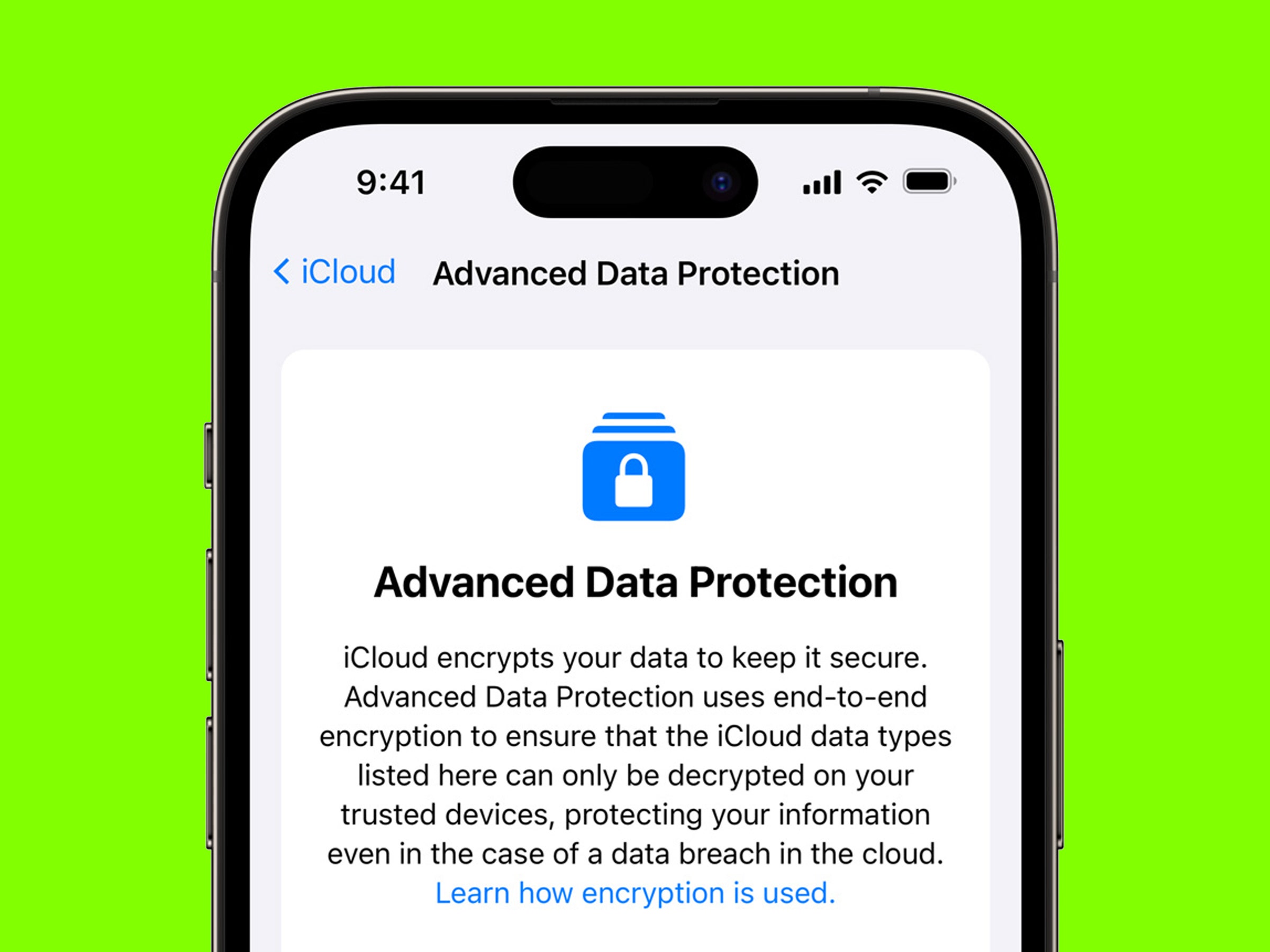
To secure mobile devices against information security breaches, implement strong passwords and enable biometric authentication. Regularly update software and apps to patch vulnerabilities.
How to Secure Mobile Devices:Mobile devices have become essential for daily communication and business operations. With their increasing use, the risk of information security breaches also rises. Cybercriminals exploit vulnerabilities in mobile technology to access sensitive data. Ensuring the security of mobile devices is crucial for protecting personal and business information.
Basic security measures, such as using strong passwords and enabling encryption, can significantly reduce risks. Regular software updates and cautious app downloads further enhance security. Understanding the threats and taking proactive steps can safeguard your mobile devices from potential breaches. Prioritizing mobile security is not just a necessity; it’s a fundamental aspect of modern digital life.
Credit: www.trendmicro.com
The Rise Of Mobile Security Threats
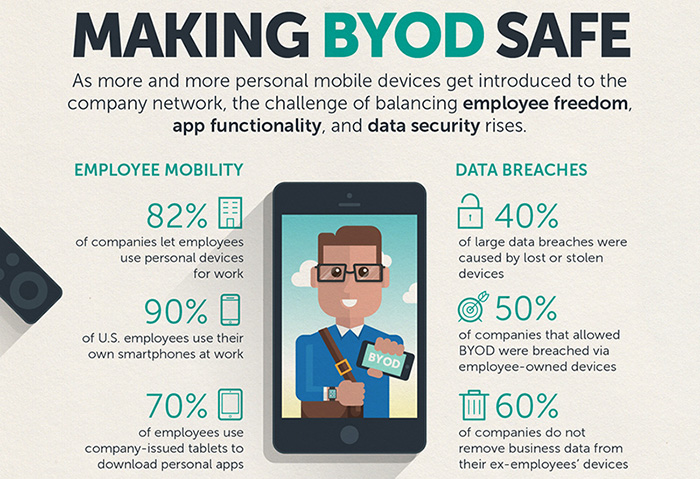
Mobile devices have become essential tools for daily life. They store personal information, financial data, and sensitive work files. This convenience also attracts cybercriminals. They exploit vulnerabilities in mobile devices to gain unauthorized access. Understanding this threat is crucial for everyone.
Increased Mobile Adoption
More people use mobile devices than ever before. Statistics show that:
- Over 6 billion people use smartphones globally.
- Mobile internet usage exceeds desktop usage.
- Apps are downloaded billions of times each year.
This rise in mobile adoption creates more opportunities for attacks. Cybercriminals target users with weak security measures. Phishing scams and malware are common threats.
Evolving Cyber Threat Landscape
The cyber threat landscape changes constantly. New tactics emerge regularly. Here are some common threats:
| Threat Type | Description |
|---|---|
| Malware | Software designed to harm devices or steal data. |
| Phishing | Deceptive messages that trick users into sharing info. |
| Data Leakage | Unintentional exposure of sensitive information. |
| Unsecured Wi-Fi | Public networks that allow easy access for hackers. |
Cybercriminals exploit these threats. They use sophisticated methods to bypass security. Users must stay informed and take action.
Identifying Common Mobile Security Risks
Mobile devices face various security threats. Understanding these risks is essential for protecting personal information. Below are key risks that can compromise mobile security.
Malware And Viruses
Malware refers to harmful software. It can infect mobile devices through:
- Unsafe apps
- Infected websites
- Malicious links
Common types of malware include:
| Type | Description |
|---|---|
| Spyware | Gathers personal data without consent. |
| Adware | Displays unwanted ads on your device. |
| Ransomware | Locks files and demands payment for access. |
Always install trusted apps. Regularly update your device to minimize these risks.
Unsecured Networks
Using public Wi-Fi poses significant risks. Unsecured networks allow hackers to intercept data. Avoid these actions on public networks:
- Accessing sensitive accounts
- Making online purchases
- Transmitting personal information
Use a Virtual Private Network (VPN) to encrypt data. This helps protect your information on public networks.
Phishing Attacks
Phishing attacks trick users into revealing personal data. These attacks often occur through:
- Text messages
- Fake websites
Common signs of phishing include:
- Urgent messages requesting personal information
- Links leading to unknown websites
- Misspellings or poor grammar in messages
Always verify the sender. Avoid clicking suspicious links. Stay vigilant against these attacks.
Essential Security Measures For Mobile Devices
Protecting mobile devices is crucial in today’s digital world. Cyber threats are everywhere. Simple steps can enhance your device’s security. Here are essential measures to keep your information safe.
Regular Software Updates
Keeping software updated is vital for security. Updates fix bugs and vulnerabilities. Here’s why you should update regularly:
- Patch Security Flaws: Updates fix known issues.
- Enhance Features: Get new tools and improvements.
- Boost Performance: Updates often speed up devices.
To check for updates:
- Go to the Settings app.
- Scroll down to About Phone.
- Tap on Software Update.
Strong Authentication Methods
Using strong authentication protects your device. It prevents unauthorized access. Here are some effective methods:
| Authentication Method | Description |
|---|---|
| Biometric Authentication | Use fingerprints or facial recognition. |
| Two-Factor Authentication (2FA) | Requires a second form of verification. |
| Strong Passwords | Use a mix of letters, numbers, and symbols. |
Choose methods that suit your needs. Strong authentication reduces the risk of breaches.
Credit: www.apple.com
The Role Of Encryption In Mobile Security
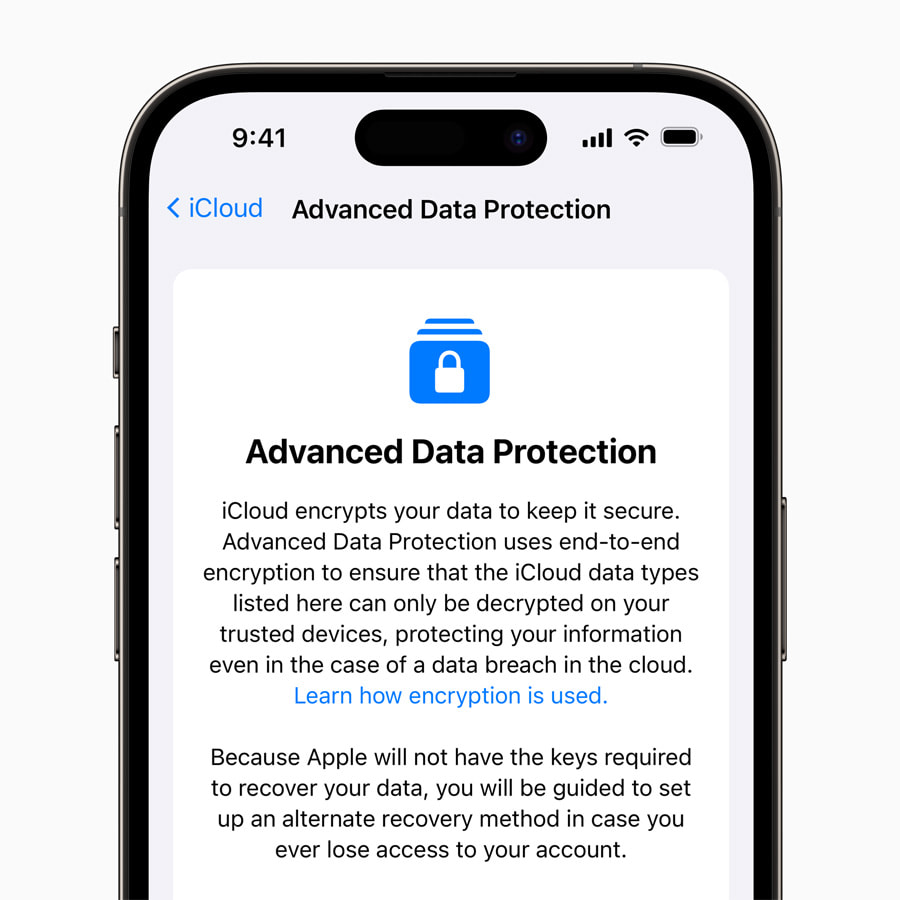
Mobile devices store sensitive information. This makes them prime targets for hackers. Encryption protects data by converting it into a secure format. Only authorized users can access this data. Using encryption is vital for maintaining privacy and security.
Understanding Data Encryption
Data encryption is a method of securing information. It transforms readable data into a coded format. This makes it unreadable without a decryption key. Here are key points about data encryption:
- Types of Encryption: Symmetric and Asymmetric.
- Symmetric Encryption: Uses one key for both encryption and decryption.
- Asymmetric Encryption: Uses a pair of keys: public and private.
- Common Algorithms: AES, RSA, and Blowfish.
Encryption helps protect data during transmission and storage. It secures emails, messages, and files. Without encryption, hackers can easily access personal information.
Implementing Encryption On Mobile Devices
Implementing encryption on mobile devices is essential. Follow these steps for effective encryption:
- Check if your device supports encryption.
- Enable full-disk encryption in settings.
- Use encrypted messaging apps like Signal or WhatsApp.
- Regularly update apps and operating systems.
- Backup encrypted data securely.
Many devices come with built-in encryption options. Here’s a quick table comparing encryption features:
| Device Type | Encryption Type | Encryption Enabled By Default |
|---|---|---|
| Android | Full-Disk Encryption | Yes (on newer devices) |
| iPhone | File-Based Encryption | Yes |
| Windows Phone | Device Encryption | Yes |
Always remember to choose strong passwords. Strong passwords enhance encryption effectiveness. Take these steps to secure your mobile device with encryption.
Setting Up A Secure Wi-fi Connection
Securing your mobile device begins with a safe Wi-Fi connection. Public Wi-Fi networks are often risky. Hackers can easily access your data. Always prioritize a secure Wi-Fi setup to protect your information.
Safe Browsing Practices
Safe browsing habits can greatly reduce risks. Follow these simple steps:
- Use HTTPS: Always check for HTTPS in the URL. It ensures a secure connection.
- Avoid Unknown Networks: Connect only to trusted Wi-Fi. Unknown networks may compromise your device.
- Disable Auto-Connect: Prevent your device from automatically connecting to public Wi-Fi.
- Forget Unused Networks: Remove old networks from your device settings.
These practices enhance your safety while browsing.
Virtual Private Networks (vpns)
A VPN adds a layer of security. It encrypts your internet traffic. This makes it hard for anyone to spy on you.
Consider these benefits of using a VPN:
| Benefit | Description |
|---|---|
| Data Encryption | It protects your data from hackers. |
| IP Address Masking | Your real IP address stays hidden. |
| Access to Restricted Content | Access websites blocked in your region. |
Choose a reputable VPN provider. Look for features like no-logs policy and high-speed connections. A VPN is essential for secure browsing on public networks.
Credit: www.avast.com
Best Practices For App Safety
Securing mobile devices starts with app safety. Apps can hold sensitive information. Protecting them is crucial to avoid breaches. Follow these best practices to ensure your apps are safe.
Scrutinizing App Permissions
Apps often request permissions to access your data. Not all permissions are necessary. Here’s how to check:
- Go to your device’s settings.
- Select “Apps” or “Application Manager.”
- Choose the app you want to review.
- Check the permissions listed.
Only grant permissions that are essential for app functionality. For example:
- A weather app needs location access.
- A calculator app doesn’t need your contacts.
Be cautious about apps that ask for excessive permissions. Always think twice before clicking “Allow.”
Secure App Stores And Downloads
Download apps only from trusted sources. Use official app stores like:
| App Store | Platform |
|---|---|
| Google Play Store | Android |
| Apple App Store | iOS |
Avoid third-party app stores. They often host malicious apps. Before downloading, check app ratings and reviews. Look for:
- High ratings from many users.
- Recent updates from developers.
- Positive feedback about safety.
Stay safe by verifying the app’s developer. Research them online before downloading any app.
Creating A Culture Of Security Awareness
Building a strong culture of security awareness is crucial. It empowers users to recognize risks. This proactive approach reduces the chance of information breaches. Everyone must understand their role in protecting mobile devices.
Educational Programs For Users
Implementing effective educational programs helps users stay informed. These programs should cover:
- Understanding mobile device security.
- Recognizing phishing attempts.
- Identifying safe apps and websites.
- Proper password management.
Regular workshops can reinforce learning. Use real-life examples to make the content relatable. Engage users with quizzes and interactive sessions. This keeps the information fresh in their minds.
Instilling Safe Usage Habits
Encouraging safe usage habits is essential. Here are some key practices:
- Use strong passwords: Encourage complex passwords and two-factor authentication.
- Update software: Remind users to regularly update apps and operating systems.
- Avoid public Wi-Fi: Warn users against using public networks for sensitive tasks.
- Be cautious with downloads: Advise users to download apps only from trusted sources.
Creating posters or guides can help remind users of these practices. Regular reminders keep security at the forefront of their minds.
Responding To A Mobile Data Breach
Reacting quickly to a mobile data breach is crucial. Every second counts. A swift response can limit damage and protect sensitive information. Follow these steps to ensure a robust response.
Immediate Steps To Take
Once a breach is suspected, take these immediate actions:
- Disconnect the Device: Remove it from the network.
- Change Passwords: Update passwords for all accounts.
- Notify Your Team: Inform key personnel about the breach.
- Assess the Damage: Identify what data is compromised.
- Report the Breach: Follow legal and regulatory protocols.
These steps help contain the breach quickly. They also begin the recovery process.
Post-breach Analysis And Improvement
After addressing the immediate issues, analyze the breach. Consider the following:
- Investigate the Cause: Determine how the breach occurred.
- Evaluate Security Measures: Review existing security protocols.
- Implement Changes: Update policies and practices.
Use a table to summarize key findings:
| Finding | Action Taken |
|---|---|
| Weak Passwords | Implemented stronger password policies |
| Outdated Software | Updated all applications and systems |
| Lack of Training | Conducted security training for staff |
Make improvements based on findings. This will help prevent future breaches.
Future-proofing Mobile Security
Securing mobile devices is crucial for protecting sensitive information. Future-proofing mobile security involves staying ahead of threats. Organizations must adapt to evolving risks and technologies. This proactive approach ensures devices remain safe and data stays secure.
Anticipating Emerging Threats
Mobile threats are constantly changing. Understanding potential risks helps in preparing defenses. Here are some common emerging threats:
- Malware: New types of malware target mobile devices daily.
- Phishing: Attackers use deceptive messages to steal data.
- Ransomware: This locks data until a ransom is paid.
- IoT Vulnerabilities: Connected devices can be entry points for attacks.
Monitoring trends in mobile security helps anticipate these threats. Regular risk assessments identify vulnerabilities before they are exploited.
Investing In Advanced Security Technologies
Investing in advanced technologies strengthens mobile security. Various tools and solutions are available to enhance protection:
| Technology | Description |
|---|---|
| Mobile Device Management (MDM) | Manages devices and enforces security policies. |
| Encryption | Protects data by converting it into a secure format. |
| Biometric Authentication | Uses fingerprints or facial recognition for secure access. |
| VPNs | Creates a secure connection over the internet. |
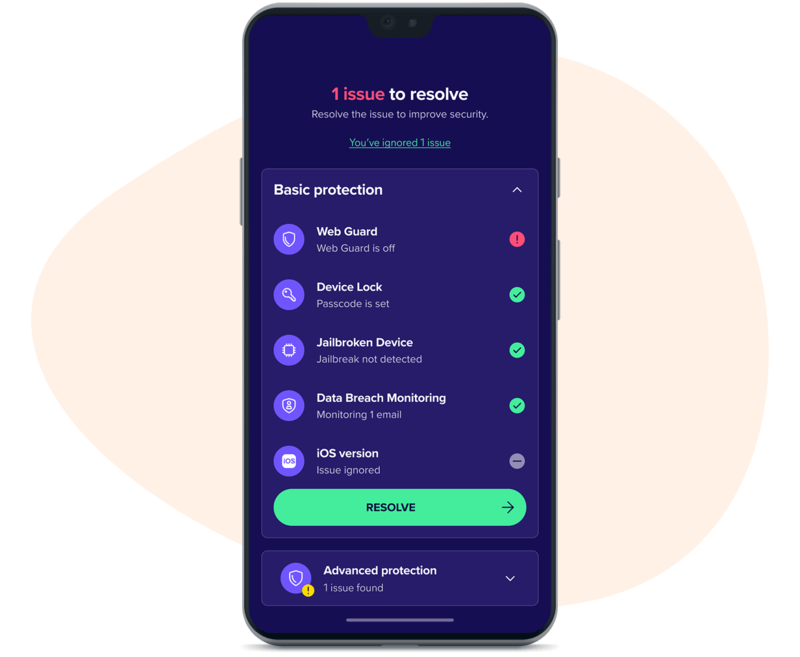
Regular updates and patches protect against vulnerabilities. Training employees on security best practices reduces risks. Investing in these technologies builds a robust mobile security framework.
Frequently Asked Questions
How Can I Protect My Mobile Device From Hackers?
To protect your mobile device from hackers, use strong passwords and enable biometric authentication. Regularly update your software and apps to patch security vulnerabilities. Avoid connecting to public Wi-Fi networks, and use a VPN when necessary. Lastly, install a reputable mobile security app for added protection.
What Are Common Mobile Security Threats?
Common mobile security threats include malware, phishing attacks, and insecure apps. Unauthorized access through public Wi-Fi can also pose risks. Additionally, lost or stolen devices can lead to data breaches. Being aware of these threats is essential for maintaining your device’s security.
How Often Should I Update My Mobile Software?
You should update your mobile software as soon as updates are available. Regular updates fix security vulnerabilities and improve device performance. Enabling automatic updates ensures you never miss crucial patches. This practice significantly reduces the risk of security breaches on your mobile device.
Is Using Public Wi-fi Safe For Mobile Devices?
Using public Wi-Fi is generally unsafe for mobile devices. Such networks can expose your information to hackers and cybercriminals. If you must use public Wi-Fi, always connect via a reliable VPN. This adds an extra layer of encryption, safeguarding your data from prying eyes.
Conclusion
Securing mobile devices is essential for protecting sensitive information. Implementing strong passwords, enabling encryption, and updating software regularly can significantly reduce risks. Awareness of phishing attacks and safe browsing practices further enhance security. By taking these proactive measures, you can safeguard your data and enjoy a safer mobile experience.
Stay informed and vigilant!


Leave a Reply