

To set up and use multiple streaming platforms simultaneously, start by choosing a reliable streaming software that supports multi-streaming. Next, configure the settings to link your desired platforms and customize your stream.
How to Set Up And Use Multiple Streaming Platforms Simultaneously:Streaming has become a popular way to connect with audiences, whether for gaming, tutorials, or live events. Many creators want to maximize their reach by broadcasting to multiple platforms at once, such as Twitch, YouTube, and Facebook Live. This approach allows you to engage with diverse viewer communities and boost your online presence.
Setting up multiple streams may seem daunting, but with the right tools and steps, it can be straightforward. Understanding the best practices for simultaneous streaming will help you enhance your content and grow your audience effectively.
Introduction To Multi-platform Streaming
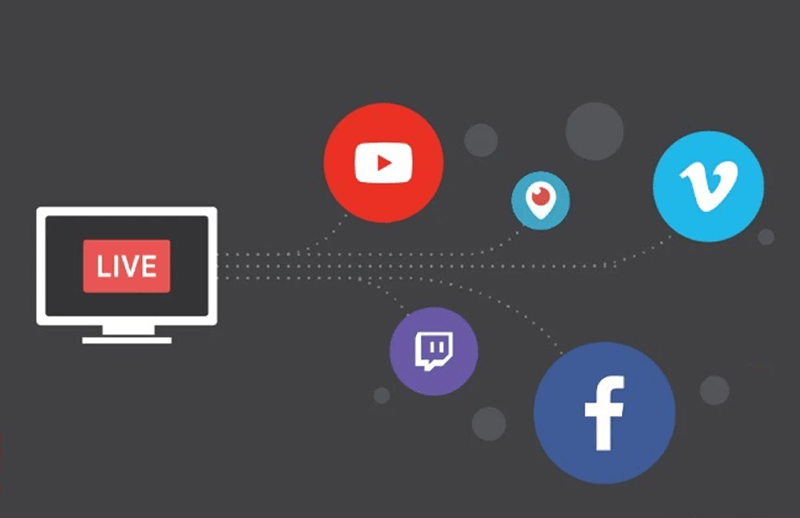
Multi-platform streaming allows users to broadcast content across various platforms at once. This method enhances reach and audience engagement. Streamers can target different groups on platforms like Twitch, YouTube, and Facebook Live.
Using multiple streaming services helps tap into diverse viewer preferences. It enables creators to maximize their content’s visibility. Let’s explore the benefits and challenges of this approach.
Benefits Of Using Multiple Streaming Services
- Wider Audience Reach: More platforms mean more viewers.
- Diverse Content Formats: Different platforms support unique formats.
- Increased Engagement: Interact with various communities.
- Better Monetization: Access multiple revenue streams.
- Brand Growth: Build a larger brand presence.
Challenges In Managing Multiple Streams
Managing multiple streaming platforms has its hurdles. Here are some common challenges:
- Technical Issues: Different platforms may have varying technical requirements.
- Content Consistency: Maintaining a consistent message is crucial.
- Engagement Monitoring: Tracking interactions across platforms can be tough.
- Time Management: Scheduling streams can become complicated.
- Stream Quality: Ensuring high-quality streams on all platforms is essential.
Choosing The Right Streaming Services
Selecting the best streaming services is crucial. Many options exist, each with unique features. Evaluate content, costs, and compatibility. This guide will help you make an informed choice.
Evaluating Content Offerings
Different streaming services provide various content types. Here are some key points to consider:
- Genres: Check for your favorite genres like action, drama, or comedy.
- Original Content: Look for exclusive shows and movies.
- Library Size: Consider the number of titles available.
- Family-Friendly Options: Ensure options for kids and family.
Compare the content libraries of popular services:
| Service | Originals | Genre Variety | Kids Content |
|---|---|---|---|
| Netflix | Yes | High | Extensive |
| Amazon Prime Video | Yes | Moderate | Good |
| Disney+ | Yes | Limited | Excellent |
| Hulu | Yes | High | Moderate |
Comparing Subscription Costs
Cost is a major factor in choosing a streaming service. Here’s how to assess it:
- Monthly Fee: Look for the best value for your budget.
- Free Trials: Take advantage of free trials to test services.
- Bundled Services: Check if services offer bundle deals.
- Ads vs. No Ads: Decide if you want an ad-free experience.
Here’s a quick cost comparison of popular services:
| Service | Monthly Cost | Ad-Free Option | Free Trial |
|---|---|---|---|
| Netflix | $15.49 | Yes | No |
| Amazon Prime Video | $8.99 | Yes | 30 Days |
| Disney+ | $7.99 | Yes | No |
| Hulu | $5.99 | Yes | 30 Days |
Technical Requirements For Multi-streaming
Setting up multiple streaming platforms requires specific technical needs. Understanding these requirements helps ensure smooth broadcasting. Let’s dive into the key factors for successful multi-streaming.
Internet Speed And Bandwidth Considerations
Your internet connection plays a crucial role in multi-streaming. A stable and fast connection is essential. Here are the key points to consider:
- Upload Speed: Aim for at least 5 Mbps for each stream.
- Bandwidth: More streams require more bandwidth. Calculate your total needs.
- Wired Connection: Use Ethernet for a stable connection.
- Router Quality: Invest in a good router that supports multiple devices.
Check your speed using online tools. Ensure your upload speed is sufficient for all streams.
Hardware And Device Compatibility
Choosing the right hardware is vital for multi-streaming. Ensure your devices can handle the demands of broadcasting. Here are the essential components:
| Device Type | Minimum Requirements | Recommended Requirements |
|---|---|---|
| Computer | Quad-core CPU, 8GB RAM | Hexa-core CPU, 16GB RAM |
| Cameras | 1080p resolution, USB or HDMI | 4K resolution, HDMI |
| Streaming Software | Compatible with your OS | Latest version with multi-stream support |
| Capture Card | Basic USB capture card | High-quality capture card for multiple sources |
Ensure all devices and software are compatible. Regularly update your software for optimal performance.
Setting Up Your Streaming Environment
Creating a smooth streaming experience is essential. Multiple platforms can enhance your viewing pleasure. Follow these steps to set up your streaming environment effectively.
Creating A Unified Dashboard
A unified dashboard simplifies your streaming experience. It allows you to access all platforms in one place. Consider these options:
- Streamlabs: Great for gaming and other live streams.
- OBS Studio: Free and customizable for all users.
- Restream: Broadcast to multiple platforms simultaneously.
Follow these steps to create your unified dashboard:
- Download and install your chosen software.
- Connect your streaming accounts.
- Customize your layout and settings.
- Test your setup before going live.
Using Aggregator Services And Apps
Aggregator services can streamline your viewing experience. They gather multiple streaming platforms into one interface. Here are some popular options:
| Service/App | Features |
|---|---|
| StreamYard | Easy to use, great for interviews. |
| Hootsuite | Manage social media and streaming. |
| Zapier | Automates tasks between apps. |
To use these services, follow these steps:
- Sign up for the service of your choice.
- Connect your streaming accounts.
- Explore the features available.
- Start streaming effortlessly.
Optimizing Streaming Quality Across Platforms
Streaming on multiple platforms can be challenging. Optimizing quality ensures smooth playback. It helps avoid buffering and improves your viewing experience. Follow these tips to enhance your streaming quality.
Adjusting Settings For Seamless Playback
Each streaming platform has unique settings. Adjust them for the best performance. Here are some tips:
- Video Quality: Choose the best resolution your internet can handle.
- Buffering Options: Set the buffer size to a higher value.
- Audio Settings: Select stereo sound for better clarity.
Most platforms allow you to change these settings. Check under the settings menu. Test different settings for the best outcome.
Managing Data Usage
Streaming can consume a lot of data. Managing this helps maintain quality. Follow these strategies:
- Monitor Data Usage: Use apps to track how much data you use.
- Limit Streaming Quality: Lower quality settings on mobile networks.
- Use Wi-Fi: Prefer Wi-Fi over mobile data when possible.
Here’s a quick comparison of data usage:
| Resolution | Data Usage per Hour |
|---|---|
| 480p | 0.7 GB |
| 720p | 1.5 GB |
| 1080p | 3 GB |
Monitor your data to avoid overages. Adjust settings based on your plan and needs.
Managing Subscriptions And Logins
Managing subscriptions and logins is key for streaming success. It keeps you organized. It also helps you save money and time.
Organizing Your Streaming Accounts
Keeping your streaming accounts organized is essential. Use these tips for better management:
- Create a Spreadsheet: Track all subscriptions in one place.
- List Login Details: Write down usernames and passwords securely.
- Check Subscription Dates: Know when to renew or cancel.
Here’s a simple table to help you keep track:
| Streaming Service | Username | Password | Renewal Date |
|---|---|---|---|
| Netflix | your_email@example.com | 2024-01-15 | |
| Hulu | your_name@example.com | 2024-02-20 | |
| Disney+ | your_id@example.com | 2024-03-10 |
Security Best Practices
Security is crucial for your streaming accounts. Follow these best practices:
- Use Strong Passwords: Combine letters, numbers, and symbols.
- Enable Two-Factor Authentication: Adds an extra security layer.
- Regularly Update Passwords: Change them every few months.
- Be Wary of Phishing Scams: Don’t click on suspicious links.
By managing subscriptions and enhancing security, enjoy seamless streaming. Stay organized and secure for the best experience.
Navigating Content Discovery Across Platforms
Finding great content can be tricky with many streaming platforms. Each service has unique shows and movies. Discovering new favorites requires smart strategies. Here are some tips to make content discovery easier.
Utilizing Cross-platform Search Tools
Cross-platform search tools help you find content quickly. These tools search multiple platforms at once. You save time and find what you love.
- JustWatch – Searches many streaming services.
- Reelgood – Offers personalized recommendations.
- Can I Stream It? – Checks availability across platforms.
Using these tools allows you to:
- Explore a wide range of options.
- Compare prices for rentals and purchases.
- Stay updated on new releases.
Curating Personal Watchlists
Creating personal watchlists helps you keep track of shows and movies. Each platform allows you to build your own list. Here’s how to curate effectively:
| Platform | Watchlist Feature |
|---|---|
| Netflix | My List |
| Hulu | Watchlist |
| Amazon Prime Video | Watchlist |
Follow these steps to build your watchlist:
- Browse shows or movies.
- Select the option to add to your watchlist.
- Review your list regularly.
Curating watchlists keeps your viewing organized. You won’t forget what to watch next.
Credit: m.youtube.com
Integrating Social Viewing And Community Features
Connecting with friends while streaming enhances the experience. Social viewing creates a fun atmosphere. It allows users to share thoughts and reactions in real-time.
Many platforms now offer community features. These features let you join discussions and meet new people. Let’s explore how to share content and join communities effectively.
Sharing Content With Friends
Sharing content is simple. Here are some effective ways to do it:
- Send Links: Share direct links to your favorite shows or movies.
- Use Social Media: Post your streaming plans on platforms like Facebook or Twitter.
- Create Watch Parties: Invite friends to watch together online.
Many platforms have built-in sharing tools. Use these to connect with friends easily. You can also create group chats to discuss what you’re watching.
Joining Streaming Communities
Joining communities enhances your streaming experience. Here are ways to find and join them:
- Search Online: Look for forums or groups related to your favorite shows.
- Use Streaming Apps: Many platforms have community features built-in.
- Participate in Discussions: Engage with others by commenting on posts.
Benefits of joining streaming communities include:
| Benefit | Description |
|---|---|
| Meet New People | Connect with others who share your interests. |
| Get Recommendations | Discover new shows based on community suggestions. |
| Share Experiences | Discuss plot twists and favorite moments. |
Utilizing these features makes streaming more enjoyable. Build connections and enhance your viewing experience.
Troubleshooting Common Multi-streaming Issues
Multi-streaming can enhance your reach. Yet, it may lead to issues. Below are solutions to common problems.
Resolving Synchronization Problems
Synchronization issues can disrupt your stream. This may cause audio and video to lag. Follow these steps to fix them:
- Check your internet speed. A slow connection causes delays.
- Adjust your streaming settings. Lower the resolution to improve sync.
- Use a dedicated device for streaming. This reduces processing load.
- Test your audio and video sources. Ensure they are properly connected.
Try these tools to help with synchronization:
| Tool | Function |
|---|---|
| OBS Studio | Monitor audio/video sync |
| Streamlabs | Check latency issues |
| Latency Fixer | Adjusts sync settings |
Addressing Service-specific Errors
Each streaming platform has unique errors. Here are common issues and fixes:
- YouTube: Check for copyright claims. Use royalty-free music.
- Twitch: Verify your stream key. Update it in your settings.
- Facebook: Ensure your account is verified. Unverified accounts face restrictions.
Follow these steps for quick fixes:
- Restart your streaming software.
- Clear your browser cache.
- Update your streaming software.
- Check for platform outages.
Stay informed with platform updates. Follow their official channels for support.

Credit: www.dacast.com
The Future Of Multi-platform Streaming
The future of multi-platform streaming is bright and dynamic. Users will enjoy seamless access to various content. Emerging technologies will reshape how we consume entertainment. New trends will enhance the overall experience. Let’s explore what lies ahead.
Emerging Technologies And Trends
Several technologies are changing the streaming landscape:
- Cloud Gaming: Play games without a console or PC.
- AI Content Recommendations: Get tailored suggestions based on viewing habits.
- Augmented Reality (AR): Experience interactive content like never before.
- 5G Technology: Stream high-quality videos without buffering.
Trends to watch for include:
- Increased Multi-Device Usage: Watch content on various devices seamlessly.
- Subscription Bundles: Enjoy multiple services at a lower cost.
- Live Streaming Growth: More users prefer real-time content.
Predictions For The Streaming Industry
Experts predict exciting changes in the streaming world:
| Year | Predicted Change |
|---|---|
| 2024 | Major platforms will offer more exclusive content. |
| 2025 | AI will personalize user experiences like never before. |
| 2026 | AR and VR will redefine interactive storytelling. |
Future streaming will focus on user experience and accessibility. Expect more integration across devices and platforms. The goal is to provide content that captivates audiences everywhere.
Credit: thedvshow.com
Frequently Asked Questions
How Can I Stream On Multiple Platforms At Once?
To stream on multiple platforms, use streaming software like OBS Studio or Streamlabs. These tools allow you to configure multiple output settings. You can select platforms like Twitch, YouTube, and Facebook Live simultaneously. Ensure your internet connection is robust to handle the increased bandwidth.
What Equipment Do I Need For Multi-platform Streaming?
You’ll need a powerful computer or gaming console, a good webcam, and a quality microphone. Additionally, a reliable capture card can enhance video quality. Strong internet connectivity is crucial for seamless streaming. Investing in these tools ensures a professional streaming experience across multiple platforms.
Is Multi-streaming Legal On All Platforms?
Most platforms allow multi-streaming, but check their terms first. Twitch, for example, has restrictions for affiliate and partner accounts. YouTube and Facebook generally permit it without restrictions. Always read the guidelines to avoid potential account issues and ensure compliance with each platform’s policies.
Can I Use A Vpn For Multi-platform Streaming?
Yes, a VPN can enhance your streaming experience by providing privacy and access to geo-restricted content. However, ensure your VPN has high speed and low latency to avoid buffering. Some platforms may block VPN traffic, so choose a reliable service that works with your preferred streaming sites.
Conclusion
Setting up and using multiple streaming platforms can enhance your viewing experience. With the right tools and strategies, you can easily switch between services. Enjoy diverse content without hassle. Remember to stay organized and take advantage of features each platform offers.
Happy streaming!


Leave a Reply