
Choose native app development for optimal performance and user experience. Opt for hybrid if you need faster, cross-platform deployment.
How to Choose Native Vs. Hybrid App Dev Secrets:Mobile app development presents a crucial decision: native versus hybrid. Native apps offer superior performance and access to device features, making them ideal for high-functionality applications. They provide a seamless user experience on specific platforms like iOS or Android. On the other hand, hybrid apps combine web technologies with native elements, allowing for quicker development and broader reach across devices.
This choice often hinges on project requirements, budget, and timeline. Understanding the pros and cons of both approaches helps businesses align their app strategy with their goals, ensuring they make an informed decision that meets user expectations while maximizing resources.

Credit: radixweb.com
Introduction To Native And Hybrid Apps
Choosing between native and hybrid mobile app development is crucial. Each type has its strengths and weaknesses. Understanding these differences helps you make informed choices. Let’s dive into what makes each option unique.
Defining Native Apps
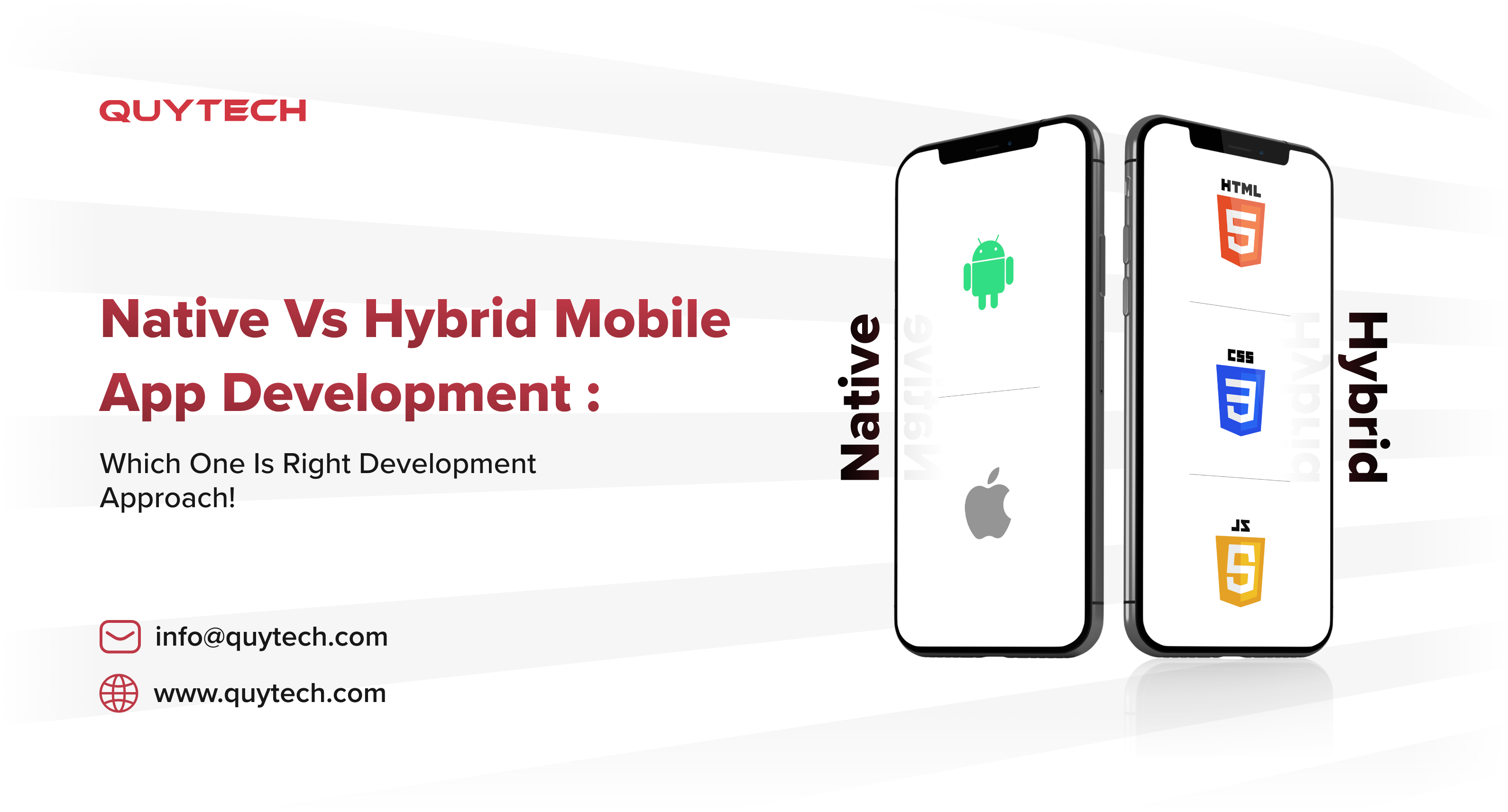
Native apps are built for specific platforms. They use platform-specific programming languages. For example:
- iOS apps use Swift or Objective-C.
- Android apps use Java or Kotlin.
These apps offer high performance and smooth user experience. They can access all device features like:
- Camera
- GPS
- Push notifications
Native apps often provide better security. They can utilize the latest platform updates quickly. However, they require separate codebases for each platform.
Defining Hybrid Apps
Hybrid apps combine web and native technologies. They use HTML, CSS, and JavaScript. This allows for cross-platform compatibility. Key characteristics include:
- Single codebase for multiple platforms.
- Faster development time.
- Lower overall costs.
Hybrid apps run inside a native container. They can access some device features. However, they may not perform as well as native apps. User experience can vary based on the complexity of the app.
Here’s a quick comparison:
| Feature | Native Apps | Hybrid Apps |
|---|---|---|
| Performance | High | Moderate |
| Development Time | Longer | Shorter |
| Cost | Higher | Lower |
| User Experience | Excellent | Good |
Understanding these definitions aids in making the right choice. Assess your project needs carefully before deciding.

Credit: appinventiv.com
Key Differences Between Native And Hybrid
Choosing between native and hybrid mobile app development is crucial. Each approach has its strengths and weaknesses. Understanding these differences helps in making an informed decision.
Development Process
The development process varies significantly between native and hybrid apps.
| Feature | Native Apps | Hybrid Apps |
|---|---|---|
| Languages Used | Java, Swift, Kotlin | HTML, CSS, JavaScript |
| Development Time | Longer | Shorter |
| Frameworks | Platform-Specific | Cross-Platform (e.g. Ionic, React Native) |
| Development Cost | Higher | Lower |
Native app development requires separate codebases for each platform. This means higher costs and longer timelines. Hybrid apps use a single codebase, making them quicker and cheaper to develop.
Performance Comparison
Performance is a vital factor in app development. Native and hybrid apps perform differently.
- Native Apps:
- Faster load times.
- Smoother animations.
- Access to device features.
- Hybrid Apps:
- Slower performance.
- Limited access to device features.
- Dependent on web view.
Native apps provide superior performance. They utilize device hardware effectively. Hybrid apps may struggle with complex tasks.
Choosing the right approach depends on your app’s goals. Consider factors like budget, timeline, and required features.
Pros And Cons Of Native App Development
Choosing between native and hybrid app development can be tough. Native apps have their own advantages and challenges. Understanding both sides helps in making the right choice.
Advantages Of Going Native
- Performance: Native apps run faster and smoother.
- User Experience: They provide a better user experience.
- Access to Features: Native apps can access device features easily.
- Offline Capabilities: They can work without an internet connection.
- App Store Approval: Native apps often get easier approval from app stores.
Challenges With Native Apps
- Cost: Developing native apps is often more expensive.
- Time: It takes more time to develop and maintain.
- Platform Dependency: Each platform needs a separate codebase.
- Updates: Frequent updates can be challenging to manage.
| Aspect | Native App | Hybrid App |
|---|---|---|
| Performance | High | Moderate |
| User Experience | Excellent | Good |
| Development Cost | High | Low |
| Access to Device Features | Full Access | Limited Access |
Credit: www.quytech.com
Pros And Cons Of Hybrid App Development
Hybrid app development combines elements of both native and web apps. It offers unique benefits and drawbacks. Understanding these can guide your choice.
Hybrid App Strengths
- Cost-effective: Hybrid apps save money on development.
- Faster Development: Build one app for multiple platforms.
- Easy Updates: Update code in one place for all users.
- Wider Reach: Available on both iOS and Android.
- Access to Device Features: Use device hardware like camera and GPS.
Hybrid App Limitations
- Performance Issues: May run slower than native apps.
- User Experience: Can feel less smooth than native apps.
- Limited Access: Not all device features are available.
- Dependency on Plugins: Requires third-party plugins for features.
- Security Risks: More exposure to security vulnerabilities.
| Strengths | Limitations |
|---|---|
| Cost-effective | Performance Issues |
| Faster Development | User Experience Challenges |
| Easy Updates | Limited Access to Features |
| Wider Reach | Dependency on Plugins |
| Access to Device Features | Security Risks |
Cost Implications
Choosing between native and hybrid app development involves understanding costs. Different factors impact the overall budget. These factors include development time, team size, and technology used. Let’s break down the costs for both native and hybrid app development.
Budgeting For Native App Development
Native apps require specific skills and tools. This often leads to higher costs. Here are the key factors:
- Development Team: Native apps need separate teams for iOS and Android.
- Time: Development usually takes longer, increasing costs.
- Maintenance: Native apps require frequent updates for each platform.
| Cost Factor | Estimated Cost |
|---|---|
| Development Team | $100,000 – $300,000 |
| Time to Market | 6 – 12 months |
| Maintenance | $10,000 – $20,000/year |
These costs can add up quickly. Businesses must consider long-term investments. A native app can provide better performance and user experience.
Budgeting For Hybrid App Development
Hybrid apps combine web and native technologies. This often leads to lower costs. Here are the main cost factors:
- Single Codebase: One codebase works for multiple platforms.
- Faster Development: Quicker to build and launch.
- Lower Maintenance: Updates affect all platforms at once.
| Cost Factor | Estimated Cost |
|---|---|
| Development Team | $50,000 – $150,000 |
| Time to Market | 3 – 6 months |
| Maintenance | $5,000 – $10,000/year |
Hybrid apps can save money and time. They are ideal for startups and small businesses. Evaluate your goals and resources before making a decision.
Time To Market
Choosing between native and hybrid mobile app development can greatly affect your time to market. Speed is crucial in today’s fast-paced digital world. Understanding the development timelines for both options helps in making an informed choice.
Development Timeline For Native Apps
Native apps are built specifically for one platform. This often means longer development times. Here are some factors affecting the timeline:
- Complexity: More features lead to longer development.
- Platform Knowledge: Developers need expertise in the specific platform.
- Testing: Extensive testing is required for each platform.
Typical timeline for native app development:
| Phase | Time (weeks) |
|---|---|
| Planning | 2-4 |
| Design | 3-6 |
| Development | 10-20 |
| Testing | 4-8 |
| Launch | 1-2 |
Development Timeline For Hybrid Apps
Hybrid apps combine web and native technologies. They usually have a shorter development time. Key factors include:
- Code Reusability: Write once, run on multiple platforms.
- Fewer Resources: Smaller teams can manage hybrid apps.
- Rapid Prototyping: Easier to build and test ideas quickly.
Typical timeline for hybrid app development:
| Phase | Time (weeks) |
|---|---|
| Planning | 1-3 |
| Design | 2-4 |
| Development | 6-12 |
| Testing | 2-4 |
| Launch | 1 |
Overall, hybrid apps generally take less time to develop. Native apps require more time due to their specific platform focus. Choose wisely based on your project needs.
User Experience Considerations
Choosing between native and hybrid mobile app development impacts user experience. This section explores how each option affects user engagement and satisfaction. Understanding these differences helps you make an informed decision.
Native Apps And User Engagement
Native apps are built specifically for one platform. This results in smoother performance and better responsiveness. Users enjoy a more seamless experience. Here are key benefits:
- Faster load times
- Access to device features
- High-quality graphics and animations
These factors lead to higher user engagement. Users feel more connected to native apps. They also tend to spend more time on these apps.
Hybrid Apps And User Satisfaction
Hybrid apps blend web and native technologies. They offer flexibility across platforms but may lack some native features. Consider the following aspects:
- Faster development time
- Lower development costs
- Wider reach across platforms
Despite these advantages, user satisfaction can vary. Hybrid apps may feel less responsive. Users might find some features missing or sluggish.
| Aspect | Native Apps | Hybrid Apps |
|---|---|---|
| Performance | Excellent | Good |
| User Engagement | High | Moderate |
| Development Cost | Higher | Lower |
| Time to Market | Longer | Faster |
Evaluate these factors to choose the best approach for your project. Remember, user experience plays a crucial role in app success.
Platform-specific Features And Access
Choosing between native and hybrid mobile app development often hinges on platform-specific features. These features determine how well an app interacts with the device’s hardware and software. Understanding these differences helps in making informed decisions.
Leveraging Device Features In Native Apps
Native apps use platform-specific languages. This allows access to all device features. Here are key advantages:
- Performance: Native apps run smoothly and faster.
- Full Access: They access GPS, camera, and more easily.
- UI/UX: Better design integration with the platform.
- Notifications: Seamless push notifications.
Using native development gives developers flexibility. They can create apps tailored to specific platforms. This often results in a better user experience.
Device Feature Accessibility In Hybrid Apps
Hybrid apps use web technologies. They run in a web view within a native container. This affects feature accessibility.
| Feature | Accessibility in Native | Accessibility in Hybrid |
|---|---|---|
| Camera | Full access | Limited access |
| GPS | Full access | Limited access |
| Push Notifications | Seamless integration | Requires extra setup |
| File Storage | Easy access | Restricted access |
Hybrid apps may struggle with complex features. They often provide a good experience for basic functions. If your app needs advanced features, native development shines.
When To Choose Native App Development
Native app development offers unique advantages. It focuses on building apps for specific platforms, like iOS or Android. This choice brings high performance and better user experience. Here are key reasons to go native.
Use Cases Favoring Native Apps
- High Performance: Native apps run faster and smoother.
- Advanced Features: Access to device capabilities like camera and GPS.
- Offline Functionality: Users can access features without internet.
- Better User Experience: Native design elements match platform guidelines.
- Security: Enhanced protection for sensitive data.
Industry Examples
| Industry | Example of Native Apps |
|---|---|
| Gaming | Popular games like Fortnite and PUBG. |
| Finance | Banking apps like Chase and Wells Fargo. |
| Healthcare | Apps like MyFitnessPal and Medisafe. |
| Social Media | Facebook and Instagram provide native experiences. |
| E-commerce | Apps like Amazon and eBay for seamless shopping. |
When To Choose Hybrid App Development
Choosing between native and hybrid app development can be tough. Hybrid apps offer unique benefits. They work on multiple platforms. This makes them a great choice for many businesses.
Ideal Scenarios For Hybrid Apps
Consider hybrid app development in these cases:
- Limited Budget: Hybrid apps cost less to develop.
- Faster Time to Market: Launch your app quickly on multiple platforms.
- Simple Functionality: Apps with basic features work well as hybrids.
- Cross-Platform Use: Reach both Android and iOS users easily.
- Frequent Updates: Update your app without much hassle.
| Scenario | Hybrid App Advantage |
|---|---|
| Small Business | Lower development costs |
| Startups | Quick launch on multiple platforms |
| Content-Heavy Apps | Easy updates and maintenance |
Success Stories In Hybrid App Space
Many successful brands use hybrid app development:
- Instagram: Smooth user experience across devices.
- Uber: Fast performance with web technologies.
- Twitter: Quick updates and new features.
These examples show how hybrid apps thrive. They meet user needs and business goals.
Future Trends In App Development
The future of app development is bright and exciting. Many trends are shaping how developers create applications. Native and hybrid apps each have unique advantages. Understanding these trends helps make informed choices.
Emerging Technologies Impacting Native Apps
Native apps benefit from new technologies. These technologies enhance performance and user experience.
- 5G Technology: Faster data speeds improve app responsiveness.
- AI Integration: AI enhances personalization and user interactions.
- AR and VR: Augmented and virtual reality create immersive experiences.
- Wearable Tech: Integration with wearables opens new possibilities.
These technologies allow native apps to provide better functionality. Users expect smooth experiences. Developers must adapt to these changes.
Emerging Technologies Impacting Hybrid Apps
Hybrid apps also gain from modern technologies. These trends help bridge the gap between platforms.
- Cross-Platform Tools: Frameworks like React Native and Flutter make development easier.
- Cloud Computing: Cloud services enhance storage and processing power.
- Progressive Web Apps (PWAs): PWAs offer native-like experiences in browsers.
- IoT Integration: Connecting with IoT devices expands app functionalities.
These advancements allow hybrid apps to compete with native apps. Users enjoy flexibility and accessibility. Developers can reach broader audiences with hybrid solutions.
Making The Decision: Factors To Consider
Choosing between native and hybrid mobile app development is crucial. Each option has its own strengths. Understanding your needs helps you make the right choice.
Assessing Business Needs
Start by analyzing your business goals. Consider the following:
- Target Audience: Who will use your app?
- Budget: How much can you spend?
- Timeframe: When do you need the app launched?
- Features: What core functions are essential?
Each need shapes your decision. Identify your priorities before proceeding.
Technical Requirements And Resources
Next, evaluate your technical resources. This includes:
- Development Team: Do you have skilled developers?
- Platform: Which devices will the app support?
- Maintenance: Can you manage ongoing updates?
Here’s a quick comparison table:
| Factor | Native Apps | Hybrid Apps |
|---|---|---|
| Performance | High | Moderate |
| Development Cost | Higher | Lower |
| Development Time | Longer | Shorter |
| User Experience | Excellent | Good |
Assessing these factors provides clarity. Prioritize according to your situation.
Frequently Asked Questions
What Are Native Mobile Apps?
Native mobile apps are developed for specific platforms like iOS or Android. They use platform-specific programming languages such as Swift for iOS and Kotlin for Android. This allows them to take full advantage of device features, resulting in better performance and user experience.
What Are Hybrid Mobile Apps?
Hybrid mobile apps combine elements of both native and web apps. They are built using web technologies like HTML, CSS, and JavaScript. These apps run inside a native container, allowing them to access device features while being easier to develop and maintain across multiple platforms.
Which Is Better, Native Or Hybrid?
The choice between native and hybrid depends on your project needs. Native apps offer superior performance and user experience. However, hybrid apps provide faster development and lower costs. Assess your budget, timeline, and required features before making a decision.
How Do Costs Differ Between Native And Hybrid Apps?
Native app development is generally more expensive due to the need for separate codebases for each platform. Hybrid apps can be more cost-effective since they use a single codebase for multiple platforms. However, consider long-term maintenance and updates when evaluating overall costs.
Conclusion
Choosing between native and hybrid mobile app development depends on your specific needs. Consider factors like budget, performance, and user experience. Each option has its advantages. Weigh them carefully to make an informed decision that aligns with your project goals.
The right choice can significantly impact your app’s success.


Leave a Reply