

To design a user-friendly mobile app interface, focus on simplicity and intuitive navigation. Prioritize user needs through consistent design elements and clear calls to action.
Creating a user-friendly mobile app interface is essential for enhancing user experience and engagement. A well-designed interface can significantly impact how users interact with your app. It should be visually appealing yet functional, promoting easy navigation. Users appreciate clear pathways and minimal distractions, making their tasks easier.
How to Design a User-Friendly Mobile App Interface:Understanding your target audience is crucial; their preferences and behaviors will guide your design choices. Employing best practices in layout, color schemes, and typography can lead to a seamless experience. Ultimately, a user-centric approach not only increases satisfaction but also encourages retention and positive reviews. Crafting an effective interface requires careful planning and attention to detail.
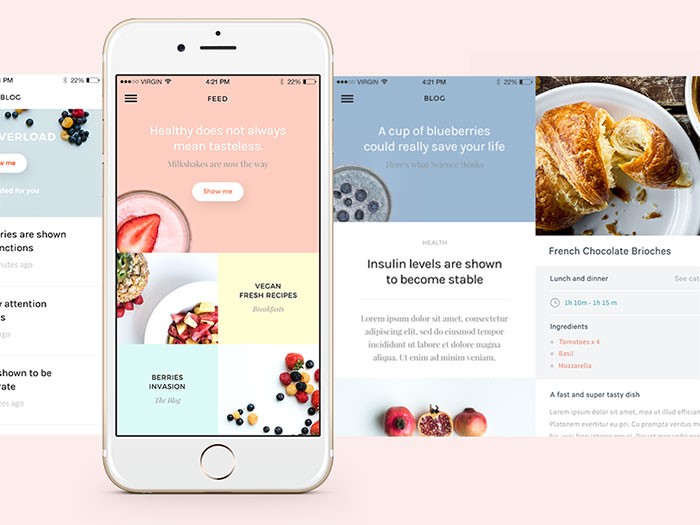
Credit: www.designer-daily.com
Introduction To Mobile App Interface Design
Designing a mobile app interface is key to user experience. A great interface attracts users and keeps them engaged. A well-designed app makes tasks easier and enjoyable. Let’s explore what makes a mobile app interface user-friendly.
The Importance Of User-friendly Interfaces
User-friendly interfaces are crucial for several reasons:
- Ease of Use: Simple navigation helps users find what they need.
- User Retention: Happy users keep coming back for more.
- Brand Loyalty: A great experience builds trust in your brand.
- Reduced Costs: Fewer support queries save time and money.
Here are some benefits of user-friendly interfaces:
| Benefit | Description |
|---|---|
| Increased Engagement | Users spend more time in easy-to-use apps. |
| Higher Conversion Rates | Simple design leads to more purchases. |
| Positive Reviews | Satisfied users leave good feedback. |
Evolution Of Mobile App Design
Mobile app design has changed a lot over the years:
- Early Apps: Basic layouts with limited features.
- Introduction of Touch: Swipe and tap gestures became popular.
- Responsive Design: Apps adapted to different screen sizes.
- Material Design: Google introduced flat design elements.
- Current Trends: Focus on minimalism and dark mode.
Understanding this evolution helps in creating modern apps. Keeping up with trends is vital for success.
Understanding User Needs
Designing a user-friendly mobile app interface starts with understanding user needs. Knowing what users want helps create a better experience. This leads to higher satisfaction and engagement. Focus on the following areas to gather insights.
Identifying Target Audience
Identify who will use your app. Understanding your target audience is crucial. Consider the following factors:
- Age: Different age groups have varying preferences.
- Location: Regional differences affect design choices.
- Interests: Tailor features to user hobbies and passions.
- Technological Savvy: Know how comfortable users are with technology.
Use surveys and interviews to gather data. Create user personas based on this information. User personas help visualize your audience. This guides design decisions effectively.
Incorporating User Feedback
User feedback plays a vital role in app design. Engaging users in the design process leads to better outcomes. Here’s how to gather valuable feedback:
- Conduct usability tests with real users.
- Ask specific questions about design and functionality.
- Use feedback forms to capture user experiences.
- Monitor app reviews to see user sentiments.
Analyze the feedback to identify patterns. Focus on common suggestions and complaints. Implement changes based on user input. This creates a user-centered design that meets their needs.
Principles Of User-friendly Design
Designing a user-friendly mobile app interface requires following key principles. These principles ensure that users find the app easy to navigate and enjoyable to use. Focus on clarity, simplicity, and consistency. These factors lead to better user engagement and satisfaction.
Simplicity And Clarity
Simplicity is crucial in mobile app design. A simple interface makes it easier for users to interact with the app. Here are some tips:
- Limit options: Too many choices can confuse users.
- Use clear language: Avoid jargon and complex terms.
- Prioritize content: Highlight essential features first.
Clarity is equally important. Users should understand how to navigate the app immediately. Consider these strategies:
- Intuitive icons: Use familiar symbols that users recognize.
- Descriptive labels: Clearly label buttons and sections.
- Feedback: Provide visual cues when actions are taken.
Consistency Across The App
Consistency helps users feel comfortable using the app. Design elements should match throughout the app. Here’s how to maintain consistency:
- Color scheme: Use the same colors for buttons and backgrounds.
- Font styles: Stick to a few fonts for readability.
- Button shapes: Keep buttons uniform in size and shape.
Consistency builds trust. Users know what to expect. Make sure every screen feels familiar. This approach enhances user experience and boosts retention.
Navigational Design Strategies
Creating a user-friendly mobile app requires effective navigational design strategies. Good navigation helps users find what they need quickly. It improves their overall experience. Let’s explore two key strategies: prioritizing intuitive navigation and the role of onboarding.
Prioritizing Intuitive Navigation
Intuitive navigation is essential for user satisfaction. Here are some tips to achieve it:
- Keep it simple: Limit the number of menu options.
- Use familiar icons: Employ widely recognized symbols.
- Organize content logically: Group similar items together.
- Provide clear labels: Use descriptive text for buttons.
- Test with real users: Gather feedback to improve navigation.
Designing an intuitive navigation system enhances usability. Users can navigate without confusion. They find what they need quickly.
The Role Of Onboarding
Onboarding introduces users to your app’s features. It sets the stage for a positive experience. A good onboarding process includes:
- Welcome screens: Greet users and explain the app’s purpose.
- Guided tours: Show users how to navigate the app.
- Interactive tutorials: Allow users to practice using key features.
- Skip option: Let users bypass onboarding if they choose.
Effective onboarding reduces confusion. Users understand how to use the app. A smooth start leads to higher user retention.
Visual Elements That Enhance Usability
Creating a user-friendly mobile app interface relies on effective visual elements. These elements should guide users effortlessly. A thoughtful design can boost usability and user satisfaction.
Color Theory And Contrast
Colors play a crucial role in app design. They affect emotions and user interactions. Proper use of color can enhance the overall experience.
- Choose a Color Palette: Stick to 3-5 main colors.
- Use Contrasting Colors: Ensure text stands out against backgrounds.
- Understand Color Psychology: Different colors evoke different feelings.
| Color | Emotion | Usage |
|---|---|---|
| Blue | Trust | Financial apps |
| Red | Urgency | Sales alerts |
| Green | Calm | Health apps |
Typography And Readability
Typography greatly influences how users read and interact. Clear fonts enhance understanding. Proper font size and style matter.
- Select Readable Fonts: Use sans-serif fonts for better clarity.
- Maintain Consistent Sizes: Headings should stand out.
- Limit Font Styles: Use a maximum of two different fonts.
- Test your typography on various devices.
- Adjust sizes for different screen resolutions.
- Ensure line spacing makes text easy to read.
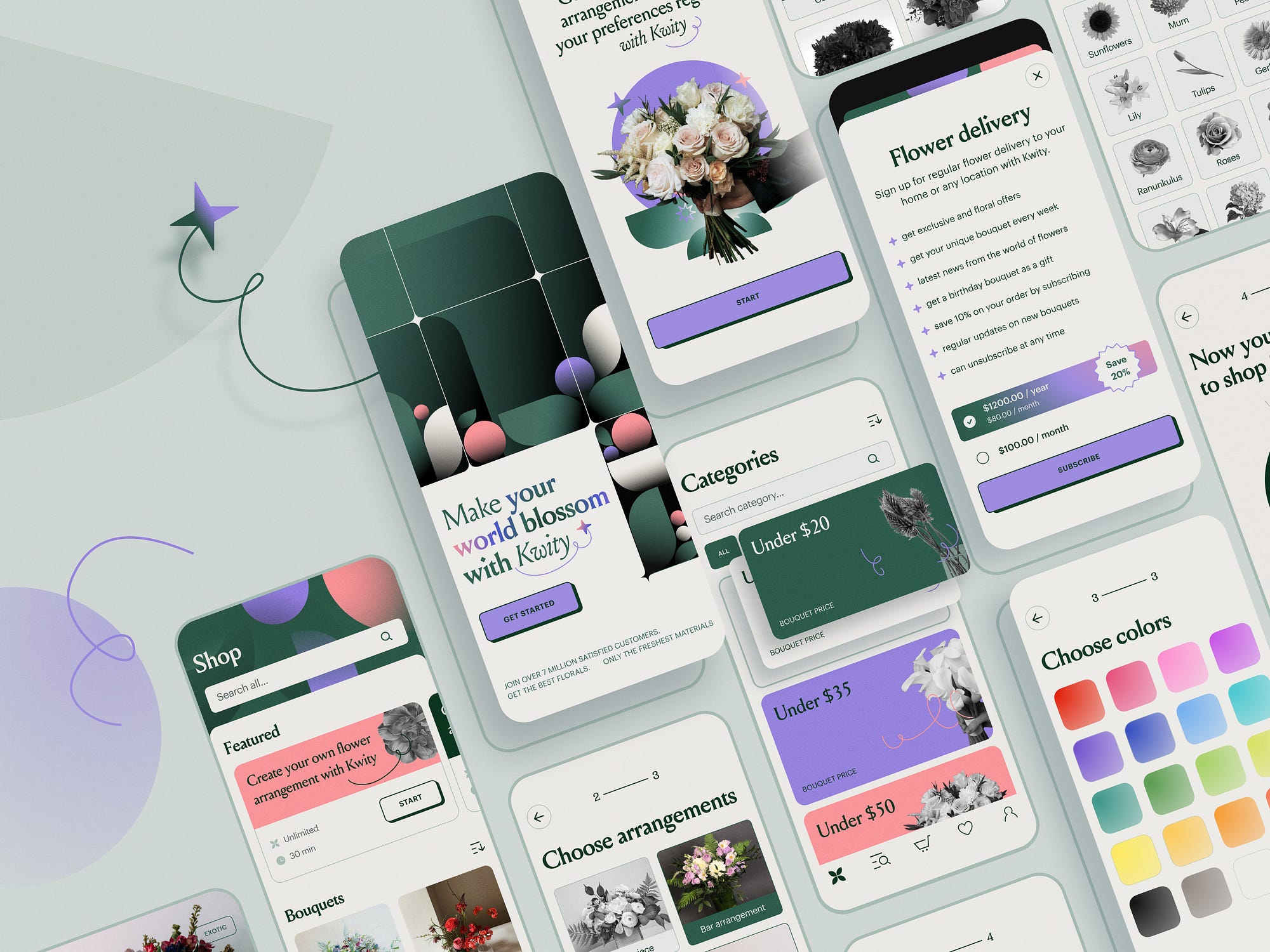
Credit: medium.muz.li
Interactive Design And Feedback
Optimizing For Different Devices
Designing a user-friendly mobile app interface requires careful optimization for various devices. Users access apps on different screen sizes and resolutions. A well-optimized app ensures a seamless experience. This section explores two key concepts: adaptive design and responsive design. Testing across devices and platforms is crucial for success.
Adaptive Vs. Responsive Design
Understanding the difference between adaptive and responsive design is essential. Here’s a brief overview:
| Feature | Adaptive Design | Responsive Design |
|---|---|---|
| Layout | Fixed layouts for specific screen sizes | Fluid layouts that adjust to any screen |
| Flexibility | Less flexible, more tailored | Highly flexible and adaptable |
| Development | Requires multiple versions of the app | Single version for all devices |
Adaptive design uses predefined layouts. It targets specific devices, providing tailored experiences. Responsive design adjusts fluidly to any screen size. This ensures a consistent experience across devices. Choose the approach that best fits your app’s needs.
Testing Across Devices And Platforms
Testing is vital for optimizing your app. It ensures functionality and usability on various devices. Here are some key steps:
- Identify target devices and platforms.
- Use emulators to test different screen sizes.
- Conduct real-device testing for accurate results.
- Gather user feedback on usability.
- Make necessary adjustments based on feedback.
Regular testing helps catch issues early. This improves user satisfaction. Focus on the most popular devices first. Ensure a smooth experience on both iOS and Android platforms.
Optimize your app interface for all users. A well-designed app increases engagement and retention. Prioritize user experience to stand out in the market.
Performance And Speed Considerations
Creating a mobile app with a user-friendly interface requires attention to performance. Speed affects user satisfaction directly. Slow apps frustrate users and lead to uninstalls. Focus on minimizing load times and streamlining features to enhance performance.
Minimizing Load Times
Fast load times are crucial for a positive user experience. Users expect apps to load quickly. Here are some effective strategies:
- Optimize Images: Use compressed formats like JPEG or PNG.
- Reduce HTTP Requests: Combine files such as CSS and JavaScript.
- Implement Lazy Loading: Load images and data as needed.
- Use Content Delivery Networks (CDN): Distribute content globally for faster access.
- Minify Code: Remove unnecessary characters and spaces.
Streamlining Features For Performance
Too many features can slow down an app. Focus on essential functionalities. Here’s how to streamline:
- Prioritize Core Features: Identify and retain only vital features.
- Limit Background Processes: Reduce tasks running in the background.
- Enable Offline Mode: Allow users to access content without internet.
- Optimize Database Queries: Ensure queries are efficient and quick.
- Test on Different Devices: Ensure performance across various platforms.
By following these guidelines, you enhance your app’s performance. Users will appreciate a fast, responsive interface.
Accessibility And Inclusion
Creating a user-friendly mobile app interface involves accessibility and inclusion. This means making your app usable for everyone, regardless of their abilities. A well-designed app opens doors for diverse users. It enhances user experience and boosts engagement.
Designing For Diverse Users
Understanding diverse user needs is crucial. Consider the following factors:
- Visual impairments: Use high-contrast colors and larger text.
- Hearing impairments: Include text options for audio content.
- Motor impairments: Design for touch and gestures that require less precision.
- Cognitive impairments: Keep language simple and navigation intuitive.
Implement features like:
- Voice commands
- Screen readers
- Keyboard navigation
Legal Compliance And Ethical Practices
Following legal guidelines is essential. Many countries have laws for accessibility:
| Country | Accessibility Law |
|---|---|
| United States | Americans with Disabilities Act (ADA) |
| United Kingdom | Equality Act 2010 |
| Canada | Accessibility for Ontarians with Disabilities Act (AODA) |
Ethical practices build trust. Ensure your app:
- Respects user privacy
- Offers clear instructions
- Provides feedback for actions
Iterative Design And Continuous Improvement
Designing a user-friendly mobile app interface requires ongoing effort. The process of iterative design allows developers to refine their app continually. Continuous improvement leads to a better user experience. Each version of the app can become more intuitive and engaging.
The Importance Of Prototyping
Prototyping is a crucial step in the design process. It helps visualize ideas before full development. Here are some key benefits of prototyping:
- Test Concepts Early: Identify flaws before they become costly.
- Save Time: Streamline the development process by addressing issues early.
- Enhance Communication: Share ideas with stakeholders effectively.
Using tools like Sketch or Figma can speed up prototyping. These tools allow for easy adjustments. Quick changes can lead to a more effective design.
Gathering And Implementing User Feedback
User feedback is vital for improving app design. Listening to users can reveal their needs and frustrations. Follow these steps to gather and implement feedback:
- Conduct Surveys: Ask users about their experiences.
- Monitor Analytics: Analyze user behavior within the app.
- Engage in User Testing: Observe real users as they interact with the app.
Implement feedback quickly. Make necessary adjustments after gathering insights. Regular updates based on feedback show users their opinions matter. This builds trust and loyalty.
| Feedback Method | Advantages |
|---|---|
| Surveys | Collects direct user opinions. |
| Analytics | Offers data-driven insights. |
| User Testing | Reveals real-time user behavior. |
Iterative design and user feedback create a cycle of improvement. Each iteration brings you closer to a user-friendly mobile app.

Credit: www.trawex.com
Frequently Asked Questions
What Are Key Elements Of A User-friendly App Interface?
Key elements include intuitive navigation, clear visual hierarchy, and responsive design. Use familiar icons and consistent color schemes to enhance usability. Ensure text is legible and consider accessibility features. Prioritize user feedback to identify areas for improvement and make the app more engaging.
How Can I Improve App Navigation?
To improve app navigation, use a simple layout with clear labels. Implement a bottom navigation bar for easy access to main features. Utilize a search function for quick content retrieval. Regularly test your navigation with real users to identify pain points and gather feedback for refinements.
Why Is Mobile App Accessibility Important?
Mobile app accessibility ensures all users, including those with disabilities, can effectively use your app. It broadens your user base and enhances user satisfaction. Implement features like voice commands, larger touch targets, and alternative text for images. Accessibility compliance can also improve your app’s search rankings in app stores.
What Design Tools Can Help Create A Mobile App Interface?
Popular design tools include Sketch, Figma, and Adobe XD. These tools offer collaborative features and templates for efficient design. They also allow for prototyping and user testing, streamlining the design process. Choose a tool that best fits your team’s workflow and project requirements to enhance productivity.
Conclusion
Designing a user-friendly mobile app interface is essential for success. Prioritize simplicity and intuitive navigation. Focus on responsive design and accessibility features. Regularly test your app with real users for valuable feedback. By implementing these strategies, you can create an engaging experience that keeps users coming back for more.


Leave a Reply