
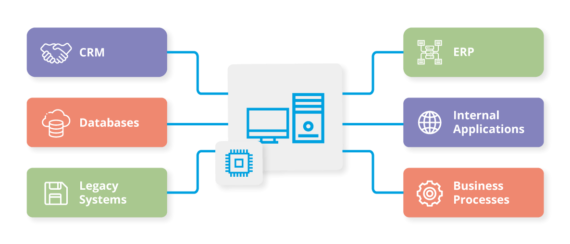
To integrate CRM software with your existing systems, assess compatibility and choose integration methods. Utilize APIs or middleware to streamline data flow.
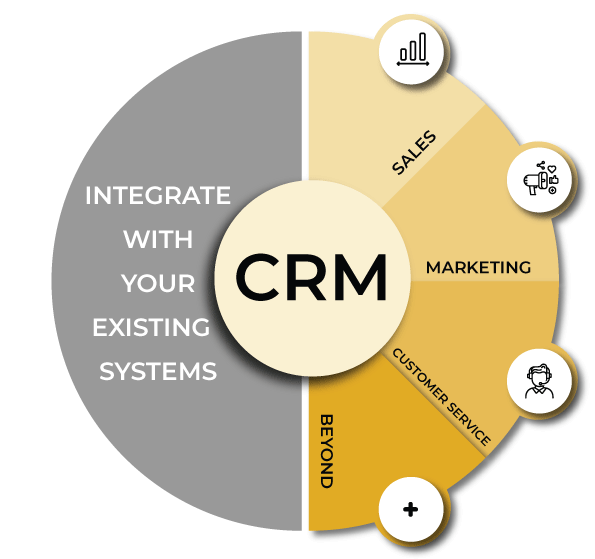
Integrating CRM software with your current systems enhances efficiency and improves customer management. A seamless connection allows for real-time data sharing, leading to better decision-making. Understanding your existing infrastructure is crucial before integration. Identify the key systems that need connecting, such as email, marketing tools, or ERP software.
Choose the right integration method based on your needs, whether through APIs, third-party middleware, or custom solutions. This approach not only saves time but also boosts productivity by reducing data entry errors. Ultimately, a well-integrated CRM system supports your business goals and fosters stronger customer relationships.
Credit: gowombat.team
Introduction To Crm Integration
CRM integration connects your Customer Relationship Management software with other tools. This process helps streamline operations and improve data flow. Integrating CRM systems enhances collaboration among teams. It also provides a unified view of customer interactions.
Benefits Of Integrating Crm Software
Integrating CRM software offers several advantages:
- Improved Efficiency: Automated processes save time and reduce errors.
- Better Data Management: Centralized data helps maintain consistency.
- Enhanced Customer Insights: Access to comprehensive customer data supports better decision-making.
- Increased Sales: Integration streamlines sales processes, boosting revenue.
- Seamless Communication: Teams can easily share information and collaborate.
Common Challenges In Crm Integration
Many businesses face challenges during CRM integration:
- Data Quality Issues: Inaccurate or outdated data can lead to problems.
- Cost Constraints: Integration can be expensive without proper planning.
- Technical Difficulties: Compatibility issues may arise with existing systems.
- User Adoption: Employees may resist using new tools and processes.
- Limited Resources: Lack of time or personnel can hinder integration efforts.
Understanding these challenges helps in planning a smoother integration process.
Credit: www.techtarget.com
Pre-integration Planning
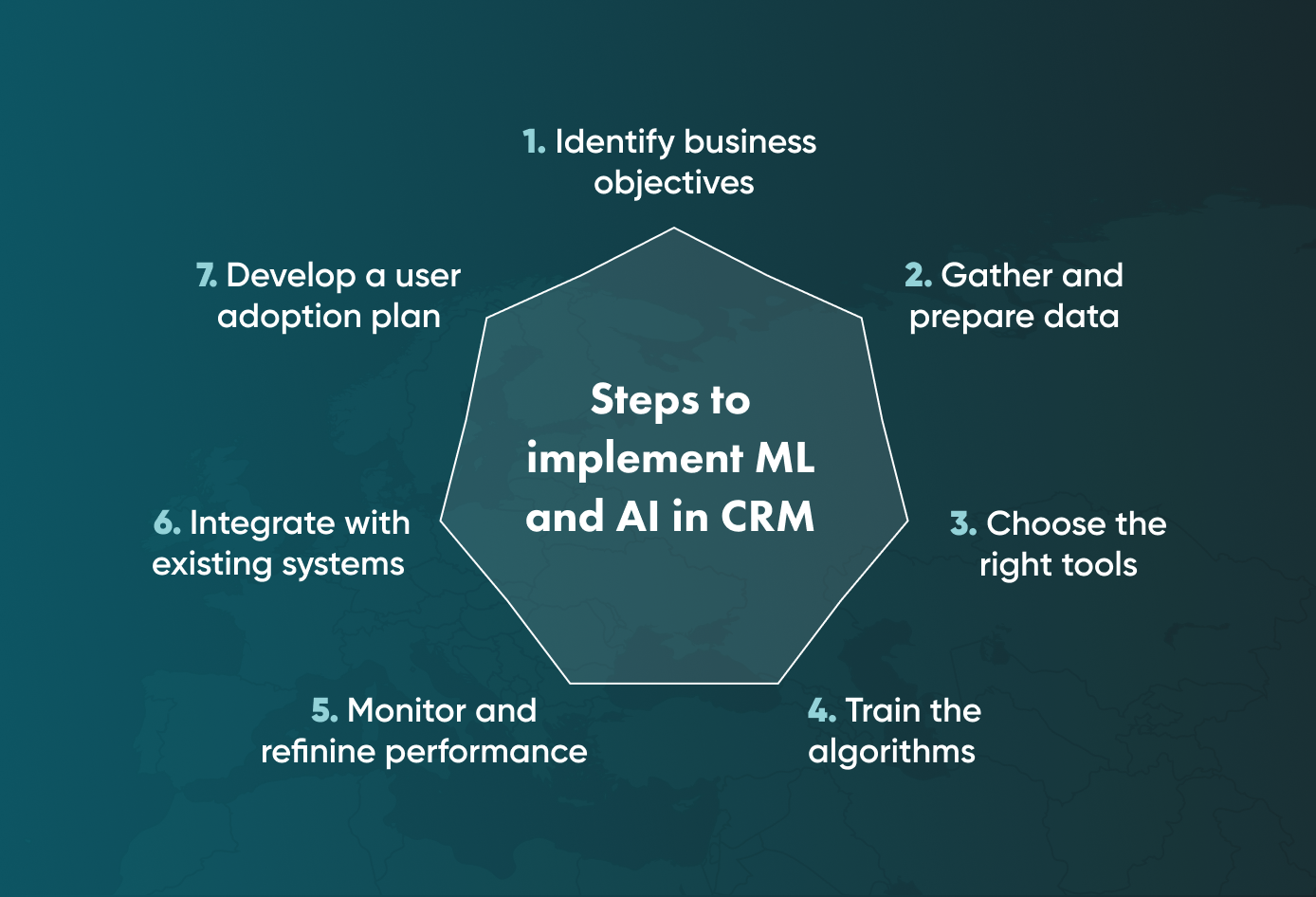
Pre-integration planning is crucial for successful CRM integration. Proper planning ensures your systems work together smoothly. Follow these steps to set a solid foundation.
Identifying Business Objectives
Start by defining clear business objectives. This helps in aligning your CRM with your needs. Consider these key points:
- Sales Goals: What revenue targets do you aim for?
- Customer Retention: How will you improve customer loyalty?
- Marketing Strategies: What campaigns require CRM support?
- Operational Efficiency: Which processes need streamlining?
Document these objectives. Share them with your team. This clarity guides your integration process.
Mapping Out The Integration Process
A detailed integration map helps visualize the entire process. Follow these steps to create an effective map:
- Assess Existing Systems: Identify all current software.
- Determine Data Flow: Understand how data will move.
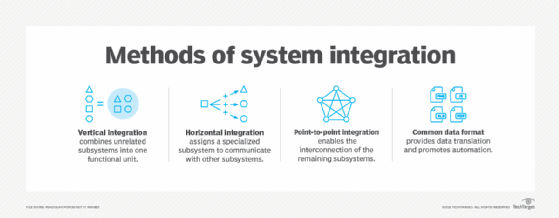
- Choose Integration Method: Decide between API, middleware, or manual import.
- Plan for Testing: Allocate time for quality assurance.
- Set a Timeline: Create a realistic project timeline.
Use a table to summarize integration steps:
| Step | Description |
|---|---|
| 1 | Assess Existing Systems |
| 2 | Determine Data Flow |
| 3 | Choose Integration Method |
| 4 | Plan for Testing |
| 5 | Set a Timeline |
By mapping out these steps, you prepare for a smooth integration. Each step builds on the last, ensuring nothing is overlooked.
Choosing The Right Crm Software
Choosing the right CRM software is crucial for your business. A good CRM helps manage customer relationships. It can streamline processes and improve efficiency. Select a system that fits your specific needs. Consider your goals and budget before making a choice.
Must-have Features For Your Business
Not all CRM systems are created equal. Here are essential features to consider:
- User-Friendly Interface: Easy to navigate for all users.
- Contact Management: Store and organize customer information effectively.
- Sales Automation: Automate tasks to save time.
- Reporting and Analytics: Gain insights into sales performance.
- Integration Capabilities: Connect with existing tools seamlessly.
- Mobile Access: Access CRM on-the-go via mobile devices.
Comparing Different Crm Providers
Comparing various CRM providers helps find the best fit. Use the following table for quick reference:
| CRM Provider | Key Features | Pricing |
|---|---|---|
| Salesforce | User-friendly, customizable, extensive integration options. | Starts at $25/month per user. |
| HubSpot | Free tier available, great marketing tools, easy to use. | Free and paid plans start at $50/month. |
| Zoho CRM | Affordable, multi-channel support, automation features. | Starts at $12/month per user. |
| Microsoft Dynamics 365 | Integration with Microsoft apps, customizable dashboards. | Starts at $65/month per user. |
Evaluate each provider based on your business needs. Focus on the features that matter most. Look for user reviews and ratings. This will guide you to the best choice.
Credit: www.baass.com
Preparing Your Data For Integration
Preparing your data for integration is crucial. Clean, organized data ensures smooth transitions. It helps systems work together efficiently. Follow these steps to set your data up for success.
Data Cleaning Essentials
Data cleaning is the first step. It involves removing errors and duplicates. Clean data enhances accuracy and reliability. Here are some essential tips:
- Remove Duplicates: Identify and eliminate duplicate records.
- Standardize Formats: Ensure names, dates, and addresses follow the same format.
- Correct Errors: Fix typos and incorrect information.
- Fill in Missing Data: Identify and complete missing fields.
- Validate Data: Check the accuracy of your data against reliable sources.
Data Migration Strategies
Data migration is the process of transferring data. A clear strategy is key for a successful migration. Here are some effective strategies:
- Plan Your Migration: Create a detailed plan outlining each step.
- Choose the Right Tools: Use reliable tools for data migration.
- Test Before Full Migration: Run tests on a small data set first.
- Backup Data: Always back up your data before migrating.
- Monitor the Process: Keep track of the migration to address issues promptly.
Following these strategies leads to a successful data integration. A well-prepared data set minimizes issues and enhances efficiency.
Staff Training And Onboarding
Effective staff training and onboarding are vital for CRM success. Proper training helps staff understand the new system. They need to feel confident using it daily. A smooth onboarding process encourages adoption and maximizes benefits.
Developing A Training Program
Create a structured training program tailored to your team’s needs. Include various learning formats to cater to different styles:
- Interactive workshops
- Online tutorials
- One-on-one coaching
- Documentation and manuals
Ensure the program covers key topics:
- System navigation
- Data entry and management
- Reporting features
- Integration with existing tools
Schedule training sessions at convenient times. This helps maximize participation. Use real-life scenarios to make learning engaging. Encourage questions and discussions throughout the training.
Monitoring Adoption Rates
Track how well staff adopts the new CRM system. Use tools to measure engagement and performance. Key metrics to monitor include:
| Metric | Description |
|---|---|
| User logins | Frequency of system access by staff |
| Feature usage | How often different features are used |
| Feedback | Staff satisfaction and challenges |
Regularly collect feedback from staff. Adjust training based on their needs. Celebrate milestones to keep motivation high. Recognize those who excel in using the new system. This fosters a