
To use Nmap for ethical hacking, install Nmap and run scans to identify open ports and services on a target. Analyze the scan results to assess potential vulnerabilities.
How to Use Nmap for Ethical Hacking:Nmap, short for Network Mapper, is a powerful tool used in ethical hacking for network discovery and security auditing. It is open-source and widely recognized for its efficiency in scanning large networks. Ethical hackers use Nmap to identify open ports, running services, and potential vulnerabilities in target systems.
By conducting detailed scans, they can gather critical information to enhance network security. Nmap’s versatility and robust features make it an essential tool for cybersecurity professionals. Understanding how to use Nmap effectively can significantly improve your ability to protect and secure digital environments against malicious threats.

Credit: www.udemy.com
Introduction To Nmap
Nmap is a powerful tool for network scanning. Ethical hackers use it to discover network vulnerabilities. It helps in securing systems by identifying weaknesses.
What Is Nmap?
Nmap stands for Network Mapper. It is an open-source tool. The primary use is to discover hosts and services on a computer network. It does this by sending packets and analyzing the responses.
Nmap can:
- Identify live hosts on a network
- Discover open ports
- Detect software and version
- Identify operating systems
- Detect security risks
Ethical hackers use these features to secure systems. It helps them understand the network structure and find vulnerabilities.
Importance In Ethical Hacking
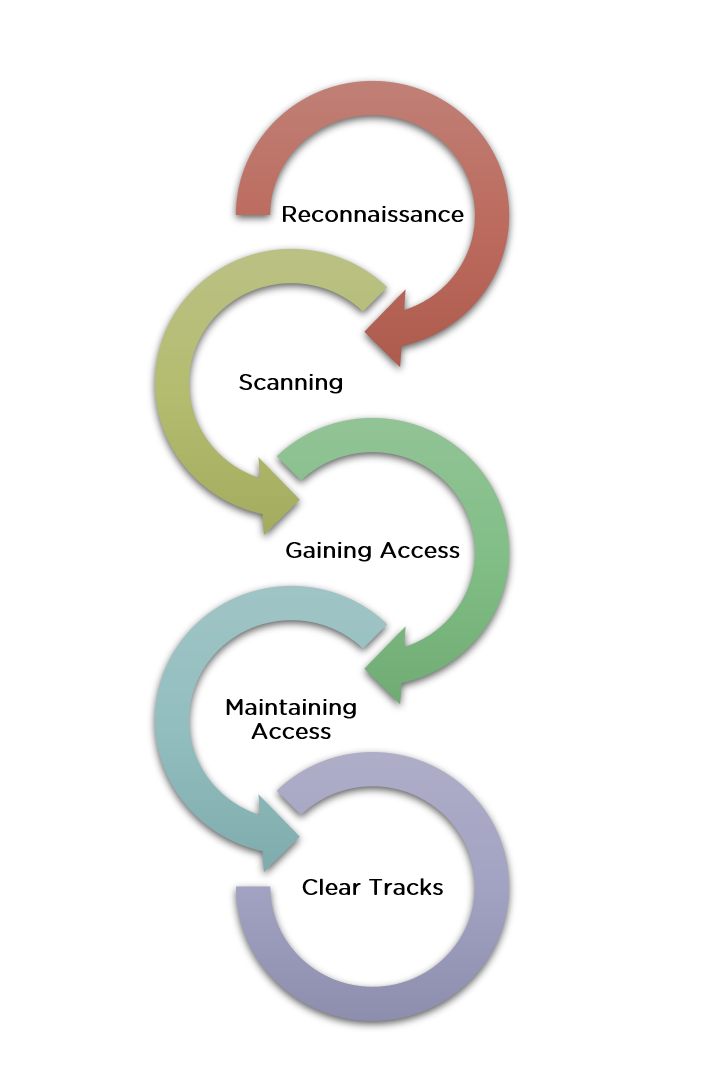
Nmap is essential in ethical hacking. It helps in the initial stages of penetration testing. This stage is called reconnaissance or information gathering.
Benefits of using Nmap in ethical hacking:
- Efficiency: Nmap scans networks quickly.
- Accuracy: It provides precise results.
- Versatility: Nmap works on various operating systems.
- Customization: Users can script scans for specific needs.
Nmap also supports various scan types. This includes TCP scans, UDP scans, and stealth scans. These features make it a versatile tool for ethical hackers.
Basic Nmap Commands
Here are some basic Nmap commands:
| Command | Description |
|---|---|
nmap -sP [target] |
Ping scan to find live hosts. |
nmap -sS [target] |
SYN scan to find open ports. |
nmap -O [target] |
Operating system detection. |
nmap -A [target] |
Advanced scan with OS and version detection. |
These commands help ethical hackers gather crucial information. They can then use this information to secure the network.

Credit: www.youtube.com
Setting Up Nmap
Nmap is a powerful tool for ethical hacking. Setting it up correctly is crucial for effective use. This section will guide you through the installation process and basic configuration. Follow the steps below to get started.
Installation Process
Installing Nmap is straightforward. Follow these steps for your operating system.
Windows
- Visit the official Nmap download page.
- Download the Nmap Windows Installer.
- Run the installer and follow the on-screen instructions.
- Open the Command Prompt and type
nmapto verify the installation.
Linux
Open the terminal and run the following commands based on your distribution:
- Debian/Ubuntu:
sudo apt-get install nmap - CentOS/RHEL:
sudo yum install nmap - Fedora:
sudo dnf install nmap
To verify the installation, type nmap in the terminal.
MacOS
- Install Homebrew if you haven’t already.
- Open the terminal and run
brew install nmap. - Type
nmapin the terminal to verify the installation.
Basic Configuration
After installing Nmap, configuring it is the next step. Follow these tips for basic configuration.
- Ensure you have root privileges for advanced scanning options.
- Check your network settings to avoid conflicts.
- Use the
nmap --helpcommand to explore basic options.
Here’s a simple command to get you started:
nmap -sP 192.168.1.1/24This command scans all devices in the 192.168.1.1 network. It helps you understand the basic functionality of Nmap.
Understanding Nmap Commands
Nmap is a powerful tool for network scanning and security auditing. Knowing Nmap commands is crucial for ethical hacking. This section will teach you the basic and advanced Nmap commands.
Common Commands
Here are some common Nmap commands you will use often:
| Command | Description |
|---|---|
nmap -sP [target] |
Ping scan to check if hosts are up. |
nmap -sS [target] |
TCP SYN scan, the most common scan option. |
nmap -O [target] |
Detect the operating system of the target. |
nmap -sV [target] |
Version detection to find software versions. |
Advanced Options
For more detailed scans, use these advanced Nmap options:
nmap --script [script] [target]– Use Nmap scripts for advanced scanning.nmap -A [target]– Aggressive scan to gather more information.nmap -Pn [target]– Scan a target without pinging it first.nmap -p [port] [target]– Scan specific ports on the target.
Using these commands will give you a better understanding of your network. Always use Nmap responsibly and ethically.
Scanning Techniques
Nmap is a powerful tool for ethical hacking. It uses various scanning techniques to identify vulnerabilities. This section explains two common methods: TCP Connect Scan and SYN Scan.
Tcp Connect Scan
The TCP Connect Scan is a straightforward method. It completes the three-way handshake to connect to a target.
Here is a basic command for a TCP Connect Scan:
nmap -sT [target]This scan is easy to detect. It fully opens and closes a connection.
- Advantages: Simple and reliable.
- Disadvantages: Easily detected by firewalls.
Syn Scan
The SYN Scan is also known as a half-open scan. It sends a SYN packet to the target and waits for a response.
Here is a basic command for a SYN Scan:
nmap -sS [target]This scan is stealthier. It does not complete the full handshake.
- Advantages: Harder to detect.
- Disadvantages: Requires special permissions.
Both scanning techniques are vital for ethical hackers. They help identify open ports and potential vulnerabilities. Choose the one that fits your needs and start scanning safely.
Discovering Hosts
Discovering hosts is the first step in ethical hacking with Nmap. This process helps identify active devices on a network. By using Nmap, you can determine which hosts are up and running. This knowledge is vital for further network exploration and security assessment.
Ping Scan
A Ping Scan helps identify live hosts by sending ICMP echo requests. If a host responds, it is considered active. This method is quick and efficient.
nmap -sn 192.168.1.0/24In this command, -sn stands for “ping scan”. The IP range 192.168.1.0/24 scans the entire subnet. It lists all active hosts without port scanning.
- Quickly identifies active hosts
- Less intrusive compared to full scans
- Useful for large networks
Arp Scan
An ARP Scan is more accurate for local networks. It uses Address Resolution Protocol to discover hosts. This method is e