

Penetration testing report templates provide a structured format to document findings and recommendations. Examples of these templates can streamline the reporting process and enhance clarity.
A penetration testing report is essential for organizations seeking to strengthen their cybersecurity. It details vulnerabilities found during testing and offers actionable recommendations. Using a standardized template can improve consistency and ensure all critical areas are covered. Effective reports not only highlight security gaps but also prioritize remediation steps.
They serve as valuable communication tools between technical teams and management. By following established templates, businesses can efficiently convey findings and foster a proactive security culture. Understanding various templates and examples can lead to better security posture and risk management strategies.

Credit: www.yumpu.com
Introduction To Penetration Testing
Penetration testing is a crucial part of security strategies. It identifies weaknesses in systems and networks. Organizations perform these tests to protect sensitive information.
Why Security Testing Is Essential
Security testing is vital for several reasons:
- Identify Vulnerabilities: Find security gaps before attackers do.
- Improve Security Posture: Strengthen defenses against threats.
- Ensure Compliance: Meet legal and regulatory requirements.
- Protect Reputation: Avoid data breaches that harm trust.
Without regular testing, systems remain at risk. This can lead to serious financial losses.
The Role Of Penetration Testing
Penetration testing plays a key role in security. It simulates real-world attacks on systems. This helps to:
- Assess Security Controls: Evaluate how well defenses work.
- Test Incident Response: Check how teams react to breaches.
- Provide Actionable Insights: Deliver clear recommendations for improvement.
Penetration testing gives organizations a roadmap. It shows where to focus efforts for better security.
Credit: www.slideshare.net
Key Components Of A Pentest Report
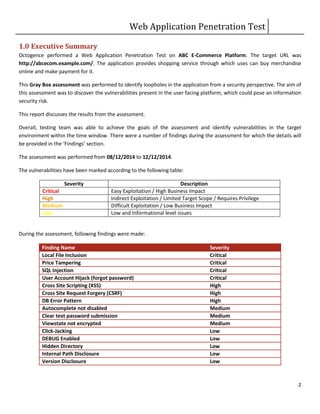
A Penetration Testing (PenTest) report is essential for understanding security weaknesses. It guides businesses in improving their defenses. A well-structured report has key components that make findings clear and actionable.
Executive Summary
The Executive Summary provides a high-level overview of the testing results. It should be concise and easy to understand. Key elements include:
- Objectives: What was the goal of the PenTest?
- Scope: Which systems or applications were tested?
- Key Findings: Major vulnerabilities discovered during testing.
- Recommendations: Suggested actions to improve security.
This section helps stakeholders grasp the important points quickly. Busy executives can make informed decisions based on this summary.
Detailed Findings And Evidence
The Detailed Findings and Evidence section dives deeper into the vulnerabilities. It includes:
- Vulnerability Description: What is the issue?
- Risk Level: Is it low, medium, or high risk?
- Evidence: Screenshots, logs, or code snippets to support findings.
- Impact: What could happen if the issue is not fixed?
- Recommendations: Steps to resolve the issue.
This section provides detailed insights. It allows technical teams to understand and address vulnerabilities effectively.
| Vulnerability | Risk Level | Impact |
|---|---|---|
| SQL Injection | High | Data breach, unauthorized access |
| Cross-Site Scripting (XSS) | Medium | Data theft, session hijacking |
| Weak Password Policy | Low | Increased risk of unauthorized access |
Clear documentation of findings is crucial. It helps teams prioritize fixes and enhance overall security.
Designing An Effective Report Template
Creating a strong penetration testing report template is vital. It helps convey findings clearly. A well-structured report improves understanding. Different audiences need different information. Customization is key for effective communication.
Structure And Clarity
An effective template must have a clear structure. Follow these essential sections:
- Executive Summary: Provide a brief overview of findings.
- Scope: Define what was tested and why.
- Methodology: Explain the testing methods used.
- Findings: List vulnerabilities and issues discovered.
- Recommendations: Suggest fixes for identified problems.
- Appendices: Include detailed data or logs.
Each section should be easy to read. Use bullet points for key information. Keep language simple and direct. Avoid technical jargon unless necessary.
Customizable Sections For Different Audiences
Different stakeholders need different details. Here’s how to customize:
| Audience | Focus Areas |
|---|---|
| Executives | High-level findings, risks, and business impact |
| IT Teams | Technical details, vulnerabilities, and remediation steps |
| Compliance Officers | Regulatory compliance and adherence to standards |
Use visuals like charts for clarity. Visuals can simplify complex information. This approach keeps the audience engaged.
Focus on what each audience needs. Tailor the content for maximum impact. A well-designed report ensures better understanding and action.
Best Practices For Reporting Findings
Effective reporting is key in penetration testing. A clear report helps teams understand security risks. It guides actions to improve systems. Follow these best practices to enhance your reporting.
Prioritizing Vulnerabilities
Not all vulnerabilities are equal. Focus on the most critical issues first. Use a ranking system to categorize them.
Consider factors like:
- Severity: How damaging is the vulnerability?
- Exploitability: Can attackers easily exploit it?
- Impact: What would happen if an attack occurs?
Here’s a simple priority table:
| Priority Level | Description |
|---|---|
| High | Critical vulnerabilities that require immediate attention. |
| Medium | Moderate risks that should be addressed soon. |
| Low | Minor issues that can be fixed later. |
Clear And Actionable Recommendations
Provide specific steps for fixing each vulnerability. Avoid technical jargon. Use simple language to explain solutions.
Your recommendations should include:
- Immediate Actions: Steps to take right away.
- Long-term Solutions: Strategies for permanent fixes.
- Resources: Links to tools or guides.
Example of a clear recommendation:
1. Patch the software to close the security gap.
2. Train staff on recognizing phishing attacks.
Well-structured reports help teams act fast. Clear recommendations lead to better security.
Enhancing Reports With Visuals
Visuals play a crucial role in making penetration testing reports more understandable. They help convey complex data simply and effectively. Using visuals can highlight key findings, making them easier for stakeholders to grasp.
Graphs And Charts
Graphs and charts can transform raw data into meaningful insights. They provide a quick overview of the results. Here are some types of graphs to consider:
- Bar Charts: Great for comparing different vulnerabilities.
- Pie Charts: Useful for showing the distribution of vulnerabilities.
- Line Graphs: Ideal for tracking trends over time.
Include graphs that show:
- Total vulnerabilities found.
- Severity levels of issues.
- Trends in security over multiple tests.
These visuals make it easier for non-technical readers to understand the security posture.
Screenshots And Code Snippets
Screenshots provide real-life examples of vulnerabilities. They help illustrate findings clearly. Including code snippets can show specific issues directly. Here’s how to use them effectively:
- Take clear screenshots of vulnerabilities.
- Highlight key areas with annotations.
- Include relevant code snippets that demonstrate issues.
For example:
if (userInput == "admin") {
    // Vulnerability here
    alert("Unauthorized access!");
}
Using visuals like screenshots and code snippets makes technical details clear. This approach enhances the overall quality of the penetration testing report.
Common Pitfalls To Avoid In Reporting
Creating a solid penetration testing report is crucial. Many reports fail due to common mistakes. Understanding these pitfalls can help improve clarity and effectiveness.
Overwhelming Technical Jargon
Using too much technical jargon can confuse readers. Reports must communicate findings clearly.
- Avoid complex terms that only experts understand.
- Use simple language wherever possible.
- Explain necessary technical terms in layman’s terms.
Consider your audience. Most readers may not have a technical background.
Example of technical jargon:
Vulnerability Assessment: A process to identify security weaknesses.
Rephrased for clarity:
Finding Weaknesses: Discovering problems that could lead to security issues.
Neglecting Non-technical Stakeholders
Many reports focus only on technical details. This can alienate non-technical readers. Stakeholders may include managers, clients, or board members.
Ensure your report addresses their needs:
- Summarize findings in simple terms.
- Highlight key risks and impacts.
- Suggest actionable recommendations.
Include a summary section that captures the main points. This section should be concise and easy to digest. Consider using visuals to aid understanding.
| Aspect | Technical Report | Non-technical Summary |
|---|---|---|
| Vulnerability Details | Cross-Site Scripting (XSS) vulnerability found in web app. | Security flaw found that may allow hackers to steal data. |
| Recommendations | Implement Content Security Policy (CSP). | Use security measures to protect sensitive information. |
Clear communication builds trust. It ensures all stakeholders understand the risks and necessary actions.
Leveraging Templates For Consistency
Using templates for penetration testing reports enhances consistency and clarity. They help teams communicate findings clearly. Templates reduce time spent on formatting. A well-structured report leads to better understanding.
Template Libraries And Resources
Numerous resources provide template libraries. These libraries offer various styles and formats. Here are some popular sources:
- GitHub – Open-source templates shared by the community.
- Online forums – Users share their customized reports.
- Professional organizations – They often provide templates for members.
Using these resources saves time and effort. They ensure your reports follow industry standards.
Customization For Branding And Context
Customizing templates adds a personal touch. Tailor templates to reflect your brand identity. Consider these customization options:
- Brand colors: Use your company’s color scheme.
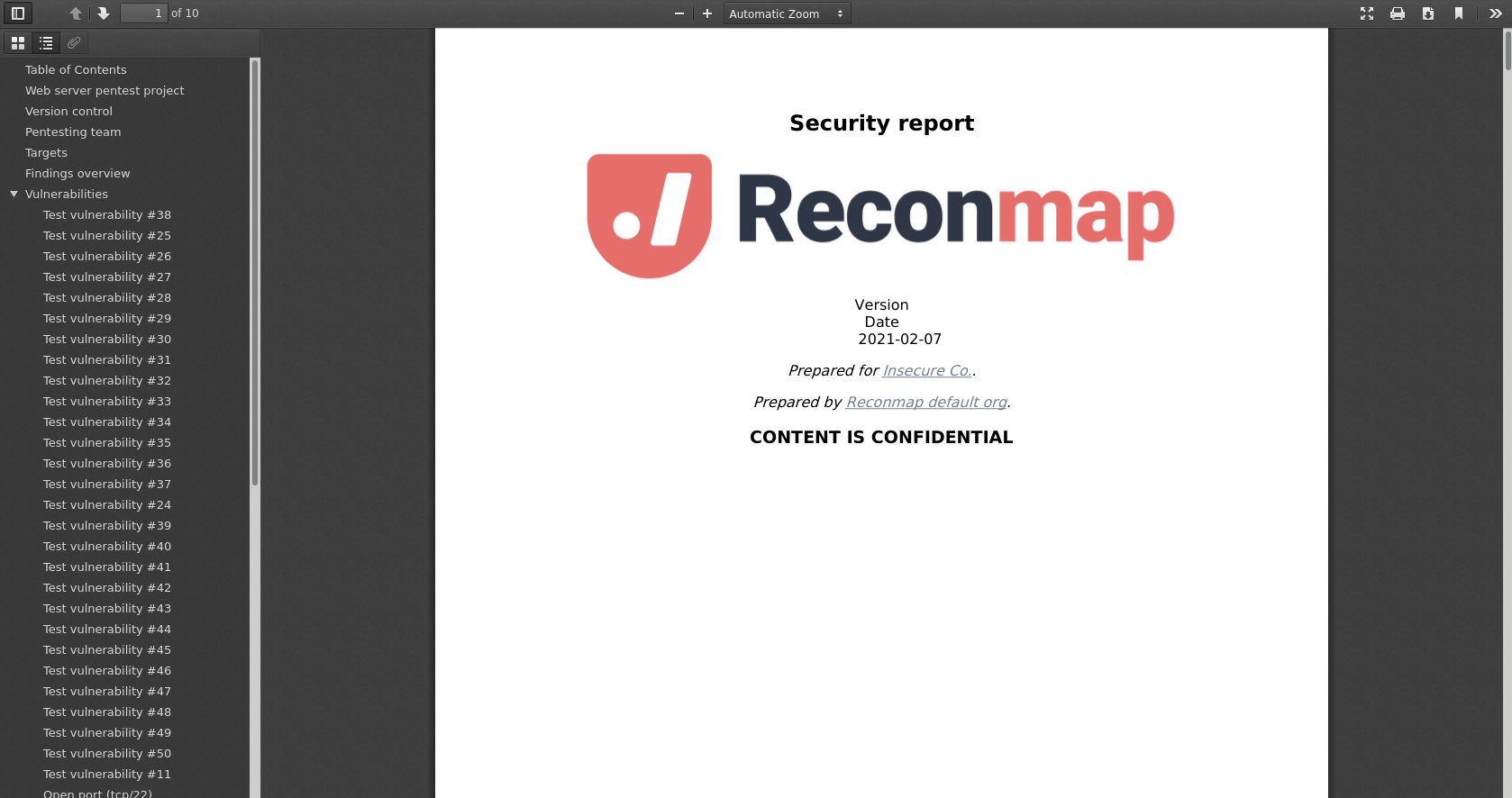
- Logos: Include your logo on the cover page.
- Fonts: Choose fonts that match your brand.
Customization helps your reports stand out. It also ensures your audience recognizes your brand.
Ensure relevant context is included. Adjust sections based on the audience’s needs. A well-tailored report improves engagement and understanding.
Case Studies: Effective Reporting In Action
Penetration testing reports are crucial for businesses. They provide insights into security gaps and help prioritize fixes. Real-world case studies showcase effective reporting practices. These examples highlight success stories and lessons learned.
Success Stories From Real-world Scenarios
Many organizations have benefitted from effective penetration testing reports. Here are some notable success stories:
| Organization | Issue Identified | Outcome |
|---|---|---|
| Bank XYZ | Weak password policies | Implemented stronger authentication, reduced breaches by 50% |
| Tech Corp | Unpatched software vulnerabilities | Regular updates led to a safer network |
| Retailer ABC | Insecure payment systems | Enhanced security measures, increased customer trust |
These organizations improved their security posture. They demonstrated how effective reporting can lead to real change.
Lessons Learned And Continuous Improvement
Every penetration test provides valuable lessons. Here are key takeaways from successful cases:
- Prioritize issues: Focus on high-risk vulnerabilities first.
- Clear communication: Use simple language in reports.
- Regular testing: Conduct tests frequently to stay secure.
- Feedback loops: Engage teams to discuss findings.
Continuous improvement is vital. Organizations must evolve their security measures over time. Learning from past experiences enhances future penetration tests.
Conclusion: The Impact Of Quality Reporting
Quality reporting in penetration testing is vital. It shapes security strategies and enhances overall protection. Effective reports provide clear insights into vulnerabilities. They guide organizations in addressing weaknesses swiftly.
Strengthening Your Security Posture
High-quality penetration testing reports help organizations in many ways:
- Identify vulnerabilities: Clear reports highlight weak spots.
- Prioritize fixes: Focus on critical issues first.
- Track progress: Monitor improvements over time.
- Educate teams: Reports inform staff about security risks.
Tables can visualize risk levels and remediation plans:
| Vulnerability | Risk Level | Recommended Action |
|---|---|---|
| SQL Injection | High | Patch application |
| Weak Passwords | Medium | Implement password policies |
| Outdated Software | Low | Update software regularly |
Fostering Communication And Trust
Effective penetration testing reports build trust within teams:
- Clear language: Use simple terms everyone understands.
- Regular updates: Keep stakeholders informed of progress.
- Collaborative approach: Involve teams in remediation processes.
Trust improves teamwork and strengthens security culture. Everyone feels responsible for security.
Quality reporting creates a solid foundation. It unites teams toward a common goal: a safer organization.
Credit: docs.reconmap.com
Frequently Asked Questions
What Is A Penetration Testing Report Template?
A penetration testing report template is a structured document used to present findings from a security assessment. It typically includes sections for executive summaries, vulnerabilities identified, and recommendations for remediation. Using a template ensures consistency and clarity, making it easier for stakeholders to understand the results.
Why Are Penetration Testing Reports Important?
Penetration testing reports are crucial for understanding security vulnerabilities. They provide insights into potential risks and help organizations prioritize remediation efforts. Additionally, these reports can assist in compliance with industry regulations and inform stakeholders about the security posture of their systems.
What Should Be Included In A Penetration Testing Report?
A comprehensive penetration testing report should include an executive summary, methodology, findings, and recommendations. It should also detail the scope of the test, vulnerabilities discovered, risk assessments, and suggested remediation strategies. Including visuals like charts and graphs can enhance understanding for non-technical stakeholders.
How To Create A Penetration Testing Report?
To create a penetration testing report, start by collecting data during the assessment. Organize your findings into sections like vulnerabilities and recommendations. Ensure clarity by using visuals and straightforward language. Finally, review the document for accuracy and coherence before presenting it to stakeholders.
Conclusion
A well-structured penetration testing report is crucial for effective security assessments. Utilizing templates can streamline the reporting process and ensure consistency. With the right examples, you can craft detailed reports that clearly communicate findings. Prioritize clarity and actionability to enhance your organization’s security posture and foster informed decision-making.


Leave a Reply