
To implement multi-factor authentication (MFA) in the workplace, choose an MFA provider that suits your needs. Next, educate employees on the importance and process of using MFA.
How to Implement Multi-Factor Authentication:Multi-factor authentication is essential for enhancing workplace security. Cyber threats are on the rise, making traditional passwords insufficient. MFA adds an extra layer of protection by requiring multiple forms of verification. This can include something you know (like a password), something you have (like a smartphone), or something you are (like a fingerprint).
Implementing MFA not only safeguards sensitive data but also builds trust within your organization. By making this transition, businesses can significantly reduce the risk of unauthorized access, ensuring a more secure environment for both employees and clients alike.

Credit: rublon.com
The Rise Of Cybersecurity Threats
Cybersecurity threats are increasing rapidly. Businesses face new and complex risks daily. Cybercriminals target organizations of all sizes. They exploit weaknesses in systems, often leading to severe consequences.
Implementing strong security measures is essential. Multi-Factor Authentication (MFA) is one effective method. It adds extra layers of protection to sensitive data.
Evolving Digital Risks
Digital risks are evolving. Here are some common threats:
- Phishing Attacks: Deceptive emails trick users into sharing info.
- Ransomware: Malicious software locks data until a ransom is paid.
- Data Breaches: Unauthorized access to confidential information.
- Insider Threats: Employees misusing access to sensitive data.
These threats change constantly. Organizations must adapt to protect their assets.
Recent Breaches And Lessons
Several high-profile breaches highlight the need for strong security:
| Company | Year | Impact | Lessons Learned |
|---|---|---|---|
| Equifax | 2017 | 147 million records exposed | Regular updates and patches are vital. |
| Target | 2013 | 40 million credit cards compromised | Employee training on security awareness is crucial. |
| Yahoo | 2013 | 3 billion accounts hacked | Implement MFA to enhance security. |
These breaches serve as warnings. Businesses must prioritize cybersecurity measures like MFA.
Basics Of Multi-factor Authentication (mfa)
Multi-Factor Authentication, or MFA, is vital for workplace security. It adds extra layers of protection beyond just a password. This method helps to keep sensitive information safe from unauthorized access.
What Is Mfa?
MFA is a security process. It requires users to provide multiple forms of identity verification. This makes it harder for attackers to gain access.
Instead of just a password, MFA uses two or more factors from the following categories:
- Something you know (like a password)
- Something you have (like a smartphone or security token)
- Something you are (like a fingerprint or facial recognition)
Types Of Authentication Factors
Understanding the different types of authentication factors is essential. Here’s a breakdown:
| Type | Description | Examples |
|---|---|---|
| Knowledge Factors | Something the user knows. | Password, PIN |
| Possession Factors | Something the user has. | Smartphone, security token |
| Inherence Factors | Something unique to the user. | Fingerprint, voice recognition |
Each factor adds a layer of security. Using multiple factors greatly reduces the risk of unauthorized access.
Implementing MFA is a smart choice for any workplace. It protects sensitive data effectively. Employees feel safer knowing their accounts are secure.
Importance Of Mfa In Modern Security
Multi-Factor Authentication (MFA) is vital for workplace security. It adds an extra layer of protection to sensitive information. Relying on passwords alone is no longer safe. Cyber threats are becoming more sophisticated. MFA helps reduce the risk of unauthorized access.
Enhancing Access Security
Using MFA significantly strengthens access security. Here’s how it works:
- Requires two or more verification methods.
- Combines something you know (password) with something you have (token).
- May also include something you are (biometrics).
This layered approach makes it hard for attackers. Even if a password is compromised, access remains secure.
Compliance And Regulatory Benefits
MFA helps organizations meet various compliance requirements. Here are some key benefits:
| Regulation | MFA Requirement |
|---|---|
| GDPR | Protect personal data with strong measures. |
| HIPAA | Ensure patient information remains confidential. |
| PCI-DSS | Secure payment card information with multiple factors. |
Implementing MFA helps avoid penalties and fines. It builds trust with clients and partners.
Comparing Mfa Methods
Multi-Factor Authentication (MFA) enhances security by requiring multiple forms of verification. Different MFA methods offer various benefits and drawbacks. Understanding these can help your organization choose the right solution.
Pros And Cons Of Various Mfa Methods
| MFA Method | Pros | Cons |
|---|---|---|
| SMS Authentication |
|
|
| Email Verification |
|
|
| Authenticator Apps |
|
|
| Biometric Authentication |
|
|
Choosing The Right Mfa Solution
Selecting the right MFA method is crucial for your organization’s security. Consider these factors:
- Security Level: Assess how sensitive your data is.
- User Experience: Ensure the method is user-friendly.
- Cost: Evaluate your budget for implementation.
- Compatibility: Check if it integrates with existing systems.
Involve team members in the decision process. Gather feedback to find the best fit. A well-chosen MFA solution enhances security while maintaining user satisfaction.
Step-by-step Guide To Mfa Implementation
Implementing Multi-Factor Authentication (MFA) enhances your workplace security. This guide provides clear steps for successful MFA deployment. Follow these instructions to protect sensitive data.
Preparation And Planning
Start with careful preparation. Assess your current security measures. Identify which systems require MFA. Gather your team for brainstorming sessions.
- Determine MFA Needs: List critical applications.
- Choose MFA Methods: Options include:
- SMS codes
- Email verification
- Authenticator apps
- Hardware tokens
- Set Goals: Define what you want to achieve.
Communicate the MFA plan with your team. Provide training sessions to explain the new process. Clear communication builds trust and reduces resistance.
Deploying Mfa In Phases
Implement MFA gradually. This approach helps in managing challenges. Break down the deployment into clear phases.
- Phase 1: Pilot Program
- Choose a small group of users.
- Monitor their experience and feedback.
- Phase 2: Wider Rollout
- Expand MFA to more users.
- Provide support during this phase.
- Phase 3: Full Implementation
- Make MFA mandatory for all users.
- Ensure ongoing support and training.
Track the effectiveness of MFA. Analyze user feedback regularly. Adjust your approach based on this information. This ensures a smooth transition.
| Phase | Actions | Goals |
|---|---|---|
| 1 | Pilot program | Test and gather feedback |
| 2 | Wider rollout | Expand usage, provide support |
| 3 | Full implementation | Mandatory usage, ongoing support |
Following these steps helps create a secure workplace. MFA significantly reduces the risk of unauthorized access. Keep your data and systems safe.
Educating Employees On Mfa
Understanding Multi-Factor Authentication (MFA) is crucial for employees. Proper education helps them recognize its importance. Employees must feel confident using MFA tools daily.
Conducting Effective Training Sessions
Training sessions should be engaging and informative. Use various methods to keep employees interested. Consider the following steps:
- Use real-life examples of security breaches.
- Demonstrate how MFA works in simple terms.
- Provide hands-on practice with MFA tools.
Offer different formats for training:
| Format | Description |
|---|---|
| Workshops | Interactive sessions with group activities. |
| Webinars | Online sessions for remote employees. |
| One-on-One Training | Personalized help for individuals. |
Creating A Culture Of Security Awareness
Fostering a culture of security is essential. Employees should prioritize security in their daily tasks. Implement these strategies:
- Encourage open discussions about security risks.
- Share success stories of MFA preventing breaches.
- Regularly update employees on new security measures.
Offer incentives for employees who excel in security practices. This motivates everyone to participate actively. Recognize efforts publicly to boost morale.
Dealing With Common Mfa Challenges
Implementing Multi-Factor Authentication (MFA) can improve security. Yet, challenges may arise. Addressing these challenges quickly helps maintain smooth operations.
User Resistance And Solutions
Many employees resist MFA. They find it inconvenient or confusing. Understanding their concerns is key to overcoming resistance.
- Education: Provide training on MFA benefits. Show how it protects their data.
- Ease of Use: Choose user-friendly MFA methods. Options like push notifications simplify the process.
- Support: Offer ongoing support. Make help available through IT resources.
Gather feedback from users. This helps identify pain points. Adjustments can improve user experiences. Create a culture that values security.
Technical Issues And Troubleshooting
Technical problems can hinder MFA implementation. Common issues include:
| Issue | Solution |
|---|---|
| Authentication App Errors | Ensure apps are updated. Reinstall if necessary. |
| Lost Devices | Implement backup codes. Ensure users can recover access. |
| Network Problems | Check internet connectivity. Use alternative methods temporarily. |
Regularly test the MFA system. Find and fix issues before they affect users. This proactive approach minimizes frustration.
Document common problems and solutions. Share this guide with employees. A clear resource can help them troubleshoot quickly.
Monitoring And Maintaining Mfa Systems
Maintaining Multi-Factor Authentication (MFA) systems is crucial for security. Regular monitoring helps catch vulnerabilities early. It ensures that your workplace is safe from unauthorized access. Here’s how to effectively monitor and maintain your MFA systems.
Regular Audits And Updates
Conducting regular audits keeps your MFA systems effective. Follow these steps:
- Schedule audits every six months.
- Review user access regularly.
- Check authentication methods for all users.
- Update software to the latest versions.
Use a table to track audit findings:
| Date | Auditor | Findings | Actions Taken |
|---|---|---|---|
| 01/01/2023 | John Doe | No outdated software found | N/A |
| 07/01/2023 | Jane Smith | 3 users with outdated authentication methods | Updated methods |
Responding To Emerging Threats
Stay informed about new threats to MFA systems. Implement these strategies:
- Follow security news and updates.
- Conduct training for employees on security practices.
- Test MFA systems against new attack methods.
- Adjust settings based on threat levels.
Regularly evaluate your MFA effectiveness. Make necessary adjustments to keep your workplace safe. Engage your team in discussions about security improvements. Encourage reporting any suspicious activities immediately.
Future Of Authentication Technologies
The future of authentication technologies is bright and evolving. Companies are shifting to more secure methods. Multi-Factor Authentication (MFA) plays a vital role in this transition. As threats grow, stronger solutions are necessary. New technologies will enhance security and user experience.
Biometric Advances
Biometric authentication uses unique human traits for security. This includes:
- Fingerprint recognition
- Facial recognition
- Voice recognition
- Retina scanning
These methods offer several benefits:
- Improved accuracy
- Faster access
- Reduced fraud
Biometric systems are becoming more common in workplaces. They provide strong security without complex passwords. Users find them easy and convenient.
The Role Of Artificial Intelligence
Artificial Intelligence (AI) enhances authentication systems significantly. AI can analyze user behavior. This helps in identifying suspicious activities. Key roles of AI include:
- Real-time risk assessment
- Adaptive authentication methods
- Automated threat detection
AI-driven systems learn from user patterns. They adapt to changes, ensuring better protection. This tech will shape the future of workplace security.

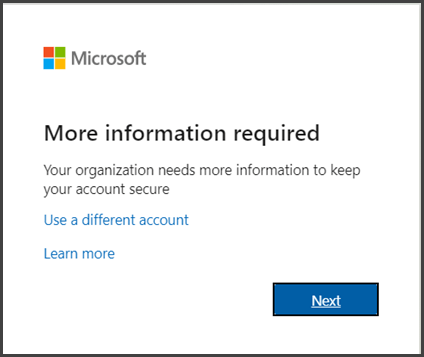
Credit: learn.microsoft.com
:max_bytes(150000):strip_icc()/twofactor-authentication-2fa.asp-final-5dc205d2a08b447abfb2e15eb131e28e.png)
Credit: www.investopedia.com
Frequently Asked Questions
What Is Multi-factor Authentication (mfa)?
Multi-factor authentication (MFA) is a security measure that requires two or more verification methods to access accounts. This might include something you know (like a password) and something you have (like a smartphone). MFA significantly enhances security by making it harder for unauthorized users to gain access.
Why Is Mfa Important In The Workplace?
MFA is crucial in the workplace to protect sensitive data from cyber threats. It adds an extra layer of security beyond just passwords, reducing the risk of unauthorized access. Implementing MFA can help organizations comply with regulations and safeguard employee and customer information effectively.
How Do I Implement Mfa In My Organization?
To implement MFA, start by assessing your current security systems. Choose an MFA solution that fits your needs, such as app-based or SMS verification. Educate employees about its importance and provide training on how to use it. Regularly review and update your MFA practices for optimal security.
What Are The Common Methods Of Mfa?
Common methods of MFA include SMS codes, authentication apps, and biometric verification. Users may receive a one-time code via text, use an app to generate a code, or verify their identity through fingerprints or facial recognition. Each method adds a layer of protection against unauthorized access.
Conclusion
Implementing multi-factor authentication (MFA) significantly enhances workplace security. By following the steps outlined in this guide, you can protect sensitive information and reduce the risk of data breaches. Foster a culture of security awareness among employees. With MFA, your organization will be better equipped to handle today’s cybersecurity challenges.


Leave a Reply