
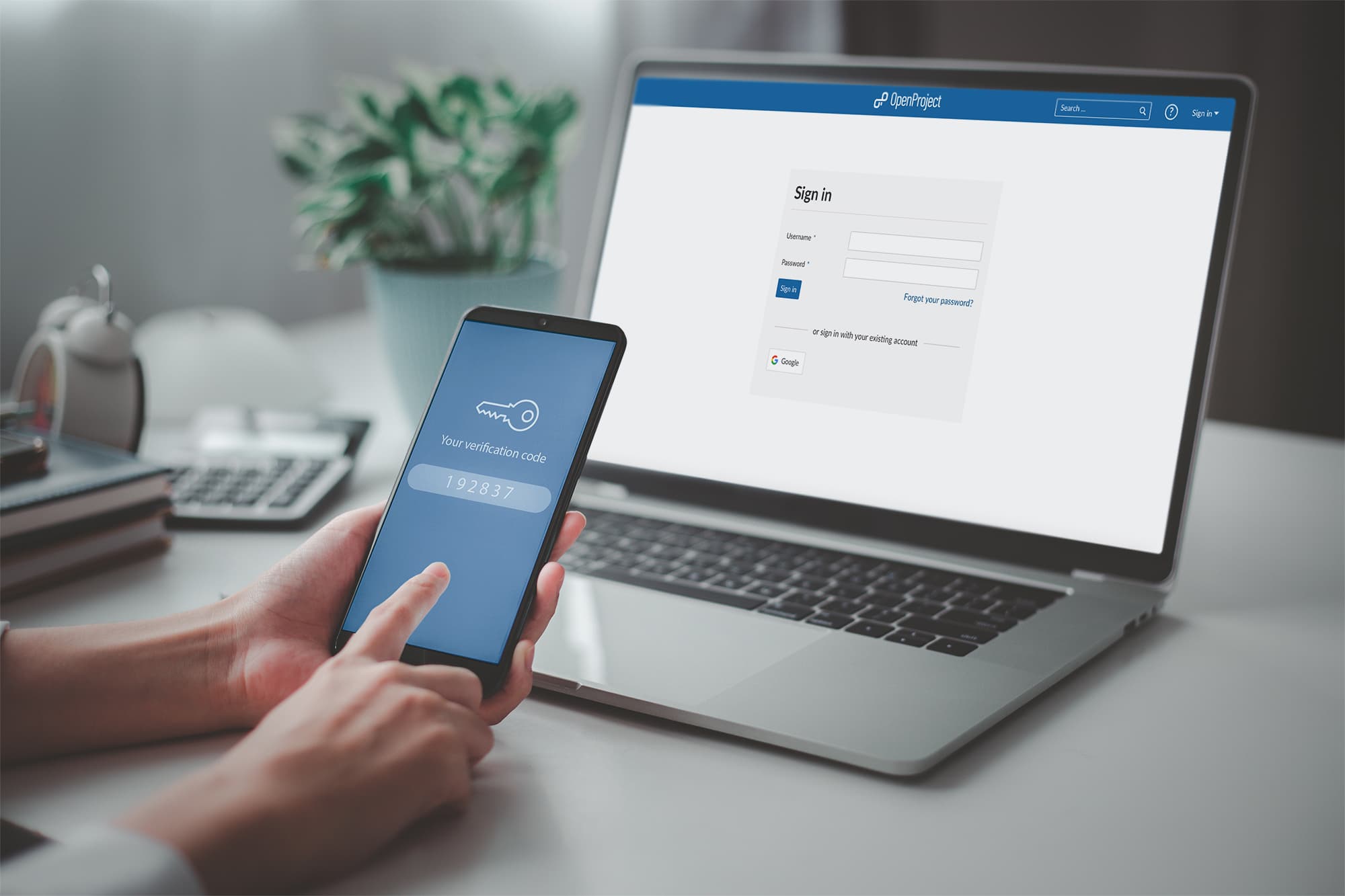
To implement multi-factor authentication (MFA) for data protection, choose an MFA solution that suits your needs. Then, enable MFA on all user accounts to enhance security.
How to Implement Multi-Factor Authentication:Data protection is increasingly vital in today’s digital landscape. With cyber threats on the rise, relying solely on passwords is no longer sufficient. Multi-factor authentication adds an extra layer of security, making it harder for unauthorized users to access sensitive information.
By requiring additional verification methods, such as a text message or authentication app, MFA significantly decreases the chances of data breaches. This blog will guide you through the steps to effectively implement MFA, ensuring your data remains secure against potential threats. Start safeguarding your information today and enhance your organization’s overall security posture.

Credit: mn.gov
The Need For Enhanced Security
In today’s digital world, security is crucial. Cyber attacks increase daily. Personal and business data face constant threats. Relying on passwords alone is not enough. Multi-Factor Authentication (MFA) adds an extra layer of safety.
Rise In Digital Threats
Cyber threats are growing rapidly. Here are some statistics:
| Year | Reported Cyber Attacks |
|---|---|
| 2020 | 1,000,000+ |
| 2021 | 1,500,000+ |
| 2022 | 2,000,000+ |
These numbers show a clear trend. Businesses and individuals must protect their data. Hackers use various methods, like phishing and malware. Cybersecurity is not an option; it’s a necessity.
Benefits Of Multi-factor Authentication
- Increased Security: MFA requires more than a password.
- Reduced Risk: It makes unauthorized access harder.
- Easy to Implement: Many services offer MFA options.
- User Awareness: Users become more security-conscious.
- Flexibility: MFA can use apps, SMS, or biometrics.
Implementing MFA offers clear advantages. It strengthens security. It protects sensitive information.
Basics Of Multi-factor Authentication
Multi-Factor Authentication (MFA) adds extra security to your accounts. It requires users to provide two or more verification factors. This makes unauthorized access much harder. MFA is essential for protecting sensitive data.
What Constitutes Multi-factor Authentication
Multi-Factor Authentication combines different types of verification. This can include something you know, have, or are.
- Something You Know: A password or PIN.
- Something You Have: A smartphone or security token.
- Something You Are: A fingerprint or facial recognition.
Using multiple factors makes it tough for hackers. They need more than just a password to access your account.
Types Of Authentication Factors
| Type | Description | Examples |
|---|---|---|
| Knowledge Factors | Information only the user knows. | Password, PIN |
| Possession Factors | Something the user has. | Smartphone, hardware token |
| Inherence Factors | Biometric data unique to the user. | Fingerprint, face scan |
Choosing the right factors is crucial. Combine them to enhance security. This way, even if one factor is compromised, others protect your data.
Planning Your Mfa Rollout
Implementing Multi-Factor Authentication (MFA) is vital for data security. Proper planning ensures a smooth rollout. Follow these steps to set up an effective MFA strategy.
Assessing Your Security Needs
Start by evaluating your current security measures. Identify areas that need improvement. Consider the following factors:
- Data sensitivity: What type of data do you store?
- User access: Who needs access to sensitive information?
- Threat landscape: What risks do you face?
Use a risk assessment table to prioritize your needs:
| Data Type | Sensitivity Level | Current Protection |
|---|---|---|
| Customer Data | High | Password Only |
| Financial Records | Critical | Basic Security |
| Internal Documents | Medium | No Protection |
Choosing The Right Mfa Solution
Select an MFA solution that meets your needs. Consider these options:
- SMS-based codes: Simple but less secure.
- Authenticator apps: More secure and user-friendly.
- Hardware tokens: Best for high-security environments.
Evaluate each option based on:
- User experience: Is it easy to use?
- Cost: Does it fit your budget?
- Integration: Can it connect with existing systems?
Compare solutions to find the best fit for your organization.
:max_bytes(150000):strip_icc()/twofactor-authentication-2fa.asp-final-5dc205d2a08b447abfb2e15eb131e28e.png)
Credit: www.investopedia.com
Key Components Of Mfa
Multi-Factor Authentication (MFA) strengthens data protection. It uses multiple methods for user verification. The key components include:
Something You Know: Passwords
Passwords are the first line of defense. They are easy to remember but can be weak.
- Use at least 12 characters.
- Mix uppercase and lowercase letters.
- Add numbers and symbols.
- Avoid common words and phrases.
Change passwords regularly. Avoid reusing passwords across different accounts.
Something You Have: Tokens
Tokens provide a second layer of security. They can be physical devices or software-based.
| Type | Description |
|---|---|
| Hardware Token | A physical device generating codes. |
| Software Token | An app that generates time-sensitive codes. |
Tokens must be kept secure. Never share them with anyone.
Something You Are: Biometrics
Biometrics use unique physical traits for authentication. Common methods include:
- Fingerprint scanning
- Facial recognition
- Iris recognition
Biometric systems provide high security. They are hard to replicate or steal.
Implementing these components enhances data protection significantly.
Step-by-step Implementation
Implementing Multi-Factor Authentication (MFA) enhances data protection. Follow these steps to ensure a smooth setup.
Integration With Existing Systems
Integrating MFA with current systems is essential. Check compatibility with your software. Here’s how to do it:
- Identify existing systems needing MFA.
- Choose an MFA provider that fits your needs.
- Review documentation for integration steps.
- Test the integration in a controlled environment.
- Monitor the integration process for issues.
User Registration Process
The user registration process is crucial for successful MFA. Ensure it’s user-friendly and secure. Follow these steps:
- Require users to provide a primary authentication method, like a password.
- Prompt users to select a secondary method, such as:
- SMS code
- Email verification
- Authentication apps (like Google Authenticator)
- Send a confirmation code to the chosen method.
- Guide users to complete the registration.
Consider providing tutorials to help users understand the process.
Backup Authentication Methods
Backup authentication methods are vital for accessibility. Users may lose their primary method. Here are some effective backup options:
| Backup Method | Description |
|---|---|
| Backup Codes | One-time use codes provided during registration. |
| Security Questions | Personal questions for identity verification. |
| Alternate Email | A secondary email for sending recovery links. |
Encourage users to keep their backup methods secure. Remind them to update their methods regularly.
User Education And Training
User education and training are crucial for effective multi-factor authentication (MFA). Users must understand the importance of MFA. Proper training ensures users follow secure practices. This section focuses on raising awareness and organizing training sessions.
Creating Awareness
Awareness is the first step in implementing MFA. Users must recognize the risks of data breaches. Here are some effective ways to create awareness:
- Send regular emails about security updates.
- Post informative articles on the company intranet.
- Share success stories of thwarted attacks.
- Use posters and infographics around the workplace.
Consider using a table to summarize key points:
| Awareness Method | Description |
|---|---|
| Email Updates | Regular emails about security practices. |
| Intranet Articles | Informative articles for users to read. |
| Success Stories | Highlight successful prevention of attacks. |
| Posters | Visual reminders in the workplace. |
Training Sessions For Users
Organizing training sessions helps users learn about MFA. These sessions should be engaging and informative. Consider the following steps for effective training:
- Schedule regular training sessions.
- Use interactive presentations and demonstrations.
- Provide hands-on practice with MFA tools.
- Encourage questions and discussions.
Here are some key topics to cover:
- What is multi-factor authentication?
- Why is it important?
- How to set up MFA?
- Common pitfalls to avoid.
Engaged users are more likely to adopt MFA. Training sessions create a culture of security.
Mfa For Mobile Devices
Multi-Factor Authentication (MFA) is vital for securing mobile devices. It adds an extra layer of protection. Hackers find it harder to access your data. MFA for mobile devices offers two main methods: app-based authentication and SMS or call verification.
App-based Authentication Methods
App-based authentication uses a mobile app to generate security codes. These codes change every 30 seconds. Common apps include:
- Google Authenticator
- Authy
- Microsoft Authenticator
To set up app-based authentication:
- Download an authentication app.
- Link the app to your account.
- Enter the code generated by the app.
These codes are secure and work even offline. They provide a quick way to verify identity.
Sms And Call Verification
SMS and call verification send a code to your mobile device. This code must be entered to access your account. Here are the steps:
- Choose SMS or call verification during setup.
- Enter your mobile number.
- Receive a code via text or call.
- Input the code to complete the process.
While convenient, SMS and call methods are less secure than app-based methods. They can be intercepted by hackers. Use them with caution and consider your security needs.
| Method | Security Level | Ease of Use |
|---|---|---|
| App-based Authentication | High | Moderate |
| SMS Verification | Medium | Easy |
| Call Verification | Medium | Easy |
Choosing the right method is crucial. Consider your needs and the level of protection you want.
Troubleshooting Common Mfa Issues
Multi-Factor Authentication (MFA) enhances security but can lead to issues. Understanding how to troubleshoot problems is essential. This section covers common MFA challenges and effective solutions.
Handling Lockouts
Account lockouts can occur due to multiple failed login attempts. Here are steps to resolve lockouts:
- Wait for the lockout period to end.
- Reset your password through the recovery option.
- Contact support for account access.
Prevent future lockouts by:
- Using a password manager to store credentials.
- Setting up backup authentication methods.
- Regularly reviewing security settings.
Dealing With Lost Devices
Losing a device that supports MFA can be stressful. Follow these steps to regain access:
- Use backup codes you saved earlier.
- Access your account from a trusted device.
- Contact customer support for assistance.
To avoid issues in the future:
| Tip | Description |
|---|---|
| Backup Codes | Generate and securely store backup codes. |
| Multiple Auth Methods | Enable SMS, email, or authenticator apps. |
| Regular Updates | Update your recovery information regularly. |
Stay proactive. Ensure your MFA setup is secure and accessible.
Monitoring And Maintenance
Monitoring and maintenance are essential for effective multi-factor authentication (MFA). Regular checks ensure your data remains secure. Staying proactive helps you spot vulnerabilities quickly.
Regular Security Audits
Conducting regular security audits is crucial for MFA. These audits help identify weaknesses in your authentication systems.
- Check all access points
- Review user access levels
- Examine authentication logs
- Identify any unauthorized attempts
Schedule audits at least once a year. Consider more frequent audits for sensitive data. Create an audit checklist to ensure thoroughness.
| Audit Frequency | Purpose |
|---|---|
| Monthly | Check for unauthorized access |
| Quarterly | Review user roles and permissions |
| Annually | Comprehensive security assessment |
Updating Authentication Methods
Updating authentication methods is vital for maintaining security. Cyber threats evolve constantly. Ensure your MFA methods adapt to these changes.
- Use the latest technologies
- Implement biometric options, like fingerprints
- Consider using hardware tokens
- Enable backup codes for emergencies
Regularly review authentication methods. Replace outdated methods with stronger ones. Keep users informed about new methods and updates.
Future Of Authentication
The future of authentication is bright and exciting. As technology grows, so do security needs. Multi-factor authentication (MFA) will play a vital role. It helps protect sensitive data from evolving threats. Understanding emerging technologies and security challenges is crucial.
Emerging Technologies
New technologies are changing how we secure our data. Here are some key trends:
- Biometrics: Fingerprints and facial recognition increase security.
- Behavioral Analytics: Monitors user behavior for anomalies.
- Blockchain: Provides decentralized security for data transactions.
- Artificial Intelligence: Detects threats in real-time.
Each of these technologies enhances MFA. They make it harder for hackers to access accounts. Here is a brief comparison of these technologies:
| Technology | Benefit | Limitations |
|---|---|---|
| Biometrics | Unique identification | Privacy concerns |
| Behavioral Analytics | Real-time monitoring | False positives |
| Blockchain | Decentralized security | Complexity |
| AI | Quick threat detection | Requires data |
Evolving Security Threats
Security threats evolve rapidly. Cybercriminals use advanced techniques to breach systems. Awareness of these threats is essential for effective protection. Here are some common threats:
- Phishing Attacks: Fraudulent emails trick users into sharing info.
- Credential Stuffing: Using stolen usernames and passwords.
- Ransomware: Malware that locks data until paid.
- Man-in-the-Middle Attacks: Intercepting communication between users.
These threats emphasize the need for strong authentication. MFA acts as a barrier against unauthorized access. Stay informed about these threats to enhance your data security.
Credit: www.freestonelms.com
Frequently Asked Questions
What Is Multi-factor Authentication (mfa)?
Multi-factor authentication (MFA) is a security process that requires two or more verification methods. These methods typically include something you know, like a password, and something you have, like a smartphone. MFA significantly enhances security, making unauthorized access more difficult.
Why Is Mfa Important For Data Protection?
MFA is crucial for data protection as it adds an extra layer of security. Even if a password is compromised, unauthorized users still need additional verification. This greatly reduces the risk of data breaches and protects sensitive information from cyber threats.
How Do I Set Up Mfa?
To set up MFA, first, access your account’s security settings. Choose an authentication method, such as SMS, email, or an authenticator app. Follow the prompts to link your device and enable MFA. Always test the setup to ensure it’s working correctly.
What Are Common Mfa Methods?
Common MFA methods include SMS codes, email links, and authenticator apps. Biometric options like fingerprint scans and facial recognition are also popular. Each method provides varying levels of security, so choose the one that best fits your needs.
Conclusion
Implementing multi-factor authentication is essential for safeguarding your data. This extra layer of security significantly reduces the risk of unauthorized access. By following the steps outlined in this guide, you can enhance your data protection strategy. Take action today and ensure your sensitive information remains secure and accessible only to you.




Leave a Reply