
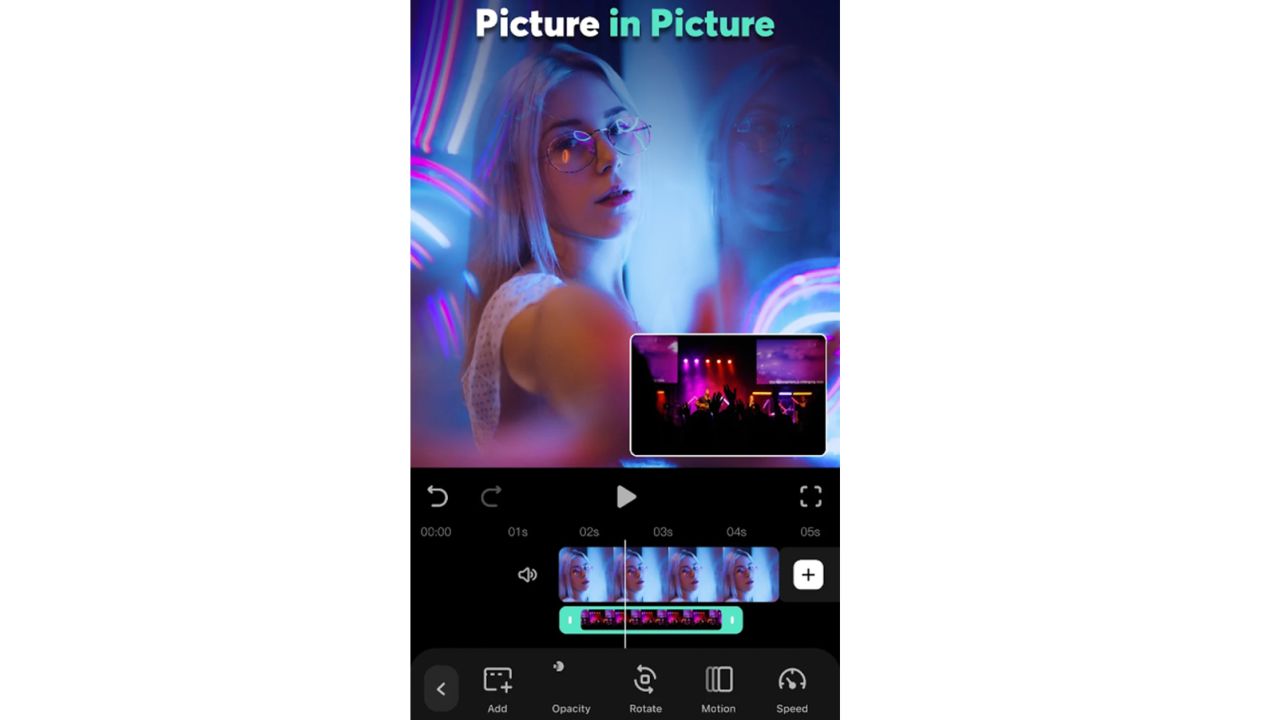
The best software for creating and editing videos in 2024 includes Adobe Premiere Pro and Final Cut Pro. These tools offer powerful features and user-friendly interfaces.
Video editing has evolved significantly, making it easier for creators to produce high-quality content. Whether you’re a beginner or a seasoned professional, choosing the right software can enhance your workflow and creativity. In 2024, the demand for engaging video content continues to rise, driving the need for reliable editing tools.
From YouTube creators to filmmakers, the right software can streamline your projects and elevate your final product. This guide highlights the top video editing software options available, ensuring you find the perfect fit for your needs and skill level. Embrace the best tools to bring your vision to life!
Introduction To Video Editing In 2024
Video editing has transformed significantly in 2024. The demand for high-quality video content is at an all-time high. Creators need effective tools to produce stunning visuals. Users seek software that is easy to navigate and powerful. This blog will explore the best software options available this year.
Rise Of Video Content
Video content is everywhere in 2024. Platforms like YouTube, TikTok, and Instagram thrive on engaging videos. Businesses use videos for marketing to capture attention. Statistics show that:
- Over 80% of online traffic is video-based.
- Users prefer video over text for information.
- Videos increase conversion rates by up to 80%.
These numbers highlight the importance of video production. Creators need to grab attention quickly. High-quality videos are essential to stand out.
Importance Of Editing Software
Editing software plays a crucial role in video creation. It enhances video quality and engages viewers effectively. Here are some key benefits of using editing software:
- Improved Visuals: Enhance colors and sharpness.
- Smooth Transitions: Create seamless cuts between scenes.
- Audio Control: Edit and balance sound levels.
- Special Effects: Add creativity with filters and animations.
With the right software, creators can:
- Save time on edits.
- Produce professional-quality videos.
- Increase viewer engagement.
Choosing the right software can boost creativity. It allows for unique storytelling and better audience connection.
Criteria For Selecting Video Editing Software
Choosing the right video editing software is essential. Many options exist, but not all will meet your needs. Below are key criteria to consider.
Ease Of Use
Ease of use is crucial for beginners and pros. A user-friendly interface helps you navigate quickly.
- Intuitive design saves time.
- Drag-and-drop features simplify editing.
- Available tutorials speed up the learning process.
Feature Set
The feature set determines your editing capabilities. Look for software that offers a range of tools.
| Feature | Description |
|---|---|
| Trimming | Easily cut unwanted parts of your video. |
| Transitions | Add smooth transitions between clips. |
| Text Overlays | Insert titles and captions in your videos. |
| Audio Editing | Adjust sound levels and add background music. |
Compatibility And Export Options
Compatibility is vital for smooth operation. Check if the software works with your operating system.
Export options affect how you share your videos. Choose software that supports multiple formats.
- Common formats: MP4, AVI, MOV
- Direct sharing to social media platforms
- Options for high-definition exports
Professional Grade Software
Creating and editing videos requires powerful tools. Professional grade software offers robust features. These tools help produce high-quality content. They cater to both beginners and experts.
In 2024, two standout software options lead the market. They are Adobe Premiere Pro and Final Cut Pro X. Each has unique strengths. Let’s explore these top choices for video editing.
Adobe Premiere Pro: The Industry Standard
Adobe Premiere Pro stands out as the industry standard. Many professionals trust this software for its versatility. It offers a wide range of features:
- Multi-Track Editing: Edit multiple video and audio tracks.
- Color Correction: Adjust colors with precision.
- Effects and Transitions: Use various effects for creativity.
- Integration: Work seamlessly with other Adobe apps.
This software supports various file formats. It is suitable for films, YouTube videos, and more.
Adobe Premiere Pro is user-friendly. Beginners can learn quickly. Experienced editors can maximize its advanced features.
Final Cut Pro X: Optimized For Mac Users
Final Cut Pro X is a favorite among Mac users. It provides a smooth editing experience. Here are its key features:
- Magnetic Timeline: Easily rearrange clips without gaps.
- Smart Conform: Automatically adjust video for different formats.
- Advanced Color Grading: Enhance visuals with detailed tools.
- Performance: Fast processing with optimized playback.
This software is tailored for creative professionals. It allows quick edits and high-quality results.
Final Cut Pro X integrates well with other Apple products. It makes video editing efficient and enjoyable.
Affordable Options For Beginners
Many beginners seek affordable video editing software. They want tools that are easy to use and packed with features. A few great options stand out in 2024.
Filmora: User-friendly Interface
Filmora offers a simple and clean interface. It is perfect for beginners. Users can easily navigate through its features.
- Drag-and-drop functionality
- Ready-made templates
- Basic editing tools
- Advanced features for later use
Filmora also includes:
- Text and title customization
- Audio editing options
- Color correction tools
Its pricing is affordable. Monthly and yearly plans cater to different budgets.
Davinci Resolve: Free With Professional Features
Davinci Resolve stands out for its powerful free version. It includes professional-grade tools. Beginners can learn advanced editing without spending money.
- Color grading tools
- Audio post-production features
- Visual effects capabilities
Key features of Davinci Resolve:
| Feature | Description |
|---|---|
| Multi-user Collaboration | Work with others in real-time. |
| Cut Page | Speed up the editing process. |
| Fusion | Create stunning visual effects. |
Beginners can master video editing skills. This software is a great starting point.
Software For Specialized Video Editing
Specialized video editing software is essential for creators.
They offer unique features tailored for specific tasks.
This section highlights two top tools for specialized editing:
After Effects and Vegas Pro.
After Effects: For Animation And Effects
After Effects is a powerful tool for animation and special effects.
It allows users to create stunning visuals with ease.
Here are some key features:
- Advanced animation capabilities
- Wide range of effects
- Integration with other Adobe products
- Customizable templates
After Effects is perfect for:
- Creating animated graphics
- Designing cinematic titles
- Adding visual effects to videos
Its user-friendly interface makes it suitable for beginners.
Professionals also love its depth and flexibility.
Vegas Pro: For Audio Editing
Vegas Pro stands out for its audio editing features.
It combines video and audio editing seamlessly.
Key features include:
| Feature | Description |
|---|---|
| Multi-track editing | Edit multiple audio tracks easily. |
| Audio mixing tools | Balance sound levels effectively. |
| Sound effects library | Access a variety of built-in sound effects. |
Vegas Pro is ideal for:
- Editing podcasts
- Creating music videos
- Adding voiceovers to projects
Its intuitive layout helps users navigate easily.
Perfect for both beginners and experienced editors.
Mobile Video Editing Apps
Mobile video editing apps are changing how we create videos. They offer powerful tools right on your phone. Users can edit videos anytime and anywhere. Whether you’re a beginner or a pro, there’s an app for you.
Kinemaster: On-the-go Editing
KineMaster is a popular choice for mobile editing. It combines simplicity with advanced features. You can easily trim, splice, and merge clips.
- Multi-layer video editing