

The best software for automating repetitive tasks includes Zapier and Microsoft Power Automate. These tools streamline workflows, saving time and increasing productivity.
Best Software for Automating Tasks:Automation is revolutionizing how we manage daily tasks. Businesses and individuals alike are inundated with repetitive activities that can drain valuable time and energy. Thankfully, various software solutions exist to tackle this issue head-on. By automating mundane tasks, users can focus on higher-value work that drives growth and innovation.
Software like Zapier and Microsoft Power Automate offers intuitive interfaces and powerful integrations, making it easy to set up workflows. This not only enhances efficiency but also reduces the risk of human error. Embracing automation can transform how you approach your work and free you to explore new opportunities.
Introduction To Task Automation
Task automation simplifies work by using software to perform repetitive tasks. It helps save time and reduces errors. Businesses can focus on important projects. Automation makes daily activities smoother and more efficient.
Benefits Of Automating Repetitive Work
Automating repetitive tasks offers several key benefits:
- Increased Efficiency: Complete tasks faster without human intervention.
- Cost Savings: Reduce labor costs and eliminate mistakes.
- Improved Accuracy: Automation minimizes human error.
- Enhanced Focus: Employees can focus on creative tasks.
- Scalability: Easily manage increased workloads without extra staff.
How Automation Software Transforms Productivity
Automation software transforms productivity in several ways:
- Streamlines Workflows: Connects different tools for seamless operation.
- Tracks Progress: Monitors tasks and deadlines automatically.
- Reduces Burnout: Alleviates repetitive strain on employees.
- Supports Collaboration: Improves communication among team members.
With task automation, businesses can achieve more in less time. This technology turns repetitive tasks into smooth processes.
Criteria For Selecting Automation Software
Choosing the right automation software is crucial for efficiency. Several criteria help in making this choice. Focus on ease of use, integration capabilities, customization, and security features.
Ease Of Use
Software should be simple to navigate. A user-friendly interface saves time. Consider the following:
- Intuitive design
- Clear instructions and support
- Quick setup process
Trial versions help assess usability. Ensure team members can use it without extensive training.
Integration Capabilities
Automation software must connect with existing tools. Check for:
- API support
- Compatibility with popular apps
- Data import/export options
Integration saves time. It helps streamline workflows across different platforms.
Customization And Flexibility
Every business has unique needs. Choose software that allows:
- Custom workflows
- Adjustable templates
- Personalized settings
Flexibility helps adapt the tool as needs change. A customizable solution grows with your business.
Security Features
Data protection is vital. Look for software that offers:
- Encryption
- User access controls
- Regular security updates
Check for compliance with industry standards. Protecting sensitive data builds trust with clients.
Top Desktop Automation Tools
Desktop automation tools simplify repetitive tasks and boost productivity. They reduce human error and save time. Here are the top tools you can use to streamline your workflows.
Robotic Process Automation (rpa) Leaders
RPA tools mimic human actions to automate tasks. They work well with various applications. Here are some top RPA leaders:
| Tool | Description |
|---|---|
| UiPath | User-friendly interface with powerful automation features. |
| Automation Anywhere | Cloud-based platform with extensive support and resources. |
| Blue Prism | Focuses on security and scalability for large enterprises. |
Scripting And Macro Software
Scripting and macro tools allow users to create custom scripts. These scripts automate specific tasks efficiently. Popular options include:
- AutoHotkey: Open-source scripting language for Windows.
- Keyboard Maestro: Powerful tool for macOS automation.
- Excel Macros: Automate repetitive tasks in spreadsheets easily.
Workflow Automation Platforms
Workflow automation platforms integrate multiple apps and services. They help manage complex workflows with ease. Here are key platforms:
- Zapier: Connects over 2,000 apps for seamless automation.
- Integromat: Advanced automation with visual workflow builder.
- Microsoft Power Automate: Integrates well with Microsoft products.
Choose the right tool for your needs. Automate tasks and focus on what matters.
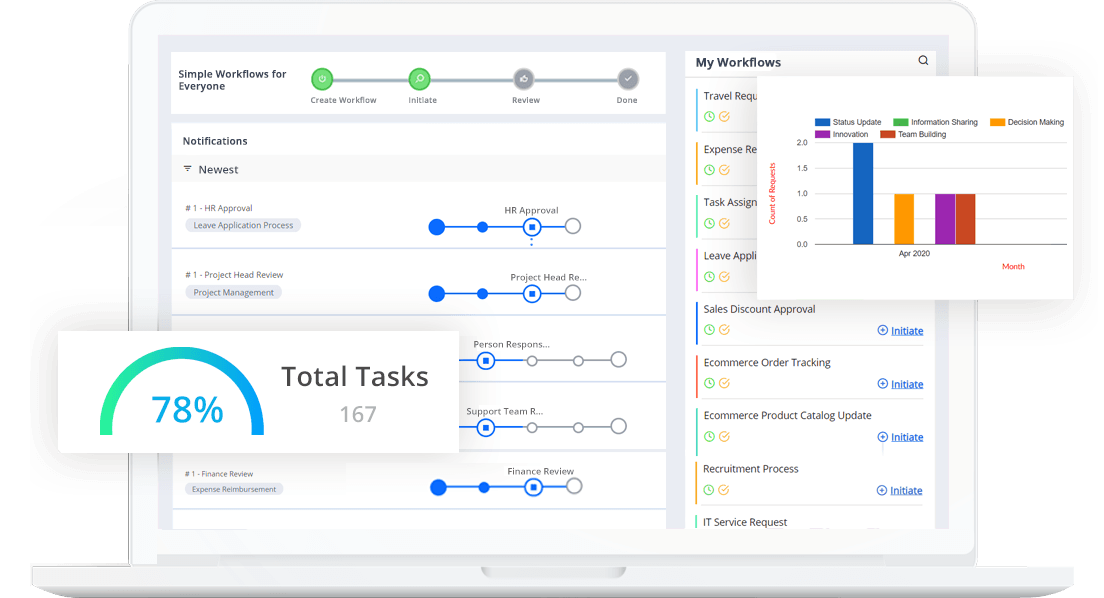
Credit: www.cflowapps.com
Leading Web Automation Solutions
Web automation tools simplify tasks and workflows. They save time and reduce errors. Many options exist for different needs. Below are some of the best tools available today.
Browser Extension Automators
Browser extensions enhance your web experience. They automate repetitive tasks directly in your browser. Here are some popular options:
- iMacros: Automates web tasks like form filling and data extraction.
- AutoFill: Saves and fills forms quickly.
- Web Scraper: Extracts data from web pages easily.
- Zapier: Connects your favorite apps and automates workflows.
| Extension | Key Features |
|---|---|
| iMacros | Record and replay web actions |
| AutoFill | Quick form-filling |
| Web Scraper | Data extraction from pages |
| Zapier | App integration and automation |
Cloud-based Automation Services
Cloud-based automation services offer flexibility. They allow you to automate tasks from anywhere. Here are some leading options:
- Zapier: Connects over 2,000 apps for seamless automation.
- Integromat: Visual automation tool for complex workflows.
- Automate.io: Simple setup for marketing and sales tasks.
- Microsoft Power Automate: Integrates with Microsoft services easily.
These services can streamline tasks significantly. They are user-friendly and require no coding skills.
Mobile Automation: Apps On The Go
Mobile automation simplifies daily tasks. It helps users manage workflows efficiently. The right apps can save time and reduce stress. Use them to automate repetitive tasks on your smartphone.
Task Automation Apps For Android
Android users have many options for task automation. Here are some top apps:
- Tasker: Create custom automation tasks with triggers.
- Automate: Use flowcharts to design automated tasks.
- IFTTT: Connect different apps and services seamlessly.
- MacroDroid: Simple interface for creating automation macros.
These apps allow you to:
- Set reminders based on location.
- Control devices with voice commands.
- Automate text messages and calls.
Choose an app that fits your needs. Each app has unique features that help you work smarter.
Ios Automation With Shortcuts
iOS offers a powerful tool called Shortcuts. This app helps users automate tasks easily. Users can create shortcuts for everyday actions.
Here are some popular uses for Shortcuts:
- Send a message: Quickly text someone with one tap.
- Set a timer: Start a timer with a voice command.
- Play music: Launch your favorite playlist instantly.
Shortcuts also support integration with other apps. This makes automation even more powerful. Users can:
- Create complex workflows using multiple apps.
- Schedule tasks to run at specific times.
- Utilize location-based triggers for actions.
iOS users can explore the gallery for ready-made shortcuts. Discover automation tailored to your lifestyle.

Credit: www.cflowapps.com