
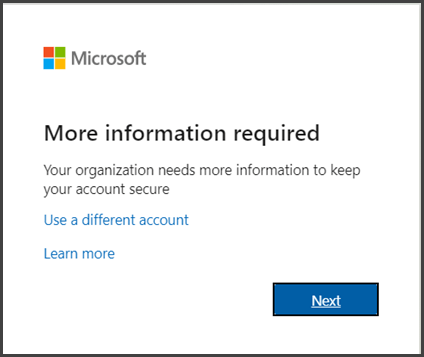
To implement multi-factor authentication (MFA) in the workplace, choose an MFA provider that suits your needs. Next, educate employees on the importance and process of using MFA.
How to Implement Multi-Factor Authentication:Multi-factor authentication is essential for enhancing workplace security. Cyber threats are on the rise, making traditional passwords insufficient. MFA adds an extra layer of protection by requiring multiple forms of verification. This can include something you know (like a password), something you have (like a smartphone), or something you are (like a fingerprint).
Implementing MFA not only safeguards sensitive data but also builds trust within your organization. By making this transition, businesses can significantly reduce the risk of unauthorized access, ensuring a more secure environment for both employees and clients alike.

Credit: rublon.com
The Rise Of Cybersecurity Threats
Cybersecurity threats are increasing rapidly. Businesses face new and complex risks daily. Cybercriminals target organizations of all sizes. They exploit weaknesses in systems, often leading to severe consequences.
Implementing strong security measures is essential. Multi-Factor Authentication (MFA) is one effective method. It adds extra layers of protection to sensitive data.
Evolving Digital Risks
Digital risks are evolving. Here are some common threats:
- Phishing Attacks: Deceptive emails trick users into sharing info.
- Ransomware: Malicious software locks data until a ransom is paid.
- Data Breaches: Unauthorized access to confidential information.
- Insider Threats: Employees misusing access to sensitive data.
These threats change constantly. Organizations must adapt to protect their assets.
Recent Breaches And Lessons
Several high-profile breaches highlight the need for strong security:
| Company | Year | Impact | Lessons Learned |
|---|---|---|---|
| Equifax | 2017 | 147 million records exposed | Regular updates and patches are vital. |
| Target | 2013 | 40 million credit cards compromised | Employee training on security awareness is crucial. |
| Yahoo | 2013 | 3 billion accounts hacked | Implement MFA to enhance security. |
These breaches serve as warnings. Businesses must prioritize cybersecurity measures like MFA.
Basics Of Multi-factor Authentication (mfa)
Multi-Factor Authentication, or MFA, is vital for workplace security. It adds extra layers of protection beyond just a password. This method helps to keep sensitive information safe from unauthorized access.
What Is Mfa?
MFA is a security process. It requires users to provide multiple forms of identity verification. This makes it harder for attackers to gain access.
Instead of just a password, MFA uses two or more factors from the following categories:
- Something you know (like a password)
- Something you have (like a smartphone or security token)
- Something you are (like a fingerprint or facial recognition)
Types Of Authentication Factors
Understanding the different types of authentication factors is essential. Here’s a breakdown:
| Type | Description | Examples |
|---|---|---|
| Knowledge Factors | Something the user knows. | Password, PIN |
| Possession Factors | Something the user has. | Smartphone, security token |
| Inherence Factors | Something unique to the user. | Fingerprint, voice recognition |
Each factor adds a layer of security. Using multiple factors greatly reduces the risk of unauthorized access.
Implementing MFA is a smart choice for any workplace. It protects sensitive data effectively. Employees feel safer knowing their accounts are secure.
Importance Of Mfa In Modern Security
Multi-Factor Authentication (MFA) is vital for workplace security. It adds an extra layer of protection to sensitive information. Relying on passwords alone is no longer safe. Cyber threats are becoming more sophisticated. MFA helps reduce the risk of unauthorized access.
Enhancing Access Security
Using MFA significantly strengthens access security. Here’s how it works:
- Requires two or more verification methods.
- Combines something you know (password) with something you have (token).
- May also include something you are (biometrics).
This layered approach makes it hard for attackers. Even if a password is compromised, access remains secure.
Compliance And Regulatory Benefits
MFA helps organizations meet various compliance requirements. Here are some key benefits:
| Regulation | MFA Requirement |
|---|---|
| GDPR | Protect personal data with strong measures. |
| HIPAA | Ensure patient information remains confidential. |
| PCI-DSS | Secure payment card information with multiple factors. |
Implementing MFA helps avoid penalties and fines. It builds trust with clients and partners.
Comparing Mfa Methods
Multi-Factor Authentication (MFA) enhances security by requiring multiple forms of verification. Different MFA methods offer various benefits and drawbacks. Understanding these can help your organization choose the right solution.
Pros And Cons Of Various Mfa Methods
| MFA Method | Pros | Cons |
|---|---|---|
| SMS Authentication |
|
|
| Email Verification |
|
|
| Authenticator Apps |
|
|
| Biometric Authentication |
|
|
Choosing The Right Mfa Solution
Selecting the right MFA method is crucial for your organization’s security. Consider these factors:
- Security Level: Assess how sensitive your data is.
- User Experience: Ensure the method is user-friendly.
- Cost: Evaluate your budget for implementation.
- Compatibility: Check if it integrates with existing systems.
Involve team members in the decision process. Gather feedback to find the best fit. A well-chosen MFA solution enhances security while maintaining user satisfaction.
Step-by-step Guide To Mfa Implementation
Implementing Multi-Factor Authentication (MFA) enhances your workplace security. This guide provides clear steps for successful MFA deployment. Follow these instructions to protect sensitive data.
Preparation And Planning
Start with careful preparation. Assess your current security measures. Identify which systems require MFA. Gather your team for brainstorming sessions.
- Determine MFA Needs: List critical applications.
- Choose MFA Methods: Options include:
- SMS codes
- Email verification
- Authenticator apps
- Hardware tokens
- Set Goals: Define what you want to achieve.
Communicate the MFA plan with your team. Provide training sessions to explain the new process. Clear communication builds trust and reduces resistance.
Deploying Mfa In Phases
Implement MFA gradually. This approach helps in managing challenges. Break down the deployment into clear phases.
- Phase 1: Pilot Program
- Choose a small group of users.
- Monitor their experience and feedback.
- Phase 2: Wider Rollout