

To integrate push notifications into your mobile app, choose a reliable push notification service and implement its SDK. Customize notifications to engage users effectively.
How to Integrate Push Notifications:Push notifications are a powerful tool for enhancing user engagement in mobile apps. They allow real-time communication, keeping users informed about updates, promotions, and important messages. By integrating push notifications, developers can drive user retention and improve overall app performance.
Clear guidelines exist for integrating these notifications seamlessly into your app. Understanding the technical requirements and best practices is essential for maximizing their impact. This guide will walk you through the steps to successfully implement push notifications, ensuring your users remain connected and engaged with your app. Start enhancing your user experience today by leveraging this vital feature.
Introduction To Push Notifications
Push notifications are messages sent from an app to a user’s device. They appear on the screen even when the app is not open. These messages can inform users about updates, offers, or important news. Integrating push notifications boosts user engagement and retention.
Benefits For App Engagement
Push notifications offer many benefits. Here are some key advantages:
- Increased User Retention: Regular updates keep users coming back.
- Enhanced User Experience: Notifications provide timely information.
- Improved Conversion Rates: Targeted messages can drive sales.
- Real-Time Communication: Users receive immediate updates.
Types Of Push Notifications
Different types of push notifications cater to various needs:
| Type | Description |
|---|---|
| Transactional Notifications | Sent after a user action, like a purchase. |
| Promotional Notifications | Offers, discounts, and special deals. |
| Reminder Notifications | Remind users about events or appointments. |
| News Updates | Inform users about the latest news or features. |
Getting Started With Push Notifications
Push notifications are a powerful tool for engaging users. They help apps stay relevant and interactive. Setting them up correctly is crucial for success. Here’s how to begin integrating push notifications into your mobile app.
Choosing The Right Service Provider
Selecting a reliable service provider is essential. They handle sending notifications effectively. Here are some popular options:
- Firebase Cloud Messaging (FCM): Free and easy to use.
- OneSignal: Great for marketing and analytics.
- Airship: Excellent for targeted messaging.
- Pusher: Focuses on real-time notifications.
Consider these factors:
| Provider | Cost | Features |
|---|---|---|
| FCM | Free | Basic notifications |
| OneSignal | Free/Paid | Analytics and segmentation |
| Airship | Paid | Advanced targeting |
| Pusher | Paid | Real-time features |
Choose a provider that suits your app’s needs. Analyze pricing, features, and ease of integration.
Understanding User Permissions
User permissions are vital for push notifications. Always ask for permission before sending notifications. Here’s how to manage permissions:
- Request Permission: Prompt users when they first open the app.
- Explain Benefits: Tell users how notifications enhance their experience.
- Provide Options: Allow users to customize notification settings.
Be clear and concise in your messaging. Respect user choices to build trust.
Integrating push notifications can greatly benefit your app. Start with the right service provider and respect user permissions.
Designing Effective Notifications
Effective notifications grab attention and drive user engagement. Well-designed notifications can increase app usage and user satisfaction. Focus on clarity, relevance, and timing.
Crafting Compelling Messages
Messages should be clear and concise. Use simple language to convey your point. Here are some tips:
- Be Brief: Keep messages under 100 characters.
- Use Action Words: Start with a verb to prompt action.
- Personalize: Include the user’s name or preferences.
- Highlight Benefits: Explain why the notification matters.
Consider this example:
| Notification | Effectiveness |
|---|---|
| “John, check out your new offers!” | Personalized and engaging |
| “New features available now!” | Generic and less compelling |
Incorporating Visual Elements
Visuals enhance notifications and capture attention. Use icons and images wisely:
- Icons: Use recognizable symbols to convey messages quickly.
- Brand Colors: Stick to your app’s color scheme for consistency.
- Images: Use relevant images that support the message.
Follow these guidelines:
- Keep visuals simple.
- Avoid clutter in the notification.
- Test different designs for effectiveness.
Incorporating these elements can increase user interaction rates significantly.
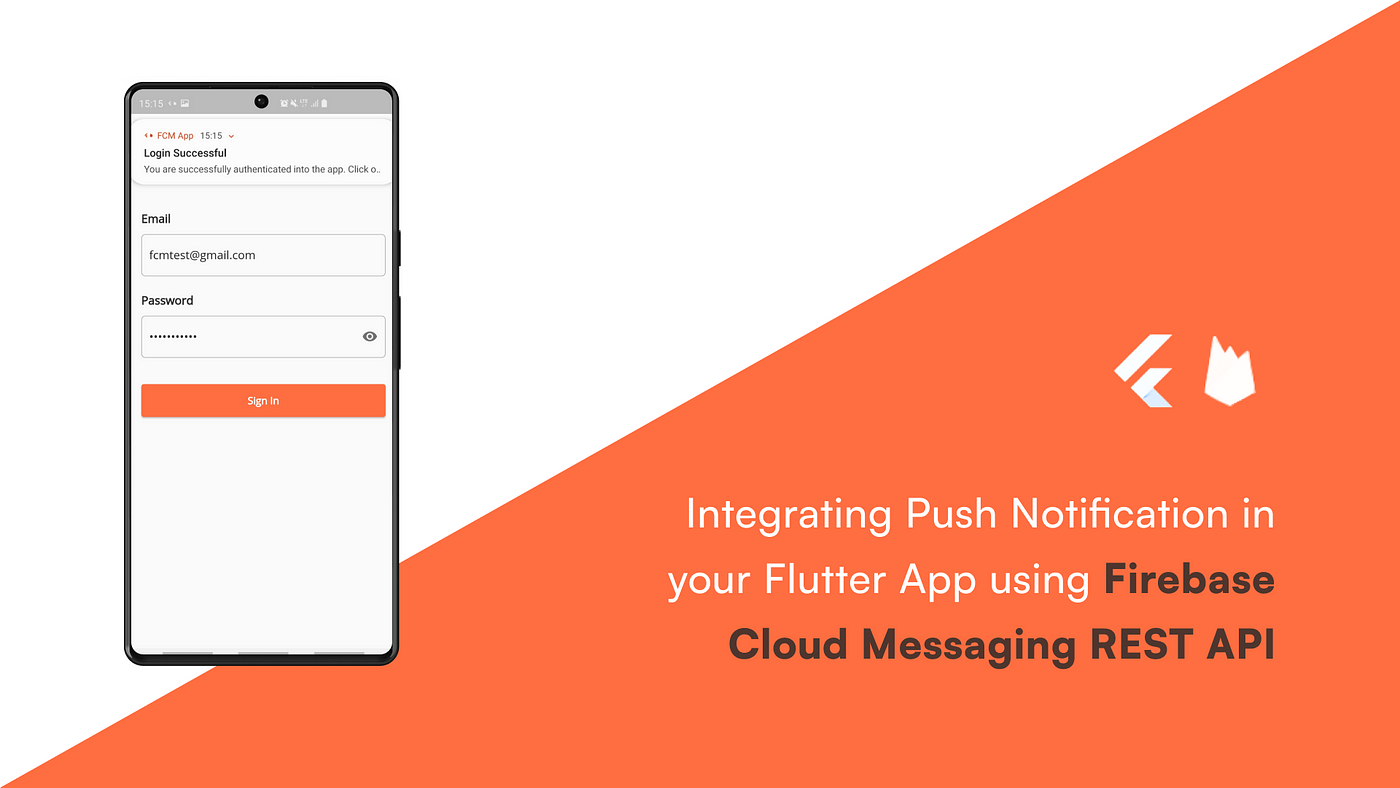
Credit: medium.com
Timing And Frequency
Choosing the right timing and frequency for push notifications is crucial. Too many notifications can annoy users. Too few can lead to disengagement. Finding the perfect balance is essential for user retention.
Best Practices For Scheduling
Effective scheduling enhances user experience. Consider these best practices:
- Understand Your Audience: Know when users are most active.
- Time Zones Matter: Schedule notifications based on user locations.
- Test Different Times: Experiment with various sending times.
- Use Analytics: Analyze data to refine your timing strategy.
| Time of Day | Engagement Level |
|---|---|
| Morning (8 AM – 10 AM) | High |
| Afternoon (12 PM – 2 PM) | Medium |
| Evening (6 PM – 8 PM) | High |
| Late Night (10 PM – 12 AM) | Low |
Avoiding Notification Fatigue
Too many notifications can lead to user fatigue. Follow these steps to avoid overwhelming users:
- Limit Frequency: Send notifications sparingly.
- Personalize Content: Make notifications relevant to users.
- Segment Users: Target specific groups with tailored messages.
- Provide Control: Allow users to customize their notification settings.
Implementing these strategies can enhance user engagement. Users will appreciate your consideration. Focus on quality over quantity for better results.
Segmentation And Personalization
Segmentation and personalization are vital for effective push notifications. They help you connect with users better. Understanding your audience leads to higher engagement. Users respond to messages that feel relevant to them.
Targeting User Segments
Identifying different user segments is key. You can create groups based on various criteria:
- Demographics (age, gender, location)
- User behavior (purchase history, app usage)
- Interests (hobbies, preferences)
Use data analytics to understand your users. This helps you group them effectively. Here’s a quick table for reference:
| User Segment | Characteristics | Examples |
|---|---|---|
| New Users | First-time app users | Welcome messages |
| Frequent Buyers | Users who buy often | Exclusive offers |
| Inactive Users | No activity for a while | Re-engagement campaigns |
Tailoring Messages To User Behavior
Understanding user behavior enhances your messaging strategy. Tailor your push notifications based on:
- Recent activities
- Time spent in the app
- Previous interactions
Consider these examples:
- Recent Purchase: “Thank you for your purchase! Enjoy 10% off your next order.”
- App Usage: “We miss you! Come back and explore new features!”
- Cart Abandonment: “Your items are waiting! Complete your purchase now.”
Personalized messages drive better results. Users appreciate messages that reflect their actions. Use A/B testing to find the best messages.
Technical Integration Steps
Integrating push notifications into your mobile app involves several key technical steps. Following these steps ensures a smooth setup and efficient delivery of notifications. Let’s break it down into two main areas: setting up SDKs and APIs, and handling notification delivery.
Setting Up Sdks And Apis
First, choose a push notification service. Popular options include:
- Firebase Cloud Messaging (FCM)
- OneSignal
- Pusher Beams
Next, follow these steps to set up the SDK:
- Sign up for the chosen service.
- Create a new project in the service dashboard.
- Get your API key or credentials.
- Integrate the SDK into your mobile app:
dependencies {
    implementation 'com.google.firebase:firebase-messaging:21.0.1'
}
Make sure to configure the app’s manifest file:
Handling Notification Delivery
After setting up the SDK, focus on how to handle notifications:
- Set up a messaging service in your app.
- Define how to show notifications:
public class MyFirebaseMessagingService extends FirebaseMessagingService {
    @Override
    public void onMessageReceived(RemoteMessage remoteMessage) {
        sendNotification(remoteMessage.getNotification().getBody());
    }
}
Use a notification manager to display notifications:
private void sendNotification(String messageBody) {
    NotificationManager notificationManager = (NotificationManager) getSystemService(Context.NOTIFICATION_SERVICE);
    NotificationCompat.Builder notificationBuilder = new NotificationCompat.Builder(this, CHANNEL_ID)
            .setContentTitle("New Message")
            .setContentText(messageBody)
            .setSmallIcon(R.drawable.ic_notification);
    notificationManager.notify(0, notificationBuilder.build());
}
Test the notification delivery:
- Send test notifications from the dashboard.
- Check app behavior on device.
Ensure users can manage notification settings in your app. This boosts user engagement and satisfaction.
Measuring Notification Impact
Measuring the impact of push notifications is crucial. It helps you understand user engagement. With the right metrics, you can improve your notifications.
Analyzing Engagement Metrics
Engagement metrics show how users respond to your notifications. Key metrics include:
- Open Rate: Percentage of users who open notifications.
- Click-Through Rate (CTR): Percentage of users who click links.
- Conversion Rate: Percentage of users completing desired actions.
Use these metrics to track performance over time. Analyze trends to see what works best. Create a table to summarize your findings:
| Metric | Value | Percentage Change |
|---|---|---|
| Open Rate | 45% | +5% |
| CTR | 30% | -2% |
| Conversion Rate | 15% | +3% |
A/b Testing For Optimization
A/B testing is a powerful tool for optimizing notifications. Test different versions of your messages. This helps find what resonates with users.
Here’s how to conduct A/B tests:
- Choose a single variable to test.
- Split your audience into two groups.
- Send different notifications to each group.
- Measure and compare the results.
Common variables to test include:
- Message wording
- Timing of delivery
- Images or emojis
Analyze the results to understand user preferences. Use these insights to refine your push notification strategy.
Compliance And Best Practices
Integrating push notifications into your mobile app requires careful attention to compliance and best practices. Respecting user privacy and adhering to regulations is crucial. It builds trust and enhances user experience.
Respecting Privacy And Regulations
Privacy is a top priority in mobile apps. Follow these key guidelines:
- Obtain Consent: Always ask users for permission.
- Clear Purpose: Explain why notifications are needed.
- Easy Opt-Out: Allow users to opt-out anytime.
Here are important regulations to consider:
| Regulation | Description |
|---|---|
| GDPR | Requires explicit consent from users in the EU. |
| CCPA | Gives California residents control over their data. |
| CAN-SPAM Act | Regulates commercial emails and notifications. |
Maintaining User Trust
Trust is vital for user engagement. Follow these best practices:
- Personalize Notifications: Tailor messages to user preferences.
- Limit Frequency: Avoid overwhelming users with too many alerts.
- Provide Value: Ensure notifications offer real benefits.
Transparency is key. Keep users informed about:
- How their data is used
- What type of notifications they will receive
- Updates to privacy policies
Respecting privacy and building trust enhances user loyalty. Implement these practices for better results.
Advanced Strategies
Implementing advanced strategies for push notifications enhances user engagement. These techniques go beyond basics. They help in creating a personalized experience that captivates users.
Leveraging Rich Media Notifications
Rich media notifications grab attention. They use images, videos, and interactive elements. Consider these benefits:
- Visual Appeal: Images and videos attract more attention.
- Higher Engagement: Users interact more with rich content.
- Better Information Delivery: Complex messages are easier to understand.
Use rich media notifications effectively:
- Choose relevant visuals that match your message.
- Ensure quick loading times for media content.
- Include clear calls to action in your notifications.
Example of a rich media notification:
| Type | Content |
|---|---|
| Image Notification | Showcase a new product with a vibrant image. |
| Video Notification | Share a short video explaining a feature. |
Integrating With User Journeys
Understanding user journeys is key. Tailor notifications to fit each stage. Here’s how:
- Onboarding: Send welcome messages with tips.
- Engagement: Remind users of features they haven’t tried.
- Retention: Offer discounts to inactive users.
Map out user journeys to improve notifications:
- Identify key touchpoints in the user journey.
- Align notifications with specific actions users take.
- Use data analytics to refine your approach.
By integrating notifications with user journeys, you create a seamless experience. Users feel valued and understood.

Credit: bizibl.com
Troubleshooting Common Issues
Integrating push notifications can sometimes lead to challenges. Understanding how to troubleshoot these issues is crucial. Here are some common problems and solutions.
Solving Technical Glitches
Technical glitches can disrupt the flow of notifications. Here are steps to resolve them:
- Check API Keys: Ensure your API keys are correct.
- Network Connection: Test the device’s internet connection.
- Update Software: Keep your app and SDK up to date.
- Debugging: Use debugging tools to identify errors.
If notifications are not displaying, try these checks:
- Verify device settings.
- Confirm permissions are enabled.
- Review the notification payload format.
Improving Low Engagement Rates
Low engagement rates can affect your app’s success. Here are ways to boost user interaction:
| Strategy | Description |
|---|---|
| Personalization | Send tailored messages based on user behavior. |
| Timing | Send notifications at optimal times for users. |
| Content Quality | Use engaging and relevant content in notifications. |
| Frequency | Avoid overwhelming users with too many alerts. |
Conduct A/B tests to find the best strategies. Analyze user feedback to refine your approach.
Future Of Push Notifications
Push notifications are evolving rapidly. New technologies reshape how apps engage users. Understanding these changes is crucial for developers and marketers.
Emerging Trends And Technologies
Several trends are shaping the future of push notifications:
- Personalization: Tailoring messages based on user behavior.
- Rich Media: Using images, videos, and GIFs to grab attention.
- Location-Based Notifications: Sending alerts based on user location.
- AI and Machine Learning: Optimizing notifications for better engagement.
| Trend | Description |
|---|---|
| Personalization | Custom messages increase relevance and user engagement. |
| Rich Media | Visual content boosts interaction and click-through rates. |
| Location-Based | Contextual notifications enhance user experience. |
| AI and ML | Data-driven insights improve notification timing and content. |
Preparing For Changes In User Expectations
User expectations are changing. People want relevant and timely notifications.
- Less Frequency: Avoid spamming users with notifications.
- Greater Control: Allow users to customize their settings.
- Privacy Focus: Respect user data and preferences.
Consider these steps to meet user expectations:
- Analyze user behavior to tailor notifications.
- Test different formats and timings for effectiveness.
- Gather feedback to improve notification strategies.
Staying ahead of these trends ensures your app remains relevant. Engaging users effectively leads to higher retention and satisfaction.
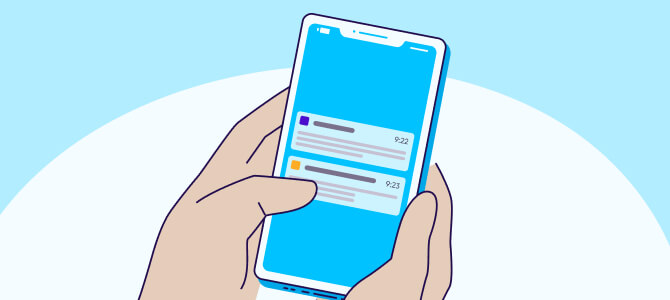
Credit: www.appsflyer.com
Frequently Asked Questions
How Do Push Notifications Work In Mobile Apps?
Push notifications are messages sent directly to a user’s device. They engage users even when the app is not open. These notifications require a push notification service, like Firebase or OneSignal, to deliver messages. Developers must implement the necessary APIs to integrate this functionality into their apps.
What Are The Benefits Of Using Push Notifications?
Push notifications enhance user engagement and retention. They provide timely updates, reminders, and personalized content. This direct communication channel can increase app usage and improve user experience. When used wisely, they can drive conversions and customer loyalty through targeted messaging.
How Can I Customize Push Notifications?
Customization of push notifications involves tailoring the content and delivery. You can set parameters like timing, frequency, and audience segmentation. Using analytics helps identify user preferences for better targeting. Personalizing messages increases relevance, leading to higher engagement rates and improved user satisfaction.
Are Push Notifications Effective For All Apps?
While push notifications can benefit many apps, their effectiveness varies. They work best for apps that require regular user interaction, like social media and e-commerce. Apps with infrequent updates may find them less useful. Testing different strategies is essential to determine their impact on your specific audience.
Conclusion
Integrating push notifications into your mobile app can significantly enhance user engagement. By following the steps outlined in this guide, you can create a seamless experience for your audience. Remember to personalize content and analyze performance regularly. This approach will help you maximize the benefits of push notifications effectively.


Leave a Reply