
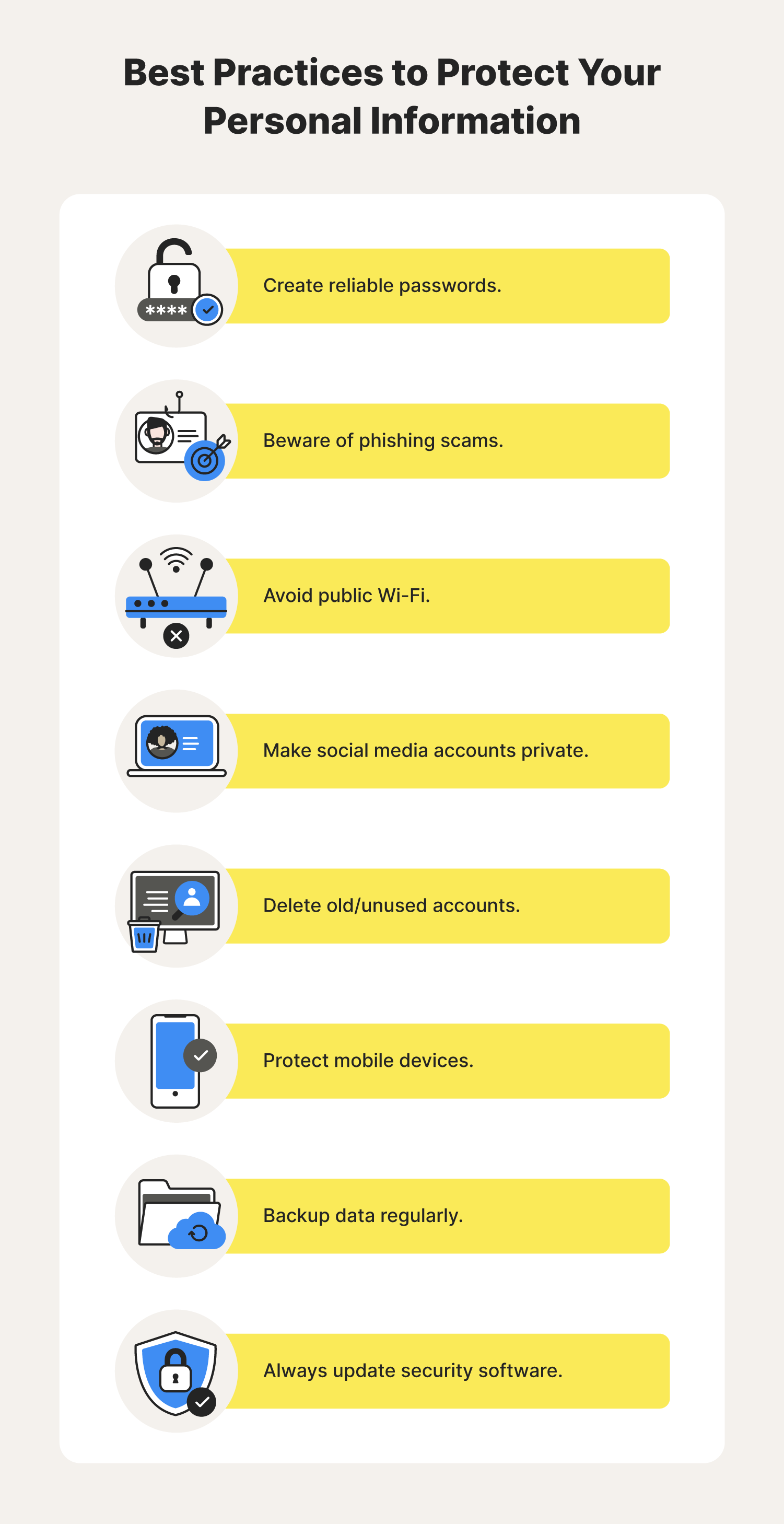
To protect personal data online, use strong, unique passwords and enable two-factor authentication. Regularly update your software and be cautious with public Wi-Fi.
How to Protect Personal Data Online:In today’s digital landscape, safeguarding personal data is more crucial than ever. Cyber threats, such as identity theft and data breaches, can have severe consequences. With increasing online activity, individuals must take proactive steps to secure their information. Simple practices, like using complex passwords and enabling security features, can significantly reduce risks.
Awareness of phishing scams and the importance of safe browsing habits also play vital roles in data protection. By implementing these strategies, you can create a safer online environment and enhance your digital privacy. Stay informed and vigilant to navigate the online world securely.
Credit: www.consumernotice.org
The Importance Of Personal Data Security
Personal data security is crucial in today’s digital world. Many people share personal information online. This data can include names, addresses, and bank details. Protecting this information helps prevent identity theft and fraud.
Understanding the importance of data security is essential. It not only safeguards personal information but also builds trust. Users feel safe sharing their data with companies that prioritize security.
Risks Of Data Exposure
Data exposure can happen in many ways. Here are some common risks:
- Phishing attacks
- Weak passwords
- Public Wi-Fi networks
- Outdated software
- Data breaches from companies
Each risk can lead to significant issues. Cybercriminals exploit these vulnerabilities to steal information.
Consequences Of Privacy Breaches
Privacy breaches can have severe outcomes. Here are some consequences:
| Consequence | Description |
|---|---|
| Identity Theft | Thieves use stolen data to impersonate victims. |
| Financial Loss | Fraudsters can drain bank accounts or make unauthorized purchases. |
| Reputation Damage | Individuals and companies can lose trust from customers. |
| Legal Issues | Companies may face lawsuits for failing to protect data. |
Each consequence highlights the need for strong data protection measures. Staying aware helps everyone protect their personal information.

Credit: www.researchgate.net
Identifying Sensitive Information
Understanding what constitutes sensitive information is crucial. Protecting this data helps safeguard your privacy. Identifying sensitive information allows you to take necessary precautions.
Types Of Personal Data
Personal data comes in various forms. Here are the main types you should be aware of:
- Name: Your full name can reveal much about you.
- Address: Home addresses can lead to physical threats.
- Phone Number: Can be used for unsolicited calls or scams.
- Email Address: Target for spam and phishing attacks.
- Social Security Number: Key for identity theft.
- Bank Information: Access to your funds can be dangerous.
- Health Records: Sensitive health information can be exploited.
Potential Vulnerabilities
Many factors can expose your sensitive information. Recognizing these vulnerabilities is essential.
| Vulnerability Type | Description |
|---|---|
| Weak Passwords | Easy to guess, making accounts vulnerable. |
| Public Wi-Fi | Unsecured networks can allow data interception. |
| Phishing Scams | Fraudulent messages trick users into sharing data. |
| Outdated Software | Old software may lack security updates. |
| Social Media Oversharing | Sharing too much can help attackers find you. |
Each vulnerability presents a risk. Stay vigilant to protect your information.
Strong Passwords: First Line Of Defense
Protecting personal data online starts with strong passwords. A robust password acts as a shield against unauthorized access. It is crucial to create passwords that are hard to guess. This section covers how to create complex passwords and manage them effectively.
Creating Complex Passwords
Complex passwords are essential for online security. Use the following tips to create strong passwords:
- Mix uppercase and lowercase letters.
- Include numbers and symbols.
- Avoid common words or phrases.
- Make it at least 12 characters long.
Here’s an example of a strong password:
| Password Example |
|---|
| G7%l@9kzQ!3bT |
Remember, the more complex your password, the harder it is to crack.
Managing Passwords Effectively
Managing passwords can be challenging. Use these strategies to keep track of them:
- Use a password manager. This tool stores all passwords securely.
- Change passwords regularly. Update them every three to six months.
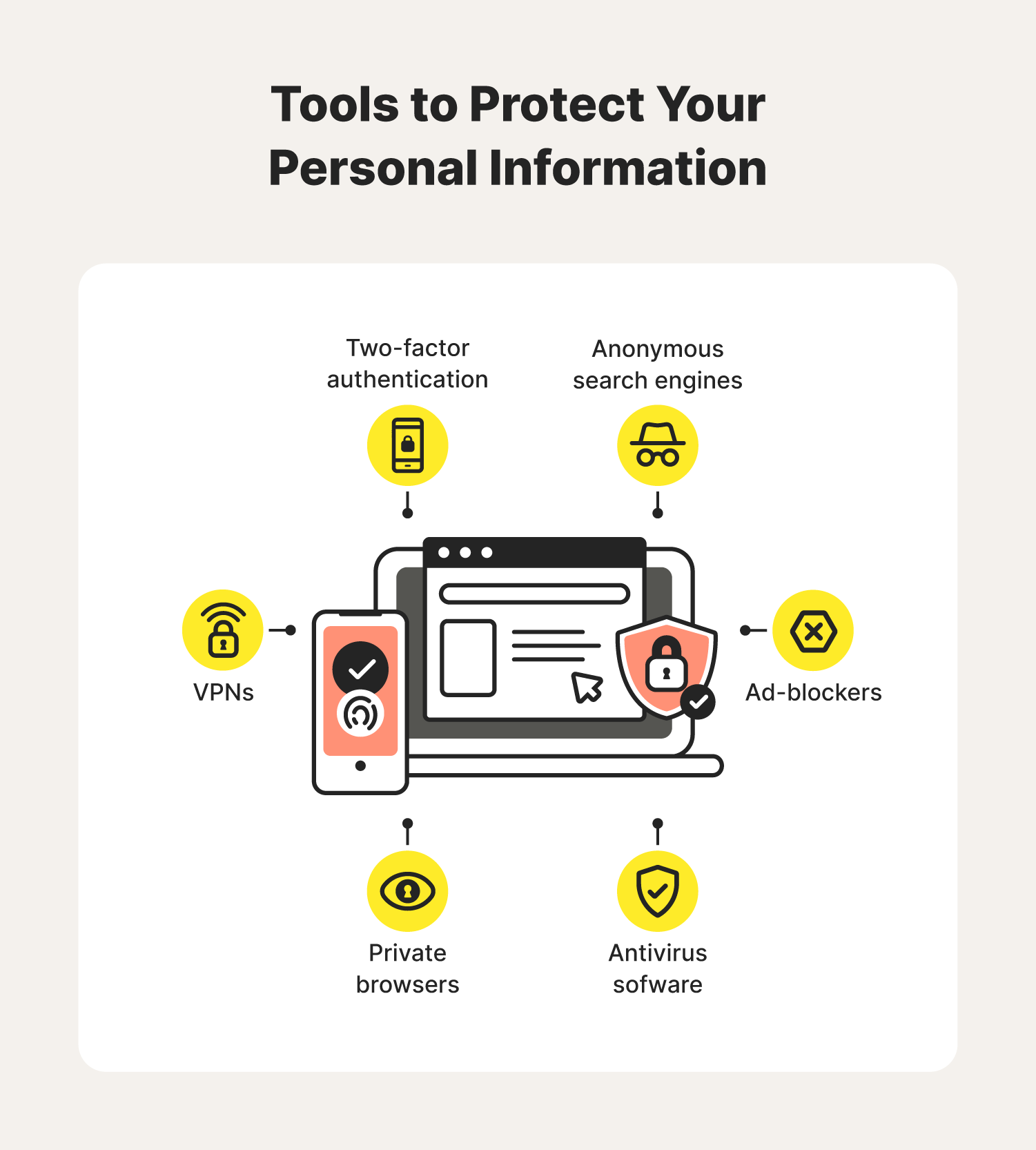
- Enable two-factor authentication. This adds an extra layer of security.
Never reuse passwords across different accounts. This practice increases risk. Always ensure your passwords are unique.
Secure Internet Browsing Habits
Practicing secure internet browsing habits is crucial. It helps protect your personal data online. Simple steps can make a big difference in keeping your information safe.
Safe Surfing Practices
Follow these safe surfing practices to protect your data:
- Use a strong password for all accounts.
- Change passwords regularly.
- Avoid using public Wi-Fi for sensitive tasks.
- Enable two-factor authentication on accounts.
- Regularly update your software and apps.
- Be cautious with email attachments and links.
These habits make your online experience safer. They help prevent unauthorized access to your data.
Recognizing Secure Websites
Identifying secure websites is essential for safe browsing. Look for these signs:
| Indicator | Description |
|---|---|
| HTTPS | The URL starts with HTTPS instead of HTTP. |
| Padlock Icon | A padlock icon appears in the address bar. |
| Security Certificates | Check for valid security certificates on the site. |
Always verify these indicators. They show that the site is more trustworthy. Avoid sites without these features.
Social Media Privacy Settings
Social media privacy settings are crucial for protecting your personal data. They help control who sees your information and how it is shared. Understanding these settings can enhance your online safety.
Customizing Profile Security
Customizing your profile security is the first step. Each social media platform has different settings. Follow these steps to secure your profile:
- Log in to your social media account.
- Go to the settings menu.
- Find the privacy settings section.
- Adjust who can see your posts. Choose “Friends” or “Only Me.”
- Limit profile visibility to “Friends” or “Custom.”
Here is a quick overview of popular platforms:
| Platform | Profile Privacy Option |
|---|---|
| Friends, Public, Only Me | |
| Private Account | |
| Protect Your Tweets |
Controlling Data Sharing
Controlling data sharing keeps your information safe. Adjust these settings carefully:
- Disable location sharing in posts.
- Turn off app access to your profile.
- Review third-party apps linked to your account.
Check these points:
- Regularly review friend lists.
- Remove unknown contacts.
- Use two-factor authentication for added security.
These steps help maintain your privacy on social media.
Two-factor Authentication (2fa)
Two-Factor Authentication (2FA) adds an extra layer of security. It requires two forms of identification before access is granted. This helps protect your personal data from unauthorized access. Even if someone knows your password, they still need the second factor.
Enhancing Security With 2fa
2FA enhances security in several ways:
- Extra Layer: It requires more than just a password.
- Reduces Risk: It lowers the chance of hacking.
- Alerts: You get notified of suspicious activity.
Using 2FA makes it much harder for hackers. They need your password and the second factor. This significantly increases your online safety.
Setting Up 2fa On Common Platforms
Setting up 2FA is simple. Here’s how to do it on popular platforms:
| Platform | Steps to Enable 2FA |
|---|---|
|
|
|
|
|
Always use a trusted app for authentication. Options like Google Authenticator or Authy work well. Remember to keep your recovery codes safe. This ensures you can regain access if needed.
Phishing Scams And How To Avoid Them
Phishing scams trick users into revealing personal data. Cybercriminals use fake emails and websites. They want sensitive information like passwords and credit card numbers. Recognizing these scams is crucial for online safety.
Identifying Phishing Attempts
Phishing attempts often share common signs. Here are key indicators to watch for:
- Generic Greetings: Messages often start with “Dear Customer.”
- Urgent Language: They create a sense of urgency, claiming immediate action is needed.
- Unusual URLs: Links may look similar but have slight misspellings.
- Attachments: Unexpected files can contain malware.
- Bad Grammar: Many phishing messages contain spelling and grammar errors.
Best Practices To Prevent Being Phished
Preventing phishing attacks requires vigilance. Follow these best practices:
- Verify Sender: Always check the email address. Look for signs of tampering.
- Hover Over Links: Before clicking, hover over links to see the real URL.
- Avoid Sharing Personal Info: Never share sensitive data via email.
- Use Two-Factor Authentication: This adds an extra layer of security.
- Keep Software Updated: Regular updates can fix vulnerabilities.
Stay informed about new phishing tactics. Awareness is your best defense.
Credit: us.norton.com
Regular Software And System Updates
Keeping your software and systems updated is crucial for protecting personal data. Updates often include important security patches. These patches fix vulnerabilities that hackers might exploit.
The Role Of Updates In Security
Updates play a vital role in maintaining security. Here are some key points about their importance:
- Fix Bugs: Updates resolve bugs that can be exploited.
- Enhance Features: New features improve overall functionality.
- Improve Compatibility: Updates ensure software works well with other programs.
- Boost Security: Security patches protect against new threats.
Neglecting updates can leave your system vulnerable. Hackers often target outdated software. Regular updates help keep your data safe.
Setting Up Automatic Updates
Automatic updates simplify the process of keeping software current. Follow these steps to enable them:
- Open your device’s settings.
- Find the “Updates” section.
- Select “Automatic Updates.”
- Turn on automatic updates for both software and system.
Some systems allow you to schedule updates. Choose a time when you are not using the device. This ensures smooth updates without interruptions.
Remember to check for updates manually too. Sometimes, automatic updates may fail. Regular checks help ensure your software remains secure.
Data Encryption Tools
Data encryption tools protect personal information online. They turn readable data into a coded format. Only authorized users can access this information. Using encryption helps keep your data secure from hackers.
Understanding Encryption
Encryption is a method to secure data. It changes plain text into a secret code. This process ensures that only those with the right key can read it.
There are two main types of encryption:
- Symmetric Encryption: Uses the same key for both encryption and decryption.
- Asymmetric Encryption: Uses a pair of keys—one public and one private.
Both types provide strong protection. Choose the one that fits your needs.
Available Encryption Solutions
Many encryption tools exist. Here are some popular options:
| Tool Name | Type | Platform |
|---|---|---|
| VeraCrypt | Symmetric | Windows, Mac, Linux |
| BitLocker | Symmetric | Windows |
| AxCrypt | Symmetric | Windows, Mac, Mobile |
| GnuPG | Asymmetric | Windows, Mac, Linux |
These tools offer strong encryption options. Always select one that matches your needs.
Virtual Private Networks (vpns) And Privacy
Virtual Private Networks, or VPNs, are essential for online privacy. They create a secure tunnel for your internet traffic. This helps protect personal data from prying eyes.
Using a VPN masks your IP address. It makes your online activities harder to trace. This is vital in today’s digital world, where data breaches are common.
Benefits Of Using A Vpn
- Enhanced Security: VPNs encrypt your data, making it unreadable to hackers.
- Privacy Protection: They hide your IP address from websites and ISPs.
- Access Restricted Content: VPNs allow access to geo-blocked websites.
- Safe Public Wi-Fi Use: Protects your data on unsecured networks.
Choosing The Right Vpn
Selecting the right VPN is crucial for effective protection. Here are key factors to consider:
| Factor | Description |
|---|---|
| Encryption Level | Choose a VPN with strong encryption standards. |
| No-logs Policy | Ensure the VPN provider doesn’t store your data. |
| Speed | Opt for a VPN that maintains good internet speed. |
| Server Locations | More servers mean better access to global content. |
| Customer Support | Check for 24/7 support for any issues. |
Invest time in research. Read user reviews and compare features. A good VPN can be a powerful tool for safeguarding your personal data online.
Monitoring And Responding To Data Breaches
Protecting your personal data is crucial. Data breaches can happen anytime. Monitoring your information helps you react quickly. Responding effectively can save you from serious problems.
Keeping An Eye On Personal Data
Regularly check your accounts and devices. Here are some simple steps:
- Use strong, unique passwords.
- Enable two-factor authentication.
- Monitor bank and credit card statements.
- Set up alerts for suspicious activity.
Consider using security software. This can help detect breaches early. Always update your software. Updates often fix security holes.
Steps To Take After A Data Breach
If a breach occurs, act quickly. Follow these steps:
- Change your passwords immediately.
- Notify your bank or credit card company.
- Monitor your accounts closely.
- Consider freezing your credit.
- Report the breach to the authorities.
Stay informed about the breach. Companies often provide updates. Use this information to protect yourself.
Don’t forget to check your credit report. You can get a free report once a year.
Educating Yourself On Digital Hygiene
Understanding digital hygiene is crucial for protecting personal data online. It involves practicing safe habits while using digital devices. Education empowers you to make informed decisions about your online presence. Start by learning about the risks and tools available to safeguard your information.
Resources For Continued Learning
Many resources help you enhance your knowledge about digital safety. Here’s a list of recommended materials:
- Books: Explore titles on cybersecurity and privacy.
- Online Courses: Platforms like Coursera offer free courses.
- Webinars: Attend live sessions for real-time learning.
- Podcasts: Listen to experts discuss digital hygiene topics.
Staying Informed On Privacy Matters
Keeping updated on privacy matters is essential. Follow these tips to stay informed:
- Subscribe to reputable cybersecurity newsletters.
- Follow organizations focused on digital rights.
- Join online forums to share experiences and advice.
- Monitor news about data breaches and new regulations.
| Resource Type | Examples |
|---|---|
| Books | The Art of Invisibility, Cybersecurity for Dummies |
| Online Courses | Cybersecurity Basics, Data Privacy Fundamentals |
| Podcasts | CyberWire, Security Now |
Frequently Asked Questions
How Can I Secure My Personal Data Online?
To secure your personal data online, use strong passwords and enable two-factor authentication. Regularly update your software and avoid public Wi-Fi for sensitive transactions. Be cautious about sharing personal information on social media. Use reputable security software to protect against malware and phishing attacks.
What Are The Best Practices For Online Privacy?
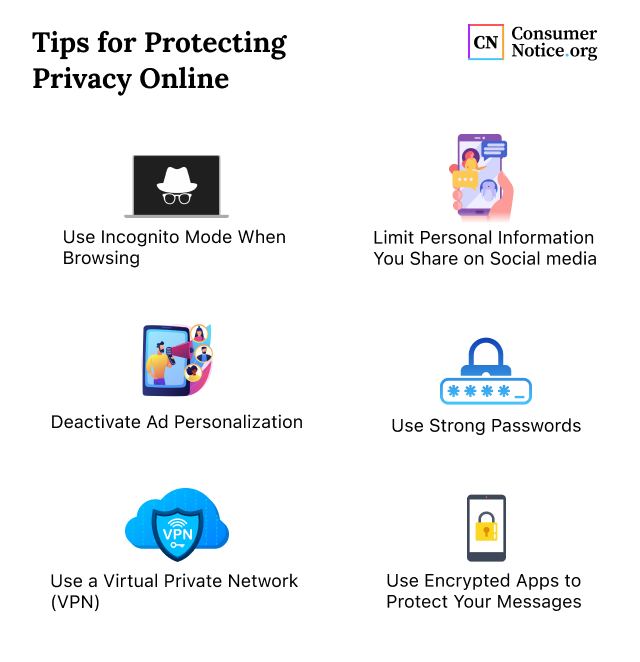
Best practices for online privacy include using VPNs and browsing in incognito mode. Limit the amount of personal information you share. Review privacy settings on social media platforms regularly. Clear your browser history frequently and use privacy-focused search engines to enhance your online anonymity.
How Do I Identify Phishing Attempts?
To identify phishing attempts, look for suspicious email addresses or urgent requests for personal information. Check for poor grammar or spelling mistakes in messages. Hover over links to see their true destination. Always verify the sender’s identity before clicking on any links or downloading attachments.
Is It Safe To Use Public Wi-fi?
Using public Wi-Fi can be risky for your personal data. Hackers can intercept data transmitted over unsecured networks. If you must use public Wi-Fi, connect through a VPN to encrypt your data. Avoid accessing sensitive information, like banking details, while on public networks to minimize risks.
Conclusion
Protecting your personal data online is essential for maintaining your privacy and security. By implementing strong passwords, using two-factor authentication, and being cautious with sharing information, you can significantly reduce risks. Stay informed about the latest cybersecurity threats to adapt your strategies.
Your online safety is in your hands—act wisely.


Leave a Reply