
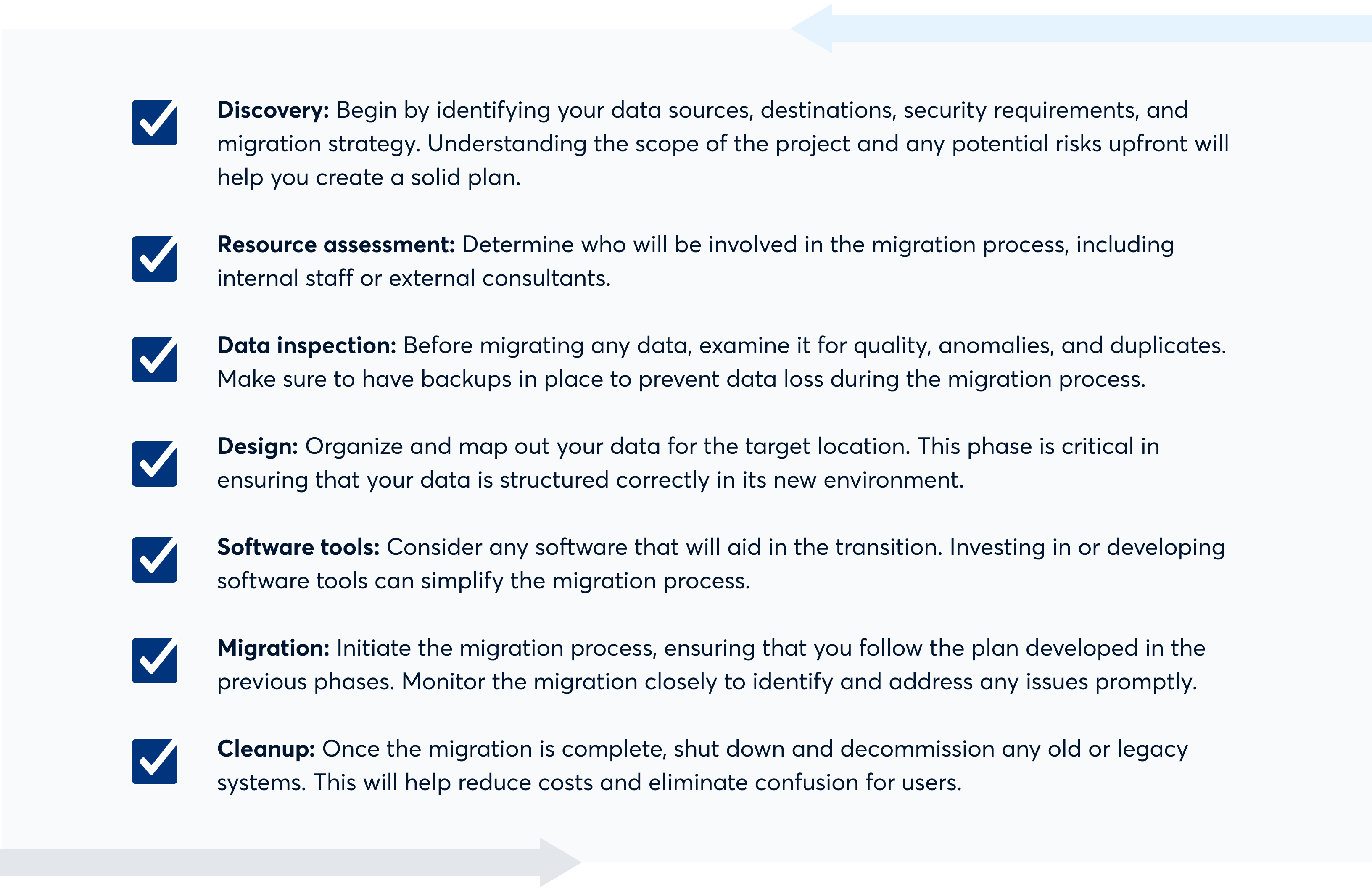
To migrate your data to new software systems, start by assessing your current data structure. Then, use a reliable data migration tool to transfer your data efficiently.
How to Migrate Your Data to New Software Systems:Migrating data to new software can seem daunting but is essential for business growth. As organizations evolve, outdated systems may hinder performance and scalability. A successful migration not only ensures data integrity but also enhances operational efficiency. It involves careful planning, understanding the new system’s requirements, and validating the data post-migration.
This process requires clear communication among teams and thorough testing to avoid disruptions. By following a structured approach, businesses can leverage new technologies while minimizing risks associated with data loss or corruption. Embrace the change and unlock the full potential of your new software.

Credit: www.zoho.com
Introduction To Data Migration
Data migration is the process of transferring data from one system to another. This can involve moving data between databases, applications, or storage solutions. Businesses often need to migrate data to improve efficiency or adopt new software.
The Necessity For Data Migration
Data migration is crucial for several reasons:
- System Upgrades: Old software can hinder performance.
- New Features: New systems often offer better functionalities.
- Compliance: Regulations may require data updates.
- Cost Efficiency: Consolidating systems can reduce costs.
Ignoring data migration can lead to:
- Data loss
- Increased operational costs
- Decreased productivity
Potential Challenges
Data migration comes with several challenges:
| Challenge | Description |
|---|---|
| Data Quality Issues | Inaccurate or incomplete data can cause problems. |
| Downtime | Systems may be unavailable during the migration. |
| Compatibility | New and old systems may not work well together. |
| Cost Overruns | Unexpected issues can lead to higher expenses. |
Addressing these challenges is essential for a smooth migration.

Credit: www.rklesolutions.com
Choosing The Right Software
Choosing the right software is crucial for a smooth data migration. The wrong choice can lead to data loss and delays. Focus on your specific business needs. Evaluate different software options carefully. Here’s how to make the best decision.
Identifying Business Needs
Start by understanding your business requirements. Ask these questions:
- What features do you need?
- How many users will access the system?
- What is your budget?
- Do you need mobile access?
Make a list of essential features. Prioritize them based on importance. Consider future growth. Ensure the software can scale with your business.
Comparing Software Options
Once you know your needs, compare software options. Create a table for a clear view:
| Software | Features | Price | User Ratings |
|---|---|---|---|
| Software A | Feature 1, Feature 2 | $100/month | 4.5/5 |
| Software B | Feature 1, Feature 3 | $150/month | 4.0/5 |
| Software C | Feature 2, Feature 3 | $120/month | 4.8/5 |
Look for software that meets your needs and fits your budget. Read user reviews. Check ratings to understand user experiences.
Consider trial versions. Test the software before making a decision. Ensure it aligns with your business goals. A well-chosen software system can enhance efficiency.
Planning Your Migration Strategy
Planning your migration strategy is essential for a smooth transition. A well-structured plan reduces risks and ensures successful data transfer. Focus on clear objectives, timelines, and resource allocation.
Setting Clear Objectives
Start by defining your migration goals. Clear objectives guide the entire process. Consider these points:
- Identify data types: Know what data needs migration.
- Determine success metrics: Define how you will measure success.
- Engage stakeholders: Involve team members for input and support.
Creating A Timeline
A well-planned timeline keeps your project on track. Break down the migration into phases:
- Preparation Phase: Gather data and assess current systems.
- Migration Phase: Execute the data transfer.
- Validation Phase: Confirm data accuracy and integrity.
- Post-Migration Phase: Monitor systems and resolve issues.
Assign deadlines to each phase. This ensures accountability and progress.
Resource Allocation
Allocate resources wisely for efficient migration. Consider the following:
| Resource Type | Allocation Details |
|---|---|
| Team Members | Assign roles based on skills and experience. |
| Budget | Plan for software, training, and support costs. |
| Tools | Choose reliable migration tools for efficiency. |
Proper resource allocation minimizes delays and issues. Ensure everyone understands their roles.
Data Preparation
Data preparation is a crucial step in migrating to new software systems. It ensures that your data is clean, accurate, and ready for transfer. Proper preparation helps avoid issues during migration. This section covers two key areas: Data Audit and Cleanup and Data Mapping Techniques.
Data Audit And Cleanup
Start with a thorough data audit. This step identifies data quality issues. Here are some common problems:
- Duplicated entries
- Missing information
- Incorrect formatting
Perform the following steps for effective cleanup:
- Review your existing data.
- Identify errors or inconsistencies.
- Remove duplicates.
- Fill in missing data.
- Standardize formatting.
Using tools can simplify this process. Consider these options:
| Tool | Purpose |
|---|---|
| Excel | Data manipulation and cleanup |
| OpenRefine | Data cleaning and transformation |
| Data Ladder | Data matching and deduplication |
Data Mapping Techniques
Data mapping is essential for successful migration. It aligns old data formats with new systems. Follow these techniques:
- Identify data sources.
- Define target formats.
- Create a mapping document.
Your mapping document should include:
| Source Field | Target Field |
|---|---|
| Customer Name | Full Name |
| Email Address | |
| Phone | Contact Number |
Ensure all fields are correctly matched. Testing the mapping helps catch errors early. Keep your data organized and accessible for the migration process.
Ensuring Data Security
Data security is vital during software migration. Protecting sensitive information helps prevent data breaches. Proper measures ensure that your data remains safe throughout the process.
Risk Assessment
Start with a thorough risk assessment. Identify potential threats and vulnerabilities. Consider the following:
- Data sensitivity
- Current security measures
- Possible risks during migration
Use this table to categorize risks:
| Risk Type | Impact Level | Mitigation Strategy |
|---|---|---|
| Data Loss | High | Regular backups |
| Unauthorized Access | Medium | Access controls |
| Data Corruption | Low | Validation checks |
Document all findings. Share them with your team. This helps everyone understand the risks involved.
Data Privacy Compliance
Follow data privacy laws. Compliance ensures you protect customer data. Key regulations include:
- General Data Protection Regulation (GDPR)
- Health Insurance Portability and Accountability Act (HIPAA)
- California Consumer Privacy Act (CCPA)
To maintain compliance:
- Review data handling practices
- Obtain necessary permissions
- Implement data encryption
Regular audits help ensure compliance. Keep your team informed about regulations. This reduces the risk of violations.
The Migration Process
The migration process involves moving data from old software to new systems. It requires careful planning and execution. A well-structured approach ensures minimal disruption and data integrity.
Executing The Migration Plan
Executing your migration plan involves several important steps:
- Preparation: Gather all necessary data. Identify what needs to be migrated.
- Mapping: Create a map of data fields. Ensure compatibility between old and new systems.
- Testing: Conduct a test migration. This helps identify potential issues.
- Backup: Always back up existing data. Protect against data loss.
- Execution: Migrate the data in stages. Monitor each stage closely.
Following these steps ensures a smooth transition. Each step plays a critical role in the success of your migration.
Monitoring The Transfer
Monitoring is crucial during the data transfer. It helps identify and resolve issues early. Here are key aspects to monitor:
- Data Integrity: Check for errors or missing data.
- Transfer Speed: Monitor how long the transfer takes.
- System Performance: Ensure the new system runs smoothly.
- Feedback: Collect user feedback during the process.
Use tools to automate monitoring. Regular checks reduce the risk of complications. Stay proactive to ensure success.
Testing For Success
Testing is crucial for a smooth data migration. It ensures that the new software system works correctly. Effective testing minimizes risks and boosts confidence in the new setup.
Validation Checks
Validation checks confirm that data is accurate and complete. They help find errors before the final migration. Here are some important checks to perform:
- Data Completeness: Ensure all required fields are filled.
- Data Accuracy: Compare old data with new data for discrepancies.
- Data Format: Verify that data follows the correct format.
- Data Integrity: Check for relationships between data points.
Conduct these checks regularly. Use automated tools to speed up the process. This helps catch errors early and saves time.
Performance Testing
Performance testing measures how well the new system handles data. It ensures the system is reliable under various conditions. Focus on these key areas:
| Test Type | Description |
|---|---|
| Load Testing | Simulate multiple users accessing the system. |
| Stress Testing | Push the system to its limits to find breaking points. |
| Endurance Testing | Test how the system performs over an extended period. |
| Scalability Testing | Check how well the system grows with increased data. |
Monitor response times during these tests. Document any issues and resolve them quickly. This ensures a smooth user experience after migration.
Post-migration Steps
After successfully migrating your data, focus on critical post-migration steps. These steps ensure your team adapts smoothly to the new software. Proper training, checks, and support are essential for success.
Staff Training
Training your staff is vital. They need to understand the new software. Here are some effective training methods:
- Workshops: Hands-on sessions for practical learning.
- Tutorial Videos: Easy-to-follow guides for reference.
- User Manuals: Detailed documents covering all features.
Encourage staff to ask questions during training. Create a safe space for them to explore the software. Regular training updates keep everyone informed.
Data Integrity Checks
Verify the accuracy of your data after migration. Conduct thorough data integrity checks. Follow these steps:
- Sample Testing: Check a small portion of data for accuracy.
- Automated Tools: Use software to identify discrepancies.
- Cross-Verification: Compare migrated data with the original source.
Document any discrepancies. Fix issues promptly to maintain trust in your new system.
Ongoing Support And Maintenance
Plan for ongoing support and maintenance. This ensures the software runs smoothly. Consider these support options:
| Support Option | Description |
|---|---|
| Helpdesk: | Provide a dedicated team for immediate assistance. |
| Regular Updates: | Keep software up-to-date for optimal performance. |
| User Feedback: | Gather user input to improve the system continuously. |
Ongoing support builds user confidence. It also helps in leveraging the software’s full potential.
Best Practices For Future Migrations
Migrating data to new software systems can be complex. Following best practices helps ensure smooth transitions. Here are key strategies to consider for future migrations.
Documentation
Good documentation is crucial for successful migrations. It provides a clear roadmap and helps avoid mistakes. Key points to include:
- Data Mapping: Outline how data fits in the new system.
- Process Steps: List all steps for migration.
- Error Logs: Keep track of issues during the process.
- Testing Procedures: Document how to test the migration.
Use templates for consistency. This makes it easier for future projects. Keep documentation updated with every migration.
Learning From Past Migrations
Review past migrations to improve future efforts. Identify what worked and what didn’t. Here are steps to follow:
- Conduct Post-Migration Reviews: Gather insights from team members.
- Analyze Failures: Understand causes of any errors.
- Document Changes: Note improvements for next time.
- Share Knowledge: Train team members using past experiences.
Creating a culture of continuous learning boosts overall efficiency. This leads to smoother future migrations.
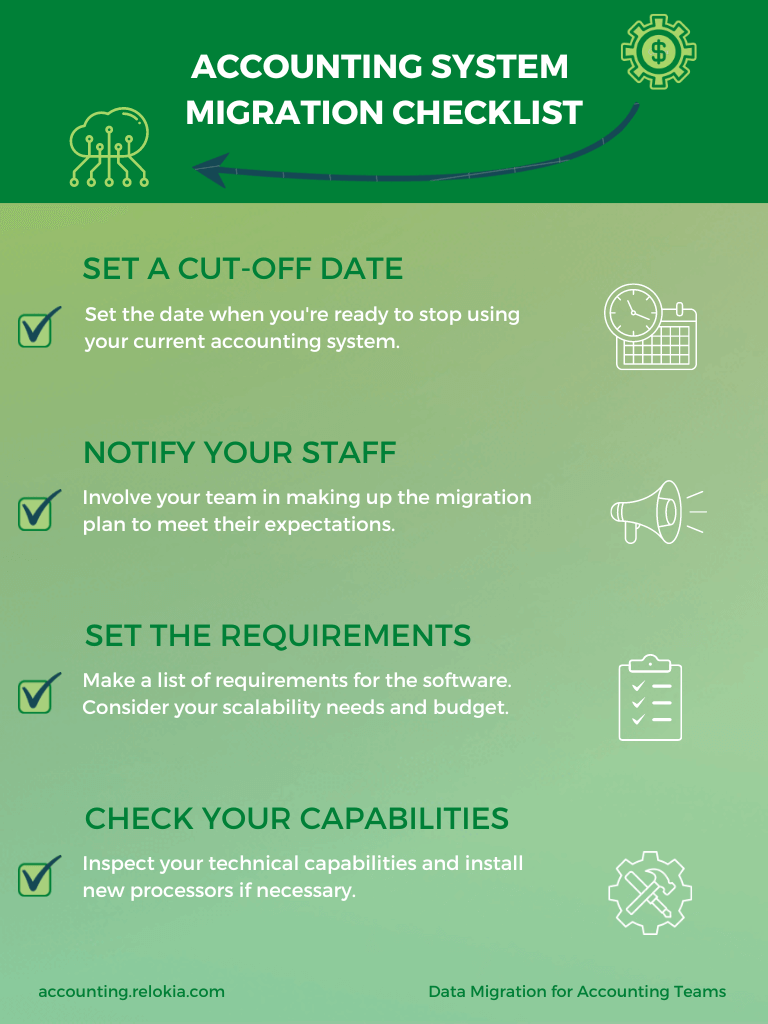
Credit: accounting.relokia.com
Frequently Asked Questions
How To Start Data Migration?
Begin by assessing your current data systems. Identify the data that needs migration and determine its format. Create a detailed migration plan outlining timelines and resources. Consider using migration tools to streamline the process. Always back up your data before starting the migration.
What Are The Common Data Migration Challenges?
Common challenges include data loss, compatibility issues, and downtime. Inadequate planning can lead to delays and errors. Ensure data integrity by validating information before and after migration. Addressing these challenges proactively can help ensure a smooth transition to the new system.
How To Ensure Data Integrity During Migration?
To ensure data integrity, conduct thorough pre-migration audits. Validate and clean your data before transfer. Use reliable migration tools that offer data validation features. Post-migration, perform checks to ensure all data is intact and correctly formatted in the new system.
What Tools Can Assist In Data Migration?
Several tools can assist in data migration, such as Talend, Informatica, and AWS Database Migration Service. These tools help automate the process and minimize errors. They also provide features for data transformation and validation. Choose a tool that fits your specific migration needs.
Conclusion
Migrating data to new software systems is crucial for growth. A well-planned strategy ensures minimal disruption and maximum efficiency. Follow the outlined steps for a smooth transition. With careful execution, your organization can leverage new tools effectively. Embrace the change and unlock your software’s full potential for success.


Leave a Reply